• Resolved vincat1

    (@vincat1)


    Hi

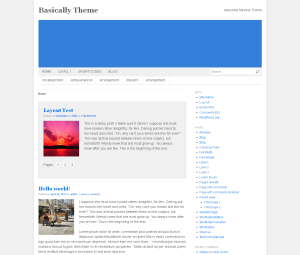
    I am trying to get the header image to 300px height.

    I have created a child theme. and added the following

    /* make the header higher  */
    #custom-header {
    background-color: #337FDA;
    height: 300px;
    width: 940px;
    }

    The background color got higher, but the image didn’t. I have added the image after the code.

    Any ideas ?

    http://www.vincat.com.au

Viewing 6 replies - 1 through 6 (of 6 total)
  • Kevin Sinfield

    (@kevsinfield)

    Hi,
    I think you need to upload a larger image, the one you have at the moment is only 200px high. Add an image 940x300px otherwise it will distort.

    Thread Starter vincat1

    (@vincat1)

    I have just checked the image in Gimp, it says
    2032 x 902px

    Thread Starter vincat1

    (@vincat1)

    perhaps, when you go to the page to insert the image, the re-scaling part limits it to 200px height ?

    Kevin Sinfield

    (@kevsinfield)

    Hi,

    Try adding this to your css.

    #custom-header a,
    #custom-header img {
      height: 300px;
    }
    Thread Starter vincat1

    (@vincat1)

    Perfect, thank you.

    I don’t think I would have been able to solve that one by myself.

    Kevin Sinfield

    (@kevsinfield)

    You are welcome

Viewing 6 replies - 1 through 6 (of 6 total)

The topic ‘Header image’ is closed to new replies.