Hi rnchor,
I can take a look. Can you share the version of GradeBook, WordPress, and what browser you are using?
Regards,
Aori Nevo
Thread Starter
 rnchor
(@rnchor)
The version i am using is 4.0.11. And the browsers i am using now are google chrome and Mozilla Firefox.
Thread Starter
rnchor
(@rnchor)
My wordpress version is 4.9
Thank you. I’ll try to reproduce the issue in my local.
Hi rnchor,
I wasn’t able to reproduce the issue. I installed fresh copies of wordpress 4.9 and AN_Gradebook 4.0.11 on my local.
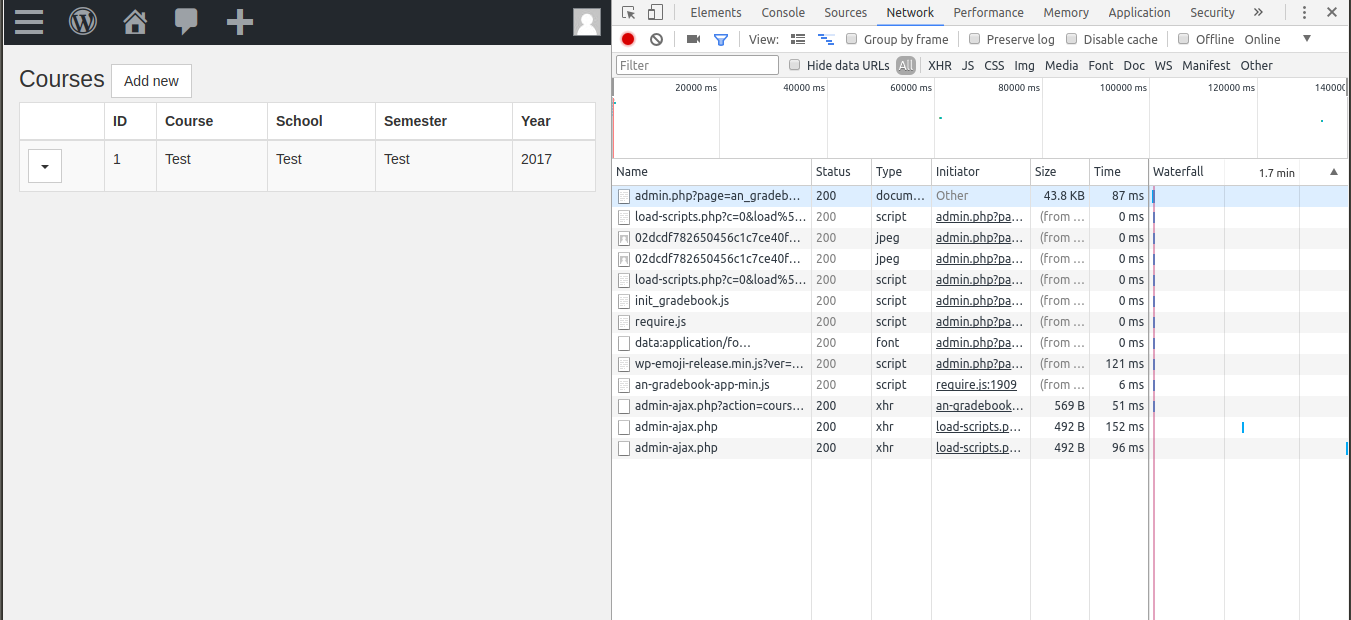
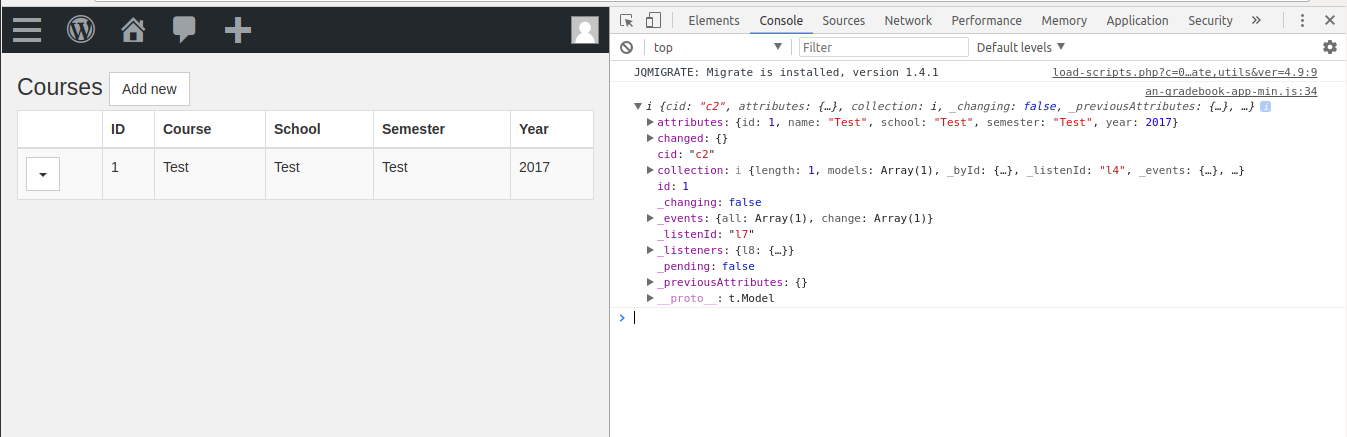
I’d like to try to troubleshoot some more with your help. I’d like you to send me a couple of screenshots of your browser with the Chrome Developer Tools open (use command + I on mac to open it). Screenshot 1: Select the network tab, click on gradebook, and take a screenshot of the browser (see http://www.aorinevo.com/wp-content/uploads/2017/11/dev-network-tab.png). Screenshot 2: Select the console tab, click on gradebook, and take a screenshot of the browser (see http://www.aorinevo.com/wp-content/uploads/2017/11/dev-console-tab.png). You can link to your screenshots in your comments or send me them directly. My email is my first and last name at gmail dot com.
The issue might be with your hosting provider. The hosting provider can define interpolation rules for <% and %> on the server. Interpolation means that the server will replace these tags, and everything in between them, with something else. These tags need to stay, as-is, for the javascript code to function correctly.
That’s what we discovered in helping one of our users troubleshoot a similar issue: See https://wordpress.org/support/topic/gradebook-page-and-settings-page-are-blank/page/2/
Thread Starter
rnchor
(@rnchor)
I have sent the screenshots to your email. Thanks