Hey zdarnell,
Could you tell me the following information?
1) The Facebook Page ID that you’re using
2) Could you go to the plugin’s Support tab and tell me what your System Info says?
3) Could you also click on the ‘Test connection to Facebook API’ button and let me know what response you get?
Many thanks,
John
Sorry it took a bit to get back to you! Thanks for the response
page id:
120691987980335
System Info
PHP Version: 5.5.13
Web Server Info: Apache
PHP allow_url_fopen: Yes
PHP cURL: Yes
JSON: Yes
Test connection:
{“data”:[]}
Thanks!
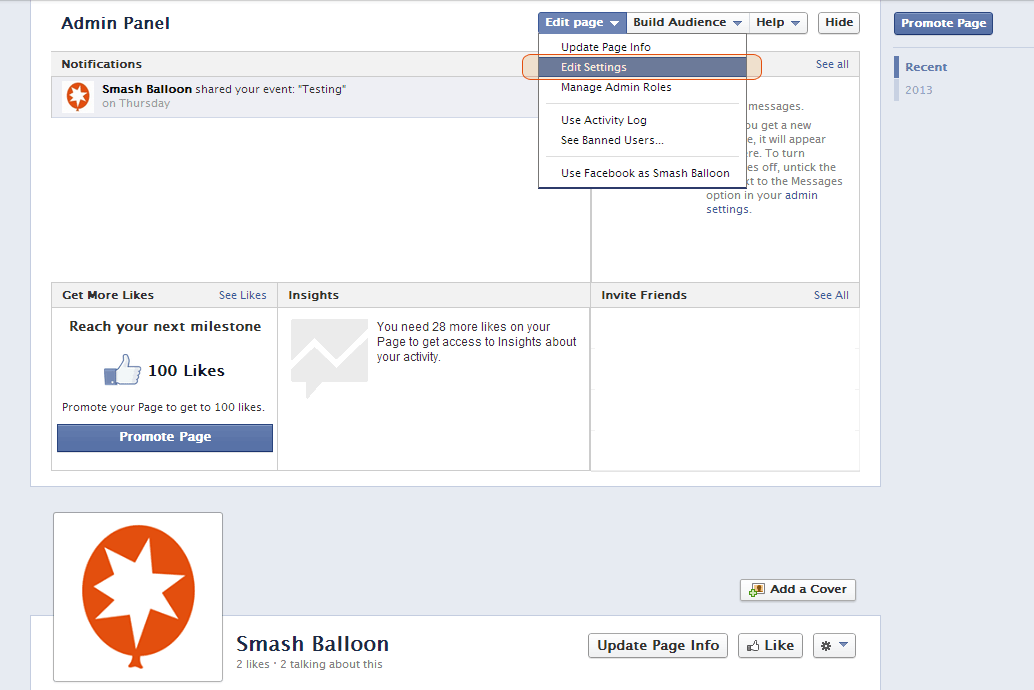
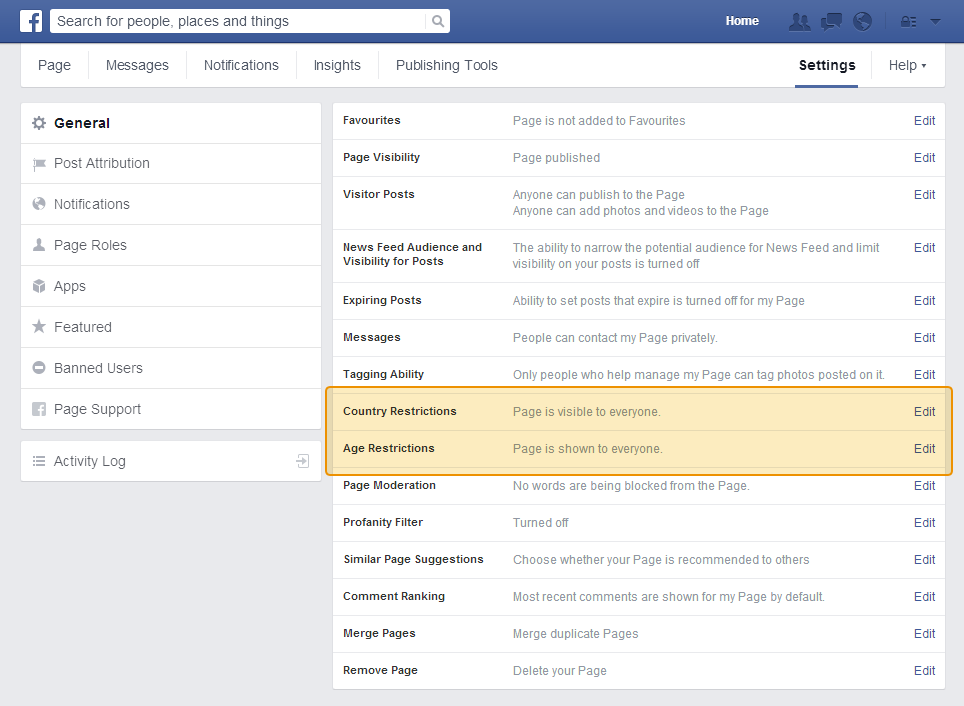
Is this the Facebook page you’re trying to display? If so, it looks like it has either an age or location restriction currently applied to it which means that it’s not public as user’s have to log into Facebook in order to view it. You can remove any restrictions by logging into the Facebook account and going to ‘Edit Page’ > ‘Edit Settings’ (see screenshot). You can then remove any ‘Country Restrictions’ and ‘Age restrictions’ (see screenshot). Once removed this should allow the plugin to access and display your posts.
Let me know whether that does the trick for you,
John
Hello, I’m having the same problem—my feed suddenly DISAPPEARED.
Here’s the page:
http://www.babaylan.net/facebook-group/
Facebook ID: 96742027847
Here’s my system info:
System Info
PHP Version: 5.2.17
Web Server Info: Apache
PHP allow_url_fopen: No
PHP cURL: Yes
JSON: Yes
Test Connection to Facebook API
{“data”:[]}
I read somewhere that I need to edit my php.ini to PHP allow_url_fopen: Yes BUT I cannot find my php.ini! I followed all sorts of instructions such as adding an info.php to my root folder to locate it, but all i see is on that page is the path /usr/lib/php5/php.ini and i dont know where the hell that is. 🙁 Help would be greatly appreciated!
Hey Geej,
I’ve responded to your submit ticket via email in an effort to keep correspondence in one place.
John
Thank you so much, you are awesome!