error message when trying to submit, after update
-
Hi Dear Support Team,
The issue is for this web page that contains the form: http://nychildrenchoir4christ.org/audition-registration/
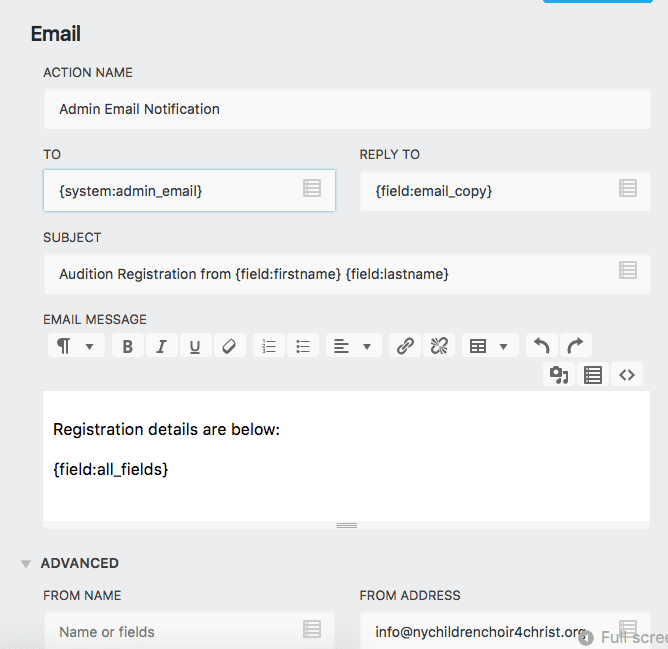
Ever since I updated the Ninja Form plugin, I received that red sentence after pressing “submit”. The red sentence is: “Your email action “Admin Email Notification” has an invalid value for the “TO” setting. Please check this setting and try again.”
The current form’s admin email setting is like this: http://nychildrenchoir4christ.org/wp-content/uploads/2017/01/Screen-Shot-2017-01-18-at-7.28.40-PM.png
I saw another post that talks about this. Mr. Kevin Stover (the author) replied to another person to just put an actual email on the TO. I did that and it did not work. I tried the email of “info@nychildrenchoir4christ.org”, which is the admin email for the site, and I also tried putting my own gmail, which is just my name @gmail.com. Both did not work. I need to fix this urgent, because every day there are people using the form to register an event that is coming up in few days.Thanks!

The topic ‘error message when trying to submit, after update’ is closed to new replies.