DATE visibility
-
Hi,
i’m using last forminator plugin on wordpress 6.5.2 .
I have created a date form including two date range :
I need to display a text only when the date is within these two date range
So i have set the visibility of the text for the first data range : the text is correctly displayed within the range : that’s right.
But if i program the second range, it is not working !
Is forminator has limited rules number ?

-
Hello @dba83 ,
I’ve tested visibility based on the slider range on my lab site and it was working correctly. See my settings:
https://monosnap.com/file/kyZvE3lQewwhqdx8GrQ4kUAlEKBD0mShow if ALL rules match and then the min and max range is set up.
Are rules set the same way in your form?
kind regards,
KasiaHi Kasia, thank-you for your reply !,
Yes i have done the same setup in my side, and it works also, but not working when i add another date range on the same field ( i need to setup multiple date range on the same date form ) , maybe it is not possible ?:
working :
not working :
page when working :
Hello @dba83,
Thank you for sharing the screenshots.
Unfortunately visibility rules will not work like this in Forminator.
The rules will be conflicting with each other, so they won’t be simultaneously matched when you select “All”, and will not be working in case of “Any” either.
We are checking with the Second Line Support (SLS) team, if there’s any workaround by applying a PHP snippet, and will update you once we have feedback from the techs.
Please note, that the next reply may take longer, depending on the current amount of tasks for the SLS team.
Best Regards,
DmytroThank-you very much for your quick reply , yes the forminator plugin is probalby the best wordpress form, but if we can add this feature it will be great !!
I’m waiting for a possible solution.
BR
Dominique
Hi @dba83
Thank you for response!
I looked into it and there is a workaround possible. It’s a bit tricky but can be it would work. Let me share the steps:
1. first, you need to remove current visibility conditions from the text field so it would be visible all the time.
2. now add three (3) additional fields of “calculation” type to the form, name them e.g. “Range 1”, “Range 2” and “Show” (I’ll refer by these names below) and
– make sure that all of them in “Settings” do not have the “Hidden” checkbox set
– for “Range 1” and “Range 2” set “Calculation Formula” in “Calculations” settings to value of 1
– for “Show” set “Calculation Formula” in “Calculations” to the sum of “Range 1” and “Range 2”
– also in “Calculations” settings for all of them make sure that the “When this field is hidden…” option is set to “Null (zero)”– in “Styling” setting of all of them add this class name (note no dot in front)
hiddenhelper
3. for “Range 1” field set visibility condition to show it only if the first range happens
4. for the “Range 2” field set visibility condition to show it only if the second range happens
5. now set visibility condition for your text field to show the filed is value of “Show” calculation is greater than 0.6. finally, in form’s Appearance settings add this to the custom css
.hiddenhelper {display:none;}That’s it. The way it works is it shows one or the other calculation (Range 1 or Range 2). When such calculation field is hidden it has value of 0 and when it’s visible it has value of 1. So the third calculation sums it up and we know it can only have one of three values: 0 (when both Range calculations are hidden, meaning date is not within range), 1 (if Range 1 or Range 2 is visible so date is within one of these two ranges) or 2 (if both Range calculations are visible, meaning date is in both ranges; this is not going to happen but just in case – if ranges would be overlapping).
So if the value of the “Show” is greater than 0 we know date is in one of the ranges and can show another field based on that.
Due to the custom CSS those calculations won’t be visible to users anyway.
The only downside here is that these values will be included in submissions but that shouldn’t be much of a problem. Also, in e-mail notifications you can just use individual fields macros so not to include those calculations.
Best regards,
AdamHi Adam,
Thanks for you great help ! , its works very fine !!
BR
Dominique
Hi Adam,
i have another problem when editing the “after submission” form behavior :
Even if i open the existing inline message or adding another behavior , i get the same window without any button , see the following screenshot :
Have-you any explanation of this issue ?
BR
Dominique
-
This reply was modified 1 year, 11 months ago by
dba83.
Hi @dba83,
Hope this message finds you well.
Are you adding more than one Behavior? If so, could you remove all, and add just one, Inline message and uncheck the Auto-close success message? Also, would you let us know which method are you using? Ajax or Page Reload:
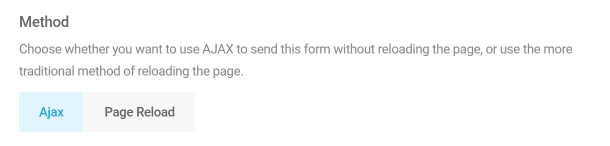
Best regards,
LauraHi Laura, if i just create an empty form with only one field ( for example “Name”) , and if i go to the Behavior , clicking on the existing default field “Inline message” , then only click “apply” without modifying anything, i get the folowing window :
i specify that i’m using wordpress on a raspberry PI ( local network) , and the behavior functionnalities are working fine on wordpress with internet .
For information, here after the two wordpress report informations
https://filebin.net/2lfcnlvcqmge1fi9
BR
Dominique
Hi @dba83,
I checked this on a local environment without internet access (not using Rasberry PI) but was unable to replicate the issue.
Can you please check if there are any javascript errors reported in the browser console at your end?
https://developer.wordpress.org/advanced-administration/debug/debug-javascript/
Additionally, please enable WP_DEBUG_LOG and see if a PHP error is being logged.
https://developer.wordpress.org/advanced-administration/debug/debug-wordpress/
Please update us here with the error if you found any so that we can help you further.
We look forward to hearing back from you.
Kind Regards,
Nebu JohnHi,
thank-you for your reply , i have done the tests , the error is present on Firefox and also on Chrome browsers. So I have done the 4 steps ( still don’t work) , and hereafter the developer Chrome report when the error occurs :
JQMIGRATE: Migrate is installed, version 3.4.1
react-dom.min.js?ver=18.2.0:10
 TypeError: t.remove is not a function
    at u.editor.remove (editor.min.js?ver=6.5.2:2:12928)
    at t.value (form-scripts.js?ver=1.29.3:1:81147)
    at $r (react-dom.min.js?ver=18.2.0:10:75774)
    at jr (react-dom.min.js?ver=18.2.0:10:74867)
    at $r (react-dom.min.js?ver=18.2.0:10:75064)
    at jr (react-dom.min.js?ver=18.2.0:10:74867)
    at $r (react-dom.min.js?ver=18.2.0:10:75816)
    at jr (react-dom.min.js?ver=18.2.0:10:74867)
    at $r (react-dom.min.js?ver=18.2.0:10:75064)
    at jr (react-dom.min.js?ver=18.2.0:10:74867)
ar @ react-dom.min.js?ver=18.2.0:10
t.callback @ react-dom.min.js?ver=18.2.0:10
tt @ react-dom.min.js?ver=18.2.0:10
Jr @ react-dom.min.js?ver=18.2.0:10
Zr @ react-dom.min.js?ver=18.2.0:10
Gr @ react-dom.min.js?ver=18.2.0:10
(anonymous) @ react-dom.min.js?ver=18.2.0:10
xl @ react-dom.min.js?ver=18.2.0:10
fl @ react-dom.min.js?ver=18.2.0:10
Nn @ react-dom.min.js?ver=18.2.0:10
(anonymous) @ react-dom.min.js?ver=18.2.0:10
xl @ react-dom.min.js?ver=18.2.0:10
ol @ react-dom.min.js?ver=18.2.0:10
v @ react.min.js?ver=18.2.0:10
ce @ react.min.js?ver=18.2.0:10
react-dom.min.js?ver=18.2.0:10
Uncaught TypeError: t.remove is not a function
    at u.editor.remove (editor.min.js?ver=6.5.2:2:12928)
    at t.value (form-scripts.js?ver=1.29.3:1:81147)
    at $r (react-dom.min.js?ver=18.2.0:10:75774)
    at jr (react-dom.min.js?ver=18.2.0:10:74867)
    at $r (react-dom.min.js?ver=18.2.0:10:75064)
    at jr (react-dom.min.js?ver=18.2.0:10:74867)
    at $r (react-dom.min.js?ver=18.2.0:10:75816)
    at jr (react-dom.min.js?ver=18.2.0:10:74867)
    at $r (react-dom.min.js?ver=18.2.0:10:75064)
    at jr (react-dom.min.js?ver=18.2.0:10:74867)
BR
Dominique
-
This reply was modified 1 year, 11 months ago by
Hi @dba83
Thank you for response!
It actually looks like some sort of a conflict. RPI itself – as in hardware – shouldn’t be an issue; it’s still Linux running standard stack (may it be LAMP or any other setup) and that’s the most important part here. Unless it’s actually an issue with resources, it shouldn’t matter.
On the other hand – are the “with internet” and RPI setups exactly the same or are there differences in configuration? If there are – what are they?
Just to test it – have you tried to disable all other plugins on site and switching theme to e.g. Twenty Twenty Four? Is the issue still happening in such case?
Kind regards,
AdamHi,
i’m facing to another problem using a Forminator form (rev 1.31.0) on wordpress rev 6.5.5
The form is about two range of date of birth :
The date format is set to : d/m/y
I have created a form using two range of date of birth : the “RANGE1” is between 10/10/1939 and 27/04/1941 ( included) , and the “RANGE2” is between 22/03/1938 and 09/10/1939 ( included)
I have created two behavior in this form , so when the operator set a birth date within the RANGE1, the submit goes to RANGE1 page , and when when the operator set a birth date within the RANGE2, the submit goes to RANGE2 page.
My problem is when i set the date to 10/10/1939 , the submit goes to the “RANGE2” page instead of “RANGE1” page
Can-you help me if my form program is wrong or something else ?
Please look at my form exported named “Forminator_Test dates de naissances.txt”
Thanks by advance
BR Dominique
Hi @dba83,
It appears to be a different issue, could you please open a new thread regarding this, so that we can check further in detail?
Trying to troubleshoot different issues in one single thread can cause miscommunication and also the form export shared seems to be deleted.
You can use the following URL to open a new thread:
https://wordpress.org/support/plugin/forminator/#new-topic-0Kind Regards,
Nithin
Hi Nithin,
Thanks for your reply ,
Yes of course ! , so i have created the following topic :
https://wordpress.org/support/topic/forminator-date-range-selection/#new-topic-0
Thanks by advance
BR
Dominique
-
This reply was modified 1 year, 11 months ago by


The topic ‘DATE visibility’ is closed to new replies.
