You should place more information in your meta-data DIV (see the screen-shot below where in your PHP template). You can put somethings like that : post date, comments, modified date, vote, tweet button or Like button.
Like that, you will have a long long DIV container above your post. To do this, each item must have a Float:left attribute.
http://www.monsterup.com/upload/1307018439888.png
See my website if you want to see how it sounds.
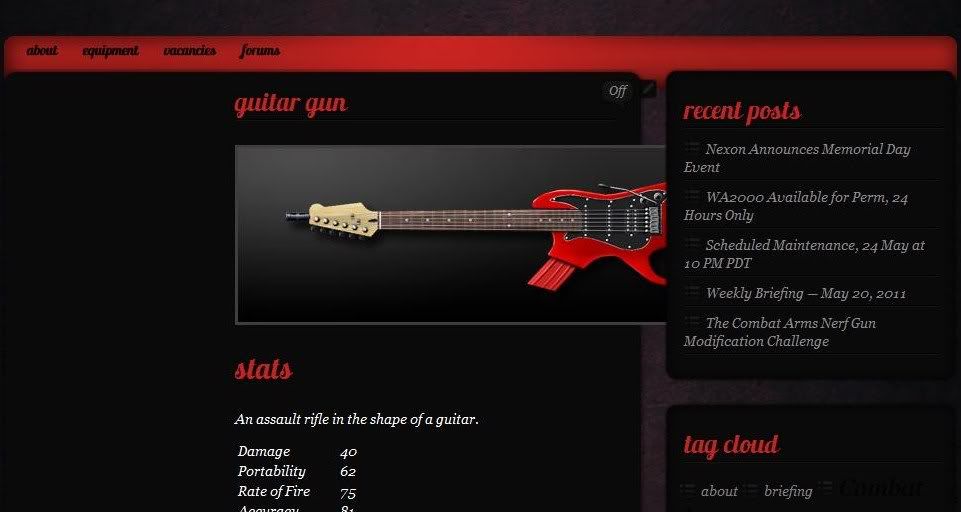
Thank you for your advice. Are you saying that this will repair the alignment problem in the OP image? For a direct link, see here: http://combatarms.stratics.com/eq/guitar-gun.
Bump. Still trying to figure out the alignment issue with Custom Press. Thank you. 🙂
Hi,
Is this correct now ???
See here : http://www.monsterup.com/upload/1307867574609.png
I’ve changed .post_content in your CSS.
You have :
.post_content {
width: 395px;
margin-right: 45px;
float: right;
I’ve replace by (see Width) :
.post_content {
width: 615px;
margin-right: 45px;
float: right;
Because the parent container has this (see Width) :
.postcontent {
width: 660px;
background: url(images/postbg_mid.png) repeat-y;
float: left;
padding: 0 15px;
overflow: hidden;
font-size: 13px;
font-style: italic;
You can try !
Yay! It’s aligned properly. Thank you so much for your help!
The only thing is that the text is spilling outside of the content area. See here: http://img42.imageshack.us/img42/7959/csssm.jpg (squared in red). How do I fix this?
Bump. I’m not sure why the content is spilling out of the container.
Figured this out. Adjusted .postcontent width. Thanks. 🙂