Hi,
thank you for downloading the theme.
I guess you did not use the correct category ID, so the “MH Custom Posts” widget can’t filter properly. Here you can read how to find the category ID:
http://www.mhthemes.com/blog/how-to-find-wordpress-category-id/
Regards
Michael
Michael I have home page set to latest post but also trying to set up category widgets in homepage and have ID list but nothing shows up just latest post
Hi waffenss,
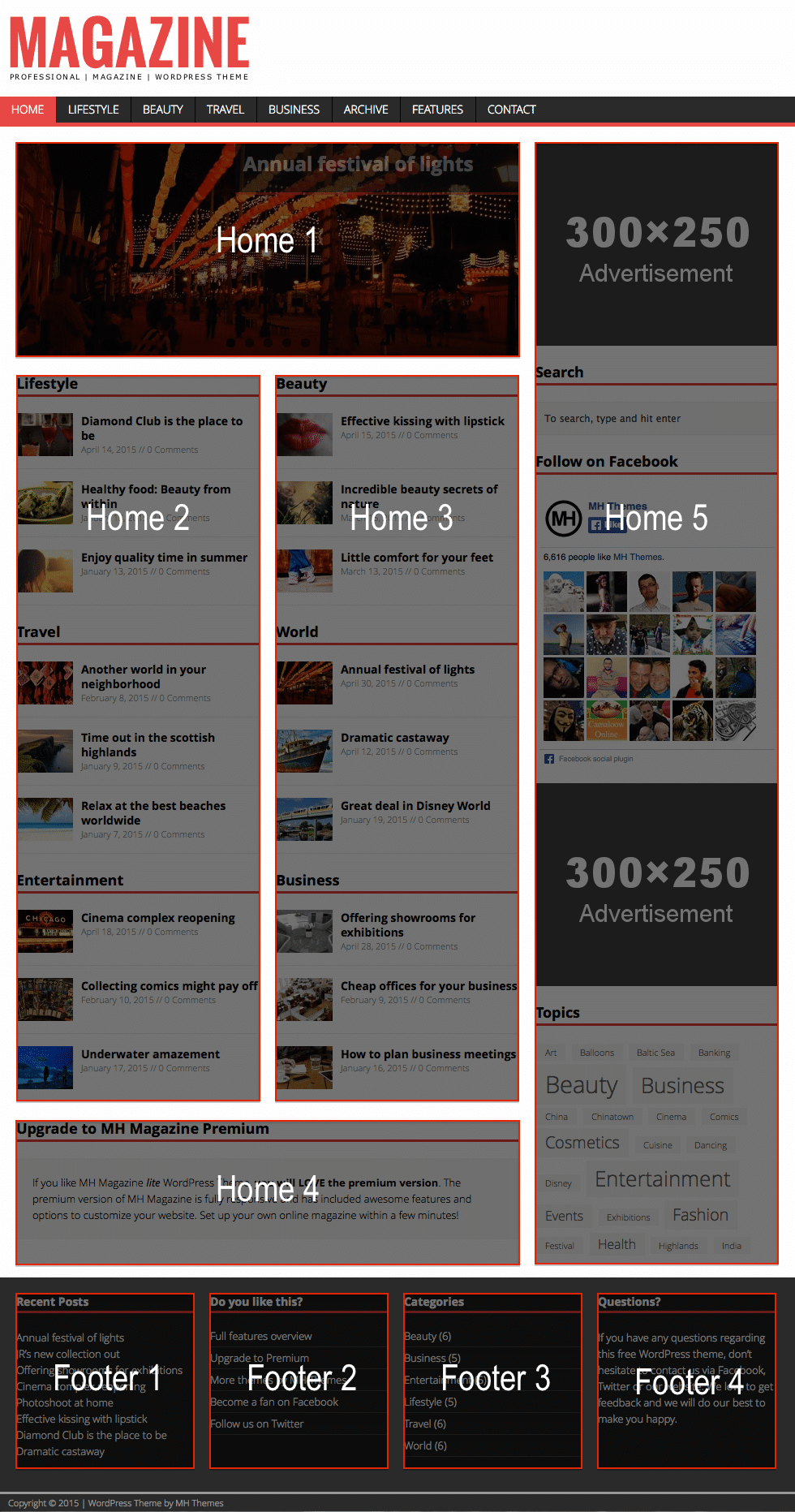
you will have to setup a static front page first and activate the fully widgetized homepage template to make the widgets appear.
Please read and follow this: http://www.mhthemes.com/blog/how-to-setup-mh-magazine-wordpress-theme/
You can find more instructions about the setup in the FAQs: http://www.mhthemes.com/faq/
Regards
Michael
Done but why is there no linking to the categories displayed to the actual category archive page? How can this be accomplished?
When using MHCustom Post when displaying categories there is no link to the category or view more
Hi waffenss,
the “MH Custom Posts” widget is suitable for multiple categories so the link would not work if there are more than one categories assigned to the widget.
If you need the widget title to be linked to the category archive, this would require a theme customization.
If you have further questions, please do open a support ticket at the premium helpdesk. This forum is only for users of the free version.
Regards and thanks
Michael
I am only using one category per widget still not linking
Hi waffenss,
as I said, the widget does not link to the category archive due to the mentioned reason, it does not matter how many categories you have added.
Regards
Michael
I have setup a static front page as guided in the comment above, but the problem i face is the sidebar widgets don’t appear in the home page,
but they do appear in blog or post pages.
any help would be appreciated
regards
Website: http://www.iarrow.org/
Hi,
you will have to place the widgets in the “Home 5” widget location. That is the sidebar which is located on the homepage template: http://www.mhthemes.com/wp-content/uploads/2013/02/Widgets_Homepage.png
Regards
Michael
You’re welcome! 😉
If you like the theme, please don’t forget to rate it: http://wordpress.org/support/view/theme-reviews/mh-magazine-lite
Regards
Michael