Hi,
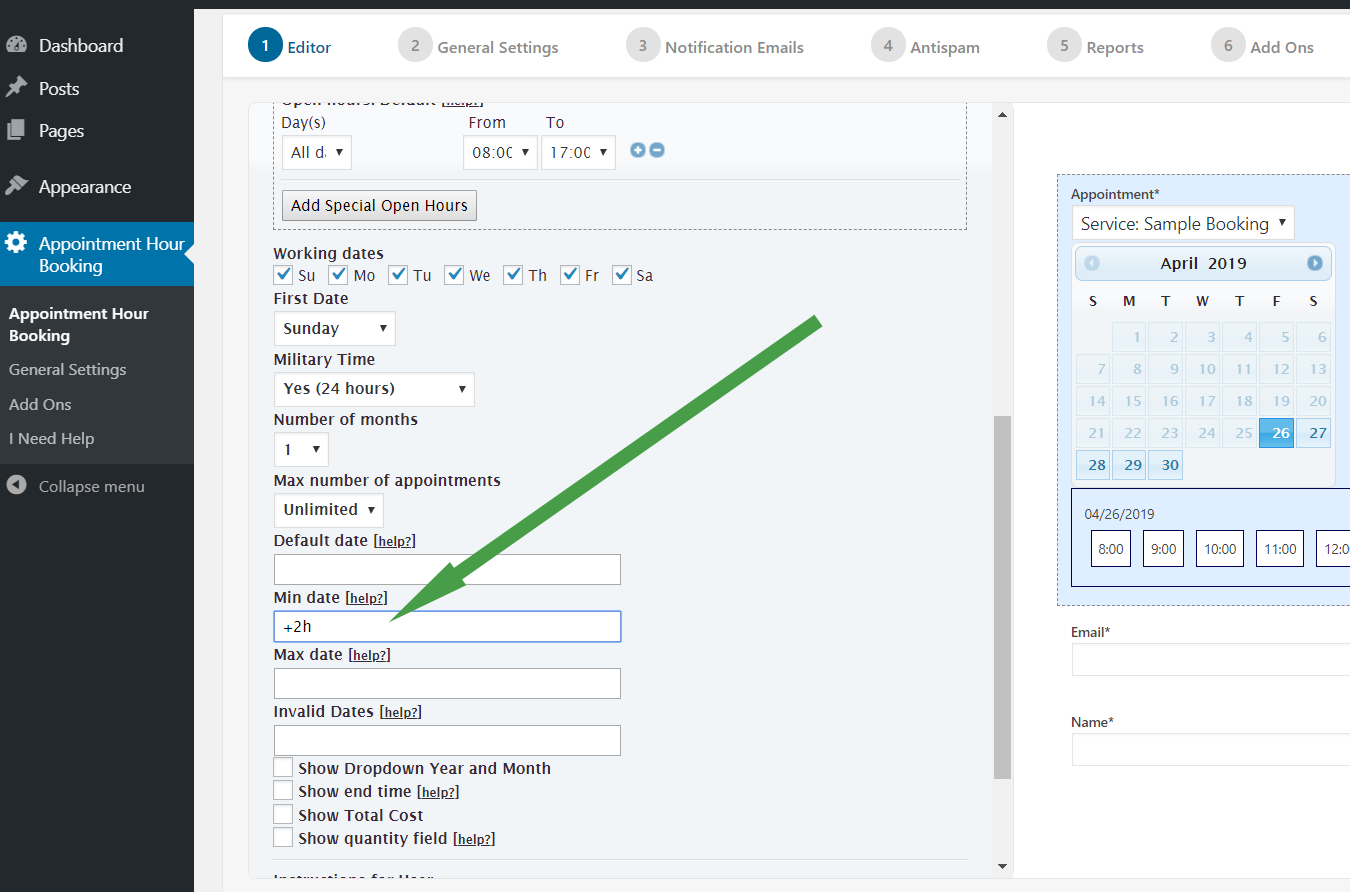
Use the “Max date” settings field. Both the “Min date” and “Max date” setting fields are explained in the following page:
https://apphourbooking.dwbooster.com/blog/2021/05/12/minimum-available-time/
Thank you for using the plugin!
Hello @codepeople
I set the max date on “12/31/2022” but I can still book in 2023 an so on.
Hi,
Please provide a screenshot of this settings area (min-date & max-date):

https://apphourbooking.dwbooster.com/images/articles/min-date-hours.png
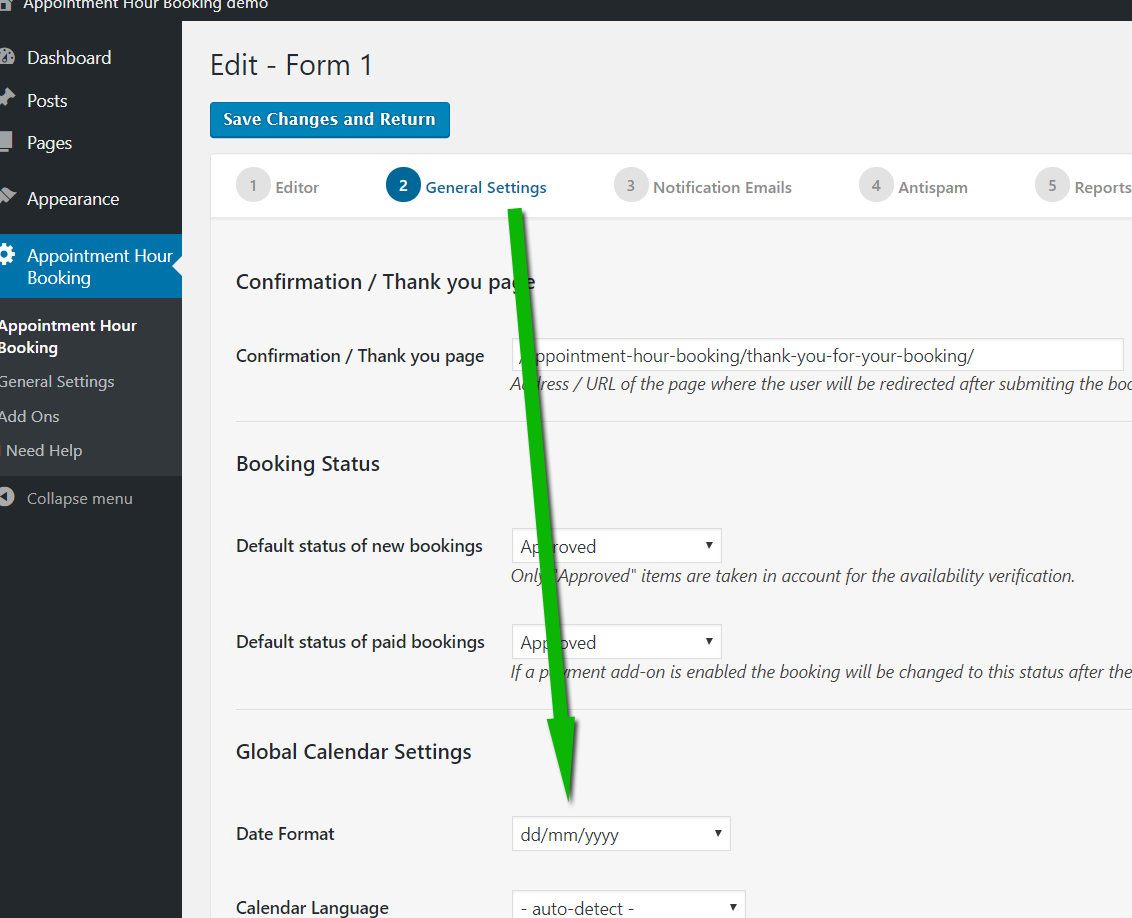
Confirm also that the date format matches with the format specified in the date format settings:

https://apphourbooking.dwbooster.com/images/articles/time-format.png
Thank you for using the plugin!
Hi,
I found the error:
my global calendar settings are like “dd/mm/yyyy”. Now I changed the max date to “31/12/2022” and everything is doing well.
But it is a little bit strange that I have to set the “Invalid Dates” like that:
“12/26/2022-01/06/2023, 12/05/2022-12/09/2022”!
It would be good, if global calendar settings would be the same in this field.
Thank You.
Thank you for the feedback!