Big Menu Buttons after update
-
After update BIG buttons on menu. How to fix this?
On Mobile all text body is black?

-
Hi Yak Chum
Please remove style rules at child themes stylel.css
@import url("../raindrops/style.css");Raindrops no need import rule.
Please Try below
Add style rules at child themes style.css
#access a{
       min-width:0;
}

#access .page_item_has_children > a:after,
#access .menu-item-has-children > a:after,
.ie8 #access .page_item_has_children > a:after,
.ie8 #access .menu-item-has-children > a:after{
    content :'';
}
Soory,
Mobile menu is buggy. Until the next update, I will consider
Thank you.
Hello nobita
That code edit seems to have repaired oversize buttons. Now appears to be Down Arrows within Menu Text. Any idea how to remove this?Is there code to adjust menu height? It appears menu height is larger then prior to update.
Thanks!
I have the same problem:
After update BIG buttons on menu. How to fix this?Hi bvheesch
Please add jetpack CSS
#access a{font-size:100%!important;min-width:0;}
#access .page_item_has_children > a:after,
#access .menu-item-has-children > a:after,
.ie8 #access .page_item_has_children > a:after,
.ie8 #access .menu-item-has-children > a:after{
    content :'';
}
Thank you.
I noticed this only seems to fix large buttons fixed width in IE and sometimes firefox not in Chrome browser.
Is it possible to revert to the previous theme version?
nobita,
I have reverted back to working version 1.266.Menu buttons are better this way for my preference however i do like the border lines between the new buttons. New buttons are way too large. Need way to set height and auto width. More menu control would be better.
https://themes.trac.wordpress.org/browser/raindrops/1.266/style.css?rev=41943
Thanks!
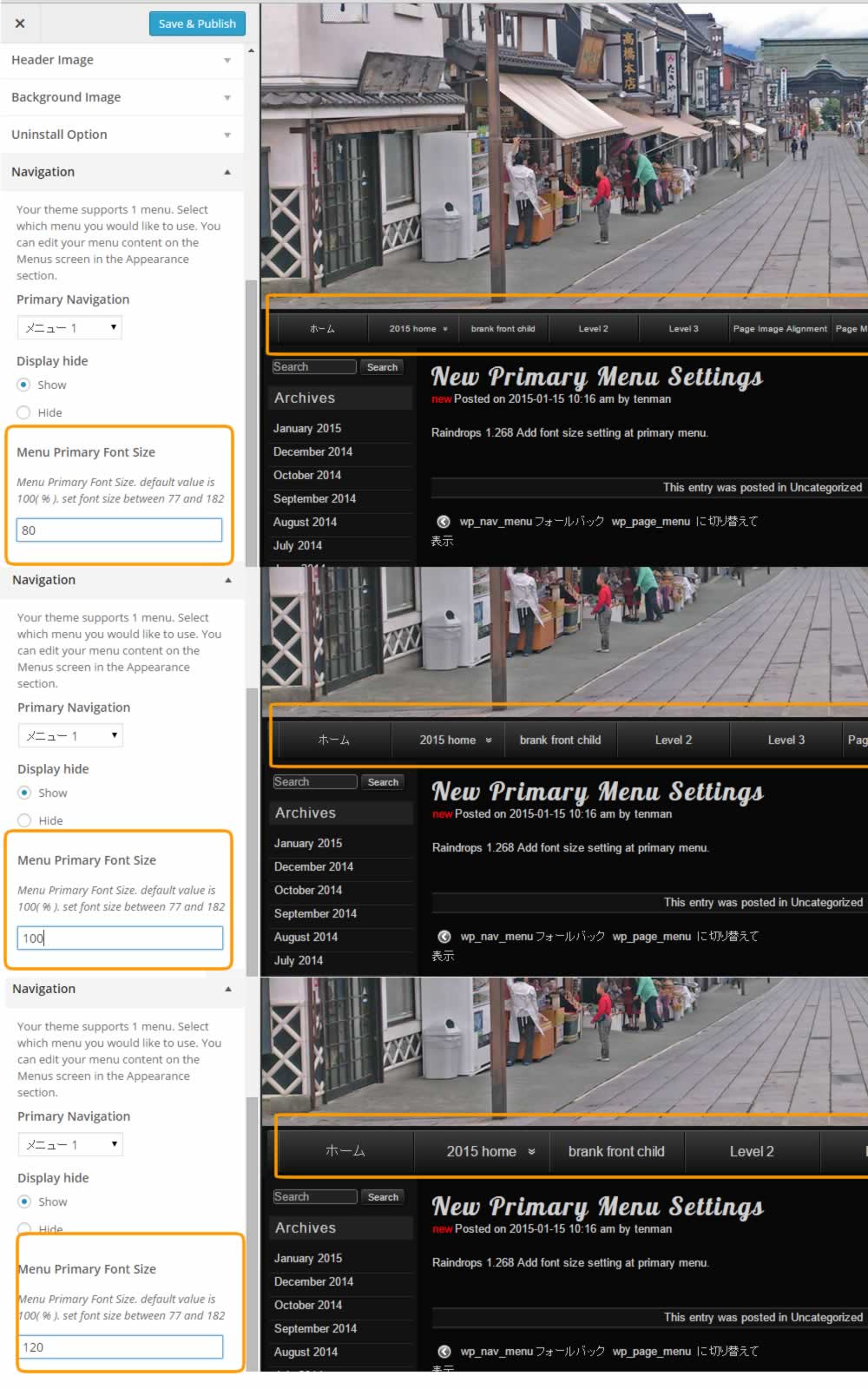
Raindrops next versions primary menu preview
http://www.tenman.info/wp3/manualraindrops/files/primary-menu-font-size.jpg
Although I would like to change as image, do you think it’s a good change?
Thank you for using Raindrops.
@nobita That will be nice as long as the font size control can modify the size of the menu bar. With a separate display function control to set the height of the menu bar itself? I personally like the narrower height look as was previously acquired in your template. Which is in use on my website now. http://www.theplastichull.net
Changing to image. Will that take place of the background of the menu bar? Or for each individual button?
Thanks for offering us raindrops for free. It’s a really nice template!
I do not understand this code stuff as to how to fix it. Can you release a version that fixes it?
Can we make it so new releases to not affect the look of the theme and it just gives options?
the problem with this is our sites looked jacked up until there is a fix.
Yak Chum-
Can you give me a link to download 1.266?
I need to revert back.
I got it back to 1.266. Sorry to panic but when things go wrong I get frustrated.
What I did to revert back copy paste the entire code into the style.css under the main raindrops theme folder replacing all that is there.
https://themes.trac.wordpress.org/browser/raindrops/1.266/style.css?rev=41943
I hope the new update gives the option to use new menu or if it can be modified to keep width of text and the ability to modify the height of the menu bar and the text within the menu.
Thank you for review!
Next update, you can revert 1.266 menu style.
I made a style rules for returning to the old style menu in child theme
After you have made the following updates, please add the following style to style.css of child themes
#access ul ul li,
#access ul ul,
#access a{
    min-width:0;
}
#access .page_item_has_children > a:after,
#access .menu-item-has-children > a:after,
.ie8 #access .page_item_has_children > a:after,
.ie8 #access .menu-item-has-children > a:after{
    content :'';
}
#access .children li,
#access .sub-menu li,
#access .children ul,
#access .sub-menu ul,
#access .children a,
#access .sub-menu a{
    width:10em;
}
Please do not forget to remove @import rules.When the issue came out, I I will not be able to inspect the state.
Thank you.


The topic ‘Big Menu Buttons after update’ is closed to new replies.