Same here. ALWAYS worked. Something broke this week. URGENT. Behavior occurs in Edge and Chrome. 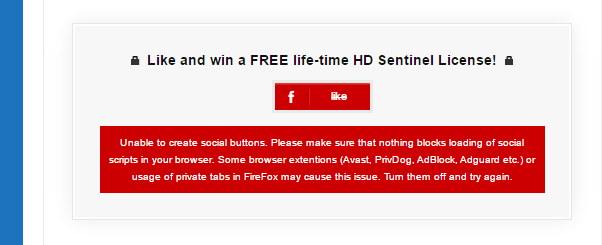
Yes, mine too. I am getting this error on FF, Chrome and IE, Edge.
Are they even reading this I wonder. I also submitted support ticket.
yeah. I even bought the pro version just to get the premium support. Hope to get a response in the next few hours.
OK! You’ll share the answer I hope ?
I’m having the same problem, since a few hours.
Hope we can have an answer very soon.
It appears to be working again all of a sudden … I did nothing. Just checked, works again!
still not working for me 🙁 but I never had it working so chances are good I’m doing something wrong. However, still no response either way here or the premium support ticket. I’ll keep you updated.
on a side note: did anybody get the youtube button to work? it shows up on my end but when clicking it, the visitor is being asked if he wants to let me control his channel :O
In the plug-in all I see is google ID and the channel ID. No setting I could actually control any behavior. Is that something on the google ID end?
….facebook button still dead 🙁
@jvsteen glad you got it back up again. Could you share your settings with me? Maybe that will point me to the right direction? I’m kind of desperate here since my support requests remain unanswered as well 🙁
Hey,
I am using the free version, don’t think I have a Youtube button option.
What settings would you like to know about. I have been running it for a couple of months now and if I remember correctly I went with defaults (which I initially do for most plugins).
I just started adding ‘lockers’ and pasted those on pages where I wanted them, so:
[sociallocker id=”xxxx”] Here the secret stuff goes [/sociallocker]
I got a red button for Facebook only, the Tweet options and the G+ continued working. So, could it have been something at Facebook’s end I’m wondering.
Joep
Just wondering if you got it to work there must be something I’m doing wrong.
the short code works for me.
twitter & G+ worked for me from day 1 as well.
on my end, the plug-in doesn’t seem to like the way I put in the facebook page url:
https://www.facebook.com/pressplayvideode
I tried all combinations as mentioned. Of course also followed the app ID instructions in detail. App Review, App Domain, Web Application etc. ..the whole process
I can’t access that page either, can that have anything to do with it?
oh? …the facebook link to my page I provided….you don’t see the page??
according to the settings it’s public. strange. maybe that’s why.
like…you click that link…and don’t see the press>play facebook page, correct?


