Better not do it, since you have database problems.
What does that mean? I have a plugin problem.
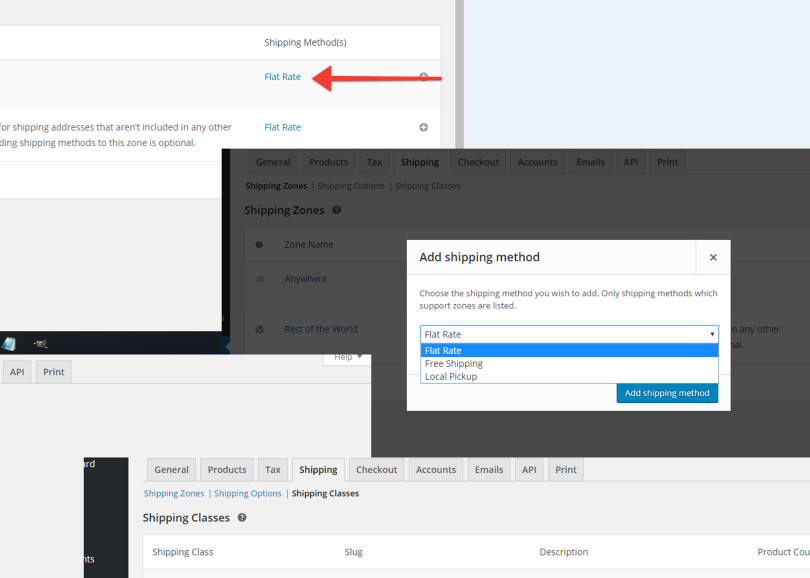
Here is a screenshot of what I see that the plugin is not offering me. The shipping costs is not one flat rate.
PLEASE tell me what I am doing wrong, because I can’t figure it out. YES, I have read the documentation.
http://therestroomkit.com/wp-content/uploads/2016/07/woo-shipping-issues.png
What rate are you trying to use instead of flat rate? You can still use your old shipping method plugins if you cannot use the flat rates.
I am trying to use the shipping classes.
The shipping classes are not being applied. If you look at the screenshot I provided you can see that. There was an area that had where you could put the cost of the shipping cost. It is gone.
http://therestroomkit.com/wp-content/uploads/2016/07/woo-shipping-issues.png
It is not gone. It is inside flat rates, like it was before.
And what tab are the flat rates supposed to be on? If you could take the time to look at the screenshot I provided, you could tell me exactly where I should look for those, because I can’t see them. Thank you for your assistance.
Yes! So you CLICK ON IT. Thank you!!! I didn’t get that from the instructions at all. Since I disabled one of the features, that whole section disappeared and I could not find it. Thanks again.
Hello,
I installed the Bookshelf theme | Books & Media Online Store with the latest version of wordpress and woocommerce.
The problem is that Register and Login do not work correctly.
Note: The user registration appears in the wordpress administrative area, but it does not receive notification e-mail and can not access its restricted area.
Urgent.
Thank you
And stay with God.