Not sure what you mean – got an example?
Hi Mike,
Thanks for you super fast respons 🙂 I’ll try to explain it better. When I set a product’s inventory, I can choose to allow backorders (product data –> inventory –> allow backorders?).
There, I can choose 1 of 3 options: “do not allow”, “allow, but notify customer” or “allow”.
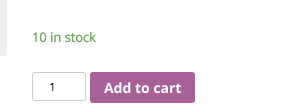
When I chose “allow” in WooCommerce 2.5, the product page would display the inventory as “in stock”. When I chose “allow, but notify customer”, the product page would display “available on backorder”.
Now in WooCommerce 2.6, if I use the “allow” setting, it also displays “available on backorder”, instead of “in stock”.
Hope that makes it a little more clear?
Ah I think this is intended. So you know you can order more than the stock amount if needed. Does that make sense?
I’m afraid I still didn’t explain it well enough… so I made you a little drawing 😉
Sorry, I mean when Stock Qty is 0 (otherwise backorder isn’t activated ;-))
Got it. Will be fixed in 2.6.2