• Resolved Sing84

    (@sing84)


    Hi!

    When adding new users, how can I cancel the automatic e-mail?
    Or maybe send it to myself instead of the new user?

    I would like to save the passwords and send my own e-mail with additional information to the new user.
    Is this possible?

    https://wordpress.org/plugins/wp-force-login/

Viewing 1 replies (of 1 total)
  • Plugin Author Kevin Vess

    (@kevinvess)

    The user management is not part of this plugin – that’s builtin WordPress functionality. This plugin only forces visitors to the login screen and does not alter any existing user management functionality.

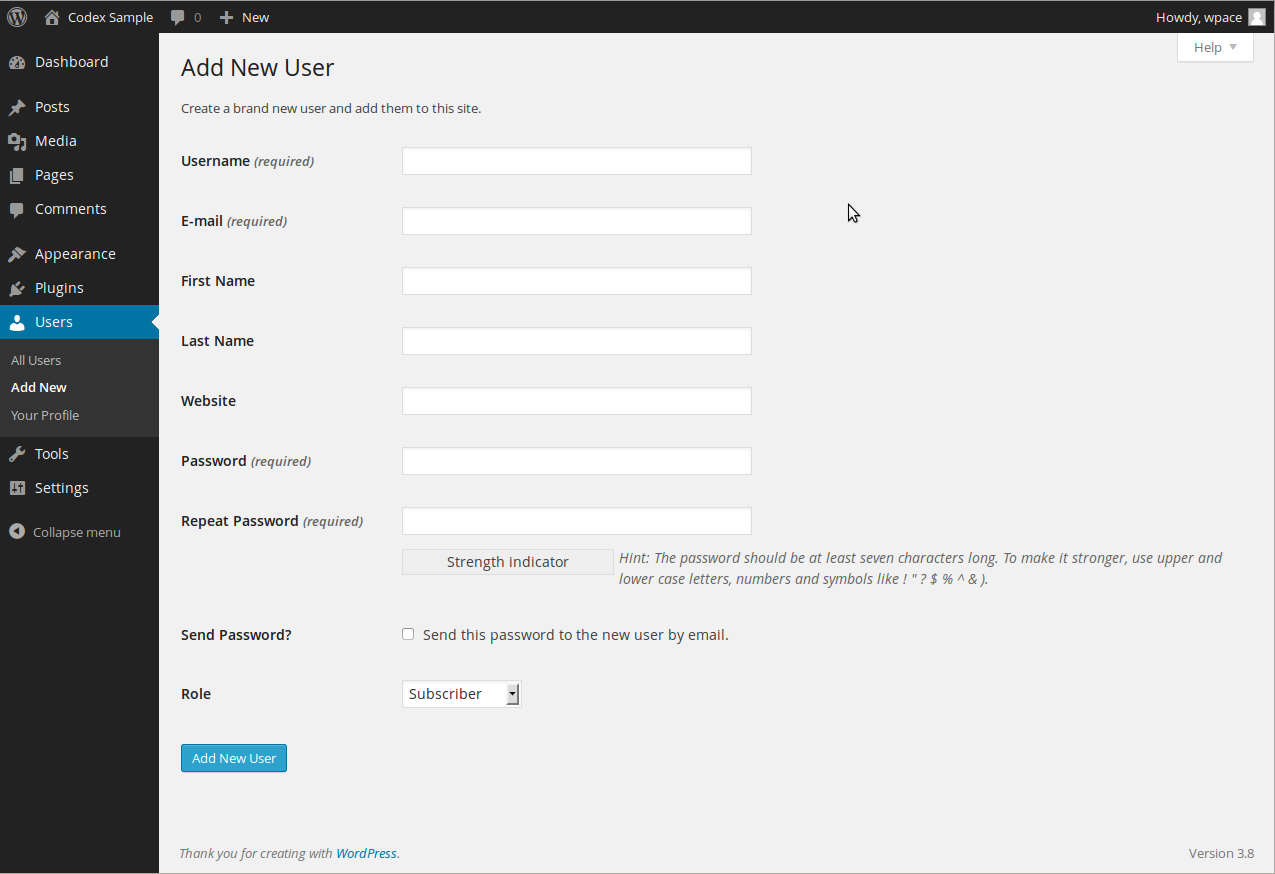
    With that said, there should be an option on the ‘Add New User’ page that lets you create the user without sending an email notification.

    Here is a screenshot of the ‘Add New User’ admin screen with the ‘Send Password’ checkbox option below the ‘Password’ field:
    https://codex.wordpress.org/images/0/0e/useradd.png

Viewing 1 replies (of 1 total)

The topic ‘Cancel automatic e-mail to new user’ is closed to new replies.