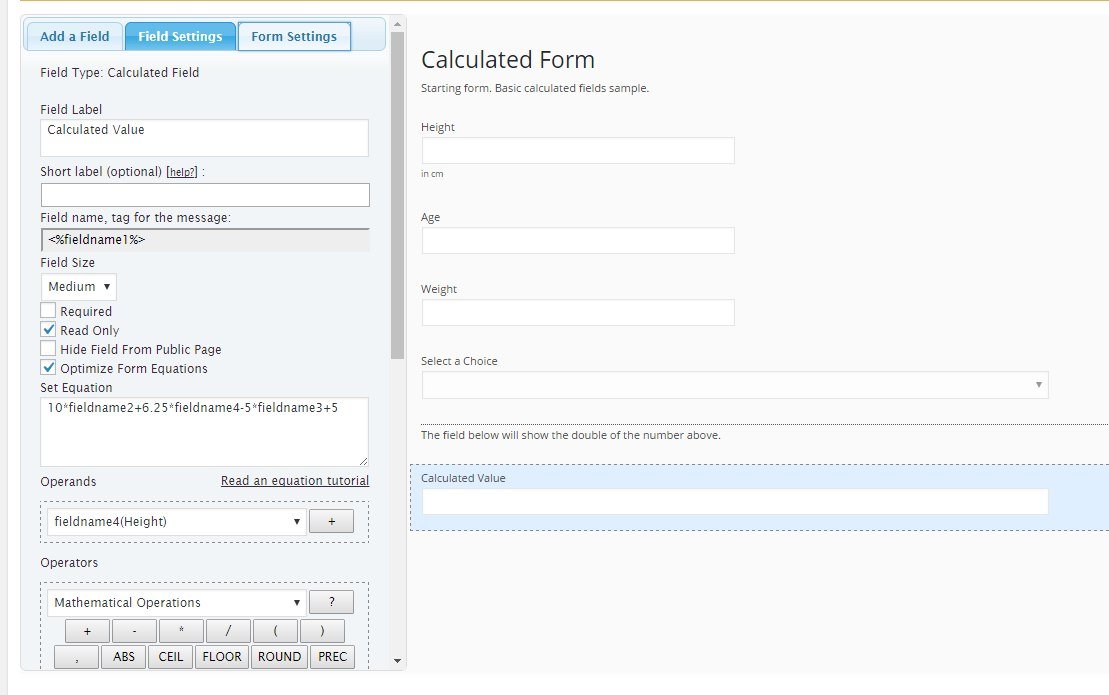
Hi,
You should use the “IF” operation in the equation:
IF(condition, result if condition is true, result if the condition is false)
For example, if the Drop Down field is the fieldname1, and the values of its choices are: man and woman, furthermore, if the operation for men is:
10*fieldname2+6.25*fieldname4-5*fieldname3+5
and for women is:
10*fieldname2+6.25*fieldname4-5*fieldname3+3.5
the equation should be edited as follows:
IF(fieldname1 == 'man', 10*fieldname2+6.25*fieldname4-5*fieldname3+5, 10*fieldname2+6.25*fieldname4-5*fieldname3+3.5)
Best regards.
Thank you this already helped alot.
But I’m facing the next problem. In an additional drop down field the user can choose his activity level. So i guess i need to add an additional IF condition, but this time not only for 2 but for 4 variables.
1: low (last result*1,2)
2: medium (last result*1,55)
3: high (last result*1,75)
4: very high (last result*1,9)
Can you help me?
Hi,
Assuming the Drop Down field is the fieldname1, and the last result is the fieldname2, the equation should be similar to:
(function(){
var n = 1;
switch(fieldname1)
{
case 'low': n = 1.2; break;
case 'medium': n = 1.55; break;
case 'high': n = 1.75; break;
case 'very high': n = 1.9; break;
}
return fieldname2*n;
})()
If you need additional help with your equation, please, request a custom coding service through my private website:
http://cff.dwbooster.com/customization
Best regards.