Missing Product Categories
-
Hi,
I just noticed that my shop was no longer showing my product categories. I checked on the WordPress back end and sure enough, even though the products still appear to be linked to the categories, the categories themselves are not displaying on the categories page. If I try to create a new one, they do not save. Interestingly, the “slug” is being suffixed with “-2” suggesting they are still there but not available.

-
Slugs are unique, so the term may be used elsewhere.
Since the categories still assigned to the products, I’d suspect there is something missing in term meta.
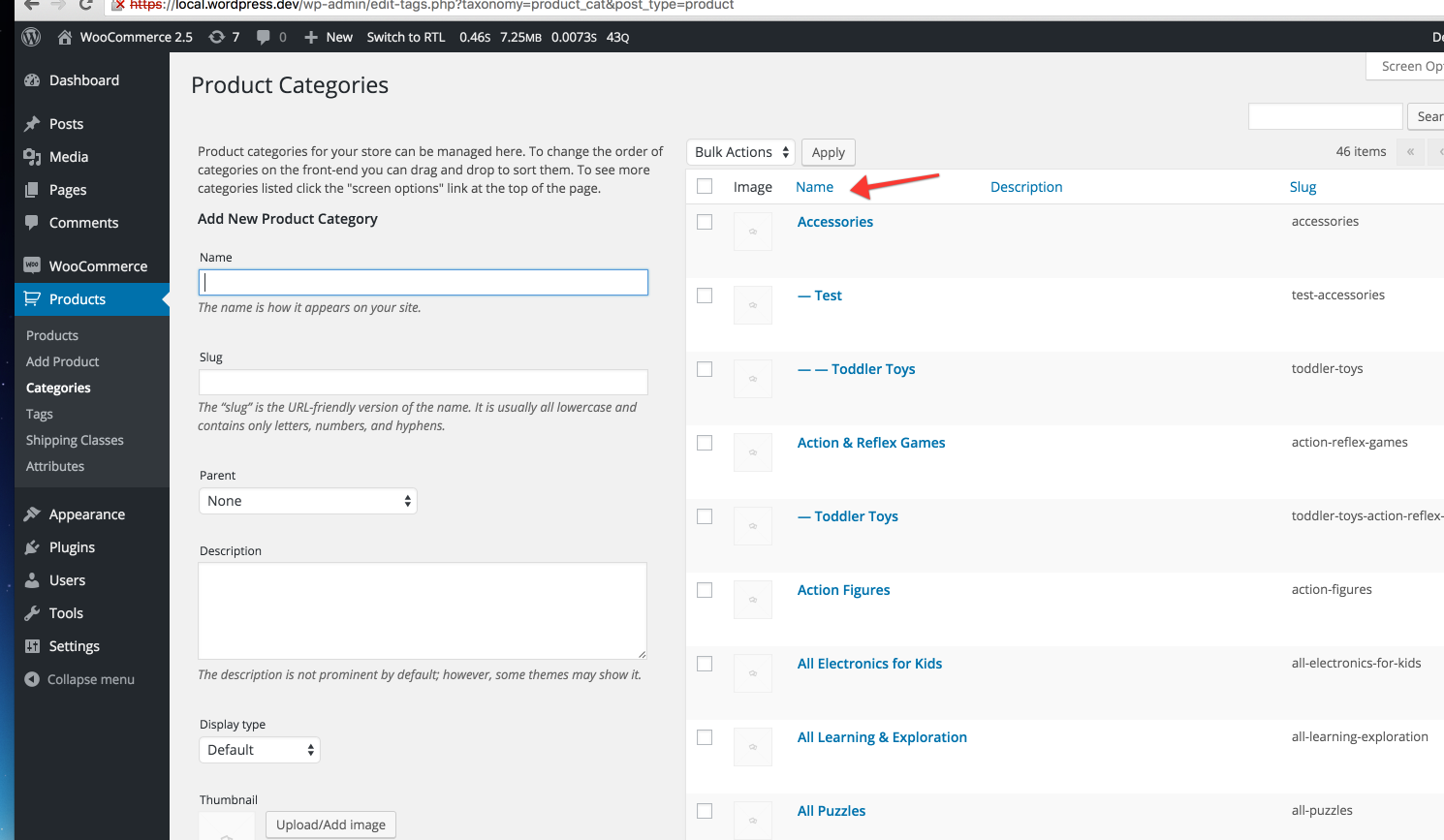
Click on a heading on that page to sort by for example name. Do they appear?
The category page is blank, even after I try to add a new one, as follows
The products page references the “missing” categories and although it’s not sortable by that column, if I click one of the categories, it just shows me the products from that category, as follows.
Karl.
This is what I meant: https://dl.dropboxusercontent.com/s/zlkpv1ne1ogmm3o/2016-03-02%20at%2011.05.png?dl=0
Can I see the report https://wordpress.org/support/topic/before-posting-gather-the-following-details?replies=1
I’m not sure if a plugin could be messing with it, or a table is missing. The sorting is failing and thus returning no results.
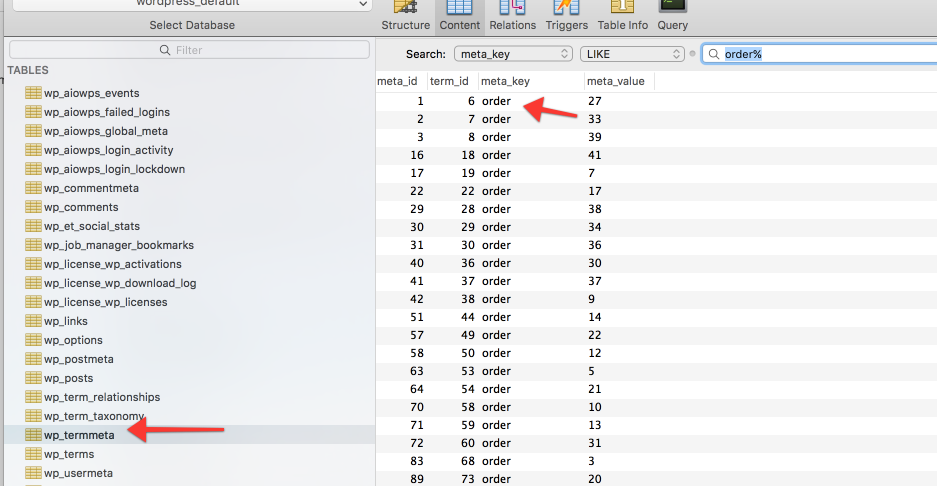
### WordPress Environment ### Home URL: http://www.belvoirtriclub.co.uk Site URL: http://www.belvoirtriclub.co.uk WC Version: 2.5.3 Log Directory Writable: ✔ /home/belvoirt/public_html/wp-content/uploads/wc-logs/ WP Version: 4.4.2 WP Multisite: – WP Memory Limit: 256 MB WP Debug Mode: – Language: en_US ### Server Environment ### Server Info: Apache/2.4.18 (Unix) OpenSSL/1.0.1e-fips mod_bwlimited/1.4 PHP Version: 5.5.31 PHP Post Max Size: 200 MB PHP Time Limit: 30 PHP Max Input Vars: 1000 SUHOSIN Installed: – MySQL Version: 5.5.48 Max Upload Size: 200 MB Default Timezone is UTC: ✔ fsockopen/cURL: ✔ SoapClient: ✕ Your server does not have the SoapClient class enabled - some gateway plugins which use SOAP may not work as expected. DOMDocument: ✔ GZip: ✔ Multibyte String: ✔ Remote Post: ✔ Remote Get: ✔ ### Database ### WC Database Version: 2.5.3 : woocommerce_sessions: ✔ woocommerce_api_keys: ✔ woocommerce_attribute_taxonomies: ✔ woocommerce_termmeta: ✔ woocommerce_downloadable_product_permissions: ✔ woocommerce_order_items: ✔ woocommerce_order_itemmeta: ✔ woocommerce_tax_rates: ✔ woocommerce_tax_rate_locations: ✔ ### Active Plugins (7) ### Database Browser: by Chris Taylor – 1.2 Disable Comments: by Samir Shah – 1.4 Image Widget: by Modern Tribe Inc. – 4.2.2 Photo Gallery: by WebDorado – 1.2.89 Users Ultra Pro: by Users Ultra Pro – 1.2.46 WooCommerce: by WooThemes – 2.5.3 ### Settings ### Force SSL: – Currency: GBP (£) Currency Position: left Thousand Separator: , Decimal Separator: . Number of Decimals: 2 ### API ### API Enabled: ✔ API Version: 3.1.0 ### WC Pages ### Shop Base: #1250 - /shop/ Cart: #1251 - /cart/ Checkout: #1252 - /checkout/ My Account: #1253 - /my-account/ ### Taxonomies ### Product Types: external (external) grouped (grouped) simple (simple) variable (variable) ### Theme ### Name: Twenty Ten Version: 2.1 Author URL: https://wordpress.org/ Child Theme: ✕ – If you're modifying WooCommerce on a parent theme you didn't build personally then we recommend using a child theme. See: How to create a child theme WooCommerce Support: ✔ ### Templates ### Overrides: –Nothing obvious there. In your database do you have meta like this:
https://dl.dropboxusercontent.com/s/843km10cimdvi65/2016-03-02%20at%2012.33.png?dl=0
That table is empty.
What about woocommerce_termmeta? Any ‘order’ rows there?
Very strange, I thought I migrating these across to WP term meta but was mistaken. I’ll need to look into this separately.
Interesting. Looks like there is an issue in the database. We had a hosting issue the other day, I wonder if there is anything that can be done about this?
Karl.
Looks like lots of tables are affected 🙁
I’m kinda working through this, I’m a Java developer so know enough, but probably not enough that I can do it safely 🙂 You know what they say about knowing enough to do damage.
Anyway, checking which engines are available on my SQL server, I see the following. Doesn’t look like InnoDB is available, hence the error, but we haven’t changed anything as far as I am aware, but we did have that hosting outage yesterday. Could that have corrupted it? Can I add InnoDB back in from the mysql command line?
Sadly, I’m only the guy that gets to try and fix stuff when it goes wrong, so I have a certain amount of access but not full access.
Any pointers now?
Hmm not sure how to resolve that, might be worth pinging the host.
Thanks for your help so far Mike. I appreciate it. I’m going to talk to the guy that hosts it and see what he can do.
FWIW, I had the guy who runs the server that the site is hosted on restart the sql server, that fixed it. I hate the internet, I’m going back to enterprise development land.

The topic ‘Missing Product Categories’ is closed to new replies.