Hey BeastCode,
Review this article about changing titles: Altering or Removing titles on calendar views. If you mean the HTML title that’s covered here: Changing the browser title for calendar views.
Please let us know if this answers your question,
Best,
Nico
Thread Starter
 Donovan
(@beastcode)
Hey Nico,
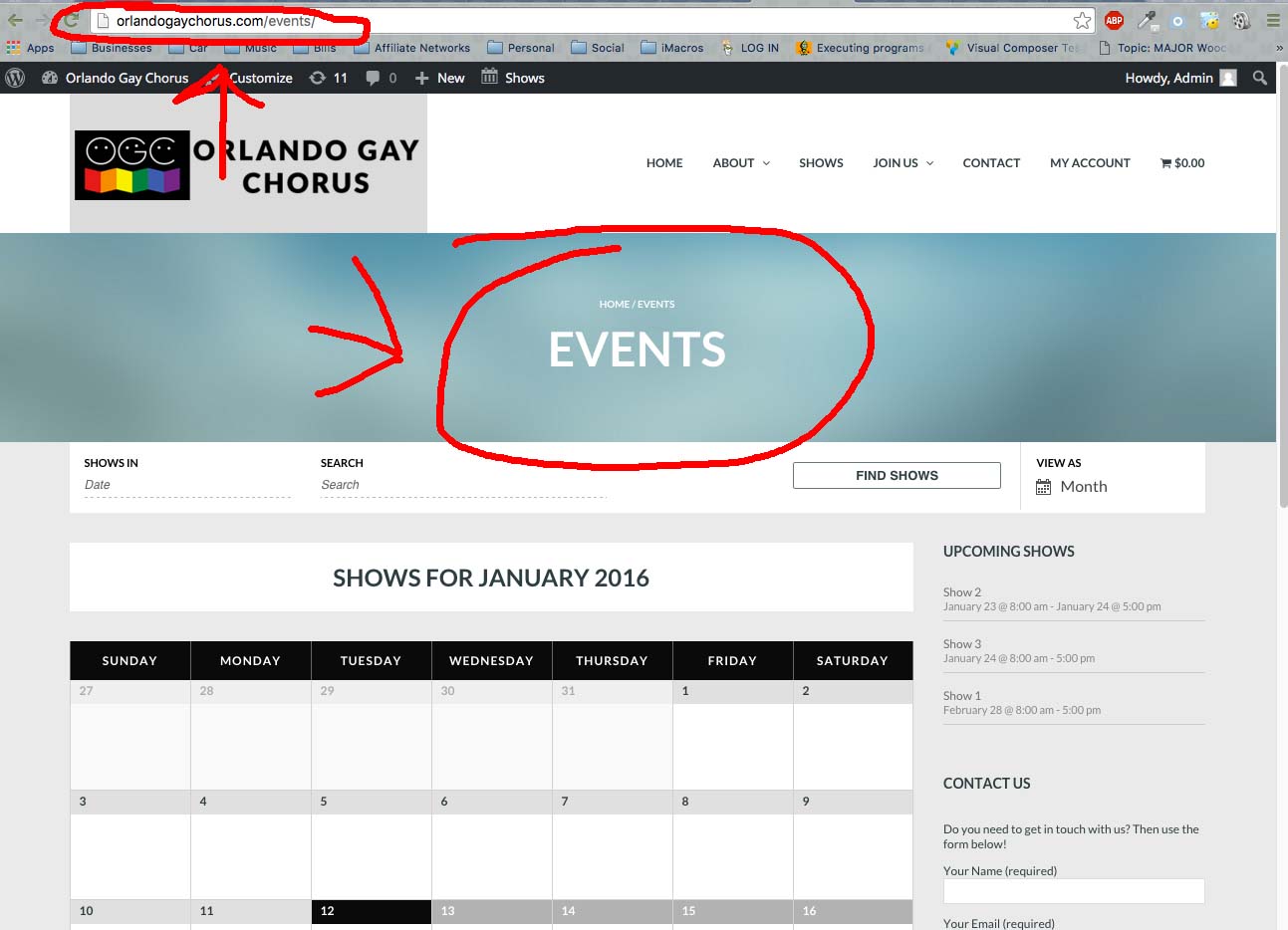
I’m reviewing these documents and I don’t quite see how I can actually change the page title. As you can see in the screen shot link, you can see the URL is http://orlandogaychorus.com/events. Now I have changed that to http://orlandogaychorus.com/show. But the page title remains as Events.
The two links that you gave me, I can search the page and I don’t see the term “Events” which is the title of the page to change. Please see the screen shot.
http://depechecode.io/wp-content/uploads/2016/01/eventschange.jpg
I posted the same question yesterday. No responses yet 🙁
Plugin Contributor
 Brian
Brian
(@brianjessee)
Hi BeastCode & Kburrows,
That title is in your theme coding and not in our plugin so we are limited in providing a solution and do not have the information to even know where that would be in the theme.
Our plugin setups the Events Views as an archive and we have these conditionals to to target specific views:
https://gist.github.com/jesseeproductions/903f5ca75877b713c674
Using those conditionals you could find the function that displays the title in your theme and modify the output on the Event Views or remove it if you like.
That is about all we can provide on theme compatibility issues unfortunately.
Please note to we respond once a week on the WordPress.org forums to support threads.
Thanks
Thanks for the reply. I think I found where I need to change the code, but am still not having any luck yet. I think it may be an error in the theme…anywho
any ideas why the Day is not showing up? See my earlier post. I changed it in both the settings and the events settings, still no day of the week.
Beastcode if I figure this out I’ll let you know. The theme I’m using had a php for subtitles, but even though I changed it there it’s still not changing on the page.
k
Hi @kburrows,
We will stick with the original issue in the thread, please post a new thread if you are facing a new issue.
At this point it might be a good idea to contact the theme author for more details on how to change that coding. If they come up with a solution, please feel free to post it here for other users to benefit from it.
As Brian said we only monitor this forum once a week, so thanks for the patience with out replies.
Best,
Nico