Product variable details not displaying in Paypal
-
This must be a common request but I’ve exhausted my searching. We need to be able to see the selected product variables in paypal checkout and on the paypal receipt sent to the customer.
For instance, we have women’s t-shirts with variable size and color options. When purchased it merely states 1 woman’s t, with no details to confirm with the customer or via paypal.
How would I go about adding this info, or did I miss a step in the setup?

-
Screenshot what you see in paypal? It depends if its being sent as line items or as one item (for the order).
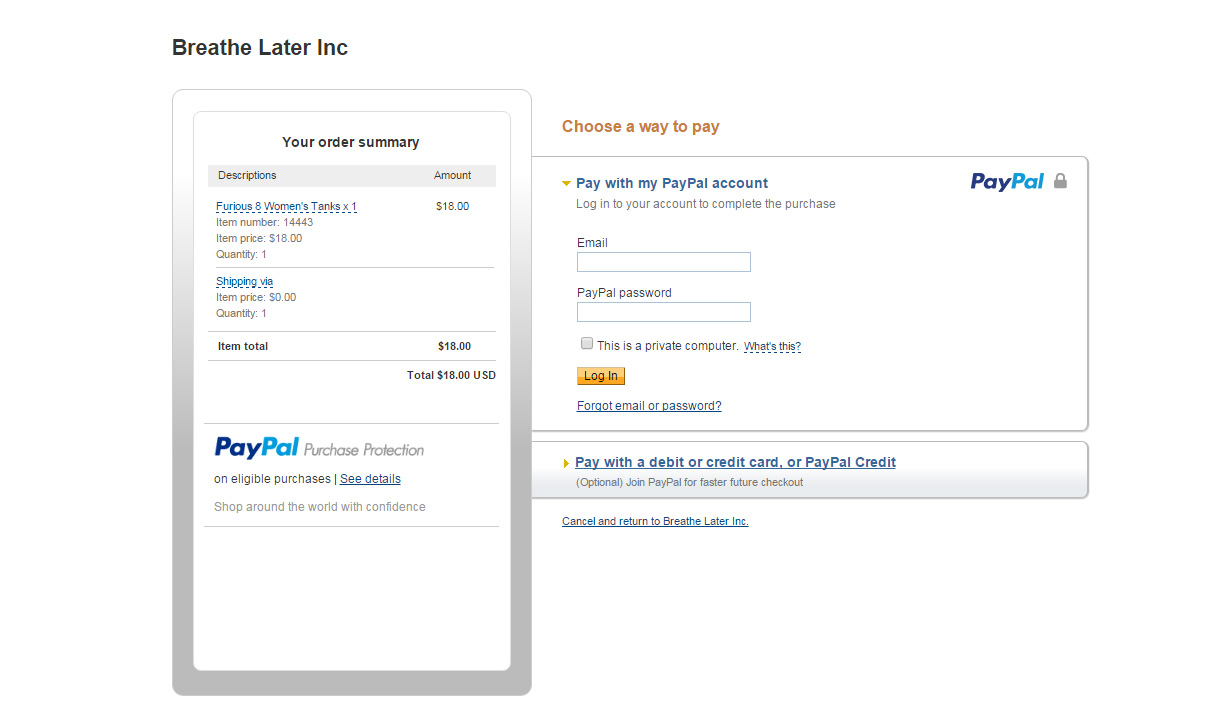
Since I can’t paste in a screen shot, here’s the paypal receipt info copy and pasted:
Description Unit price Qty Amount
Furious 8 Team Registration x 1, Furious 8 Men’s T’s x 1
Item# 14369 $2.00 USD 1 $2.00 USD
Shipping via
$0.00 USD 1 $0.00 USDNote that the description does not include the team type or the Men’s T-shirt size and color.
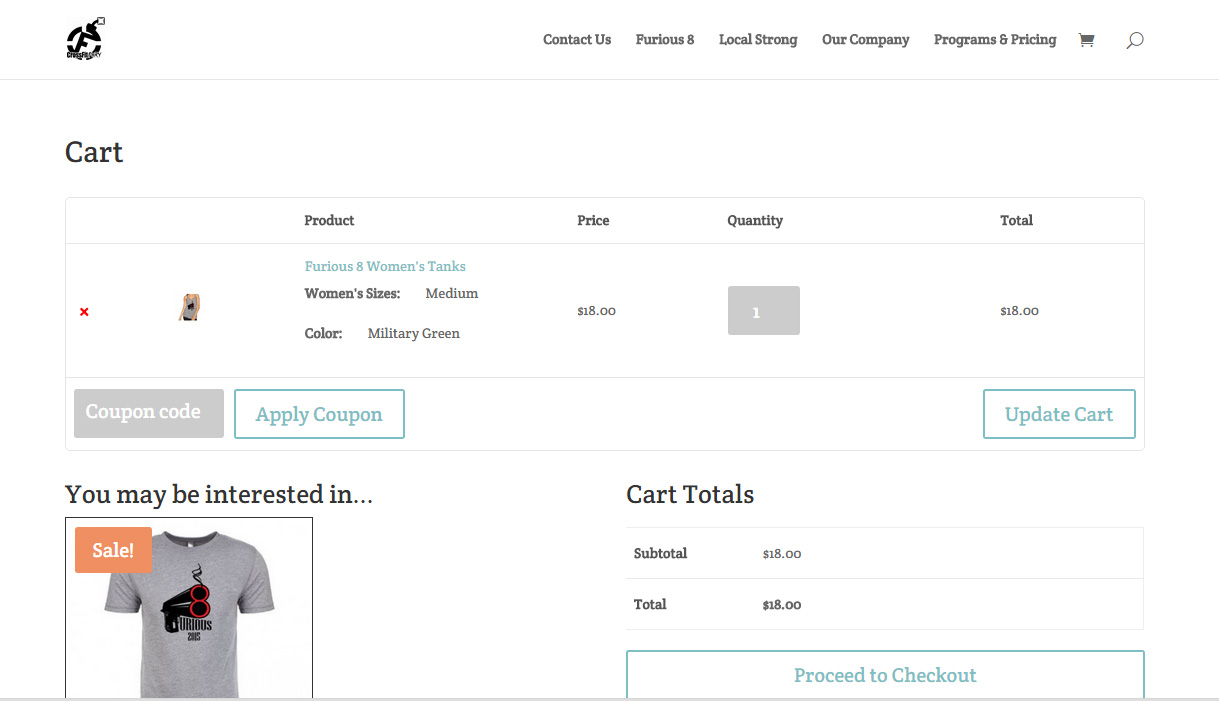
Here’s the cart info copy and pasted:
Product Price Quantity Total
×
F8T_GreyM Furious 8 Men’s T’s
Men’s Sizes:
Large
Color:
Military Green
$18.00$18.00
I know it’s not pretty, but basically the details are selected but not being sent to paypal, either through receipt or purchase info. I hope that helps.
You can upload it somewhere? File sharing? If I’m reading your paste right its 1 item for the order?
Mike, I’ve uploaded it to my personal site. The site we’re running this on is crossfitfury.com.
The cart screenshot can be found at http://estherbeler.com/wp-content/uploads/2015/09/WC-cart.jpg. Please note it includes a size and color for the shirt.
The paypal screen shot is here: http://estherbeler.com/wp-content/uploads/2015/09/WC-paypal.jpg
You could see how this also complicates reporting as we have to go into each order to see what’s been purchased rather than narrowing it down by specific product (ex. determining if we sell more of a particular size, color, etc). This is my first time using WooCommerce so I’m concerned I might have set something up incorrectly, though I’ve combed through the documentation to figure out what I might be missing. Thanks for your help.
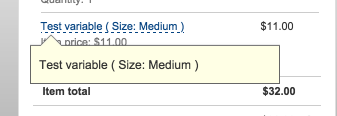
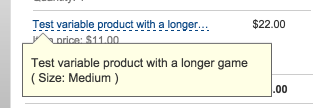
Hover over the item name in PayPal.
Nope, it says the same thing and does not provide any detail. Details are also not passing through with regards to the receipt or the reporting so the customer doesn’t even have a receipt for exactly what they ordered.
Can you screenshot me the variation in the backend itself? Are the sizes explicitly set or are they set to ‘any size’ for example?
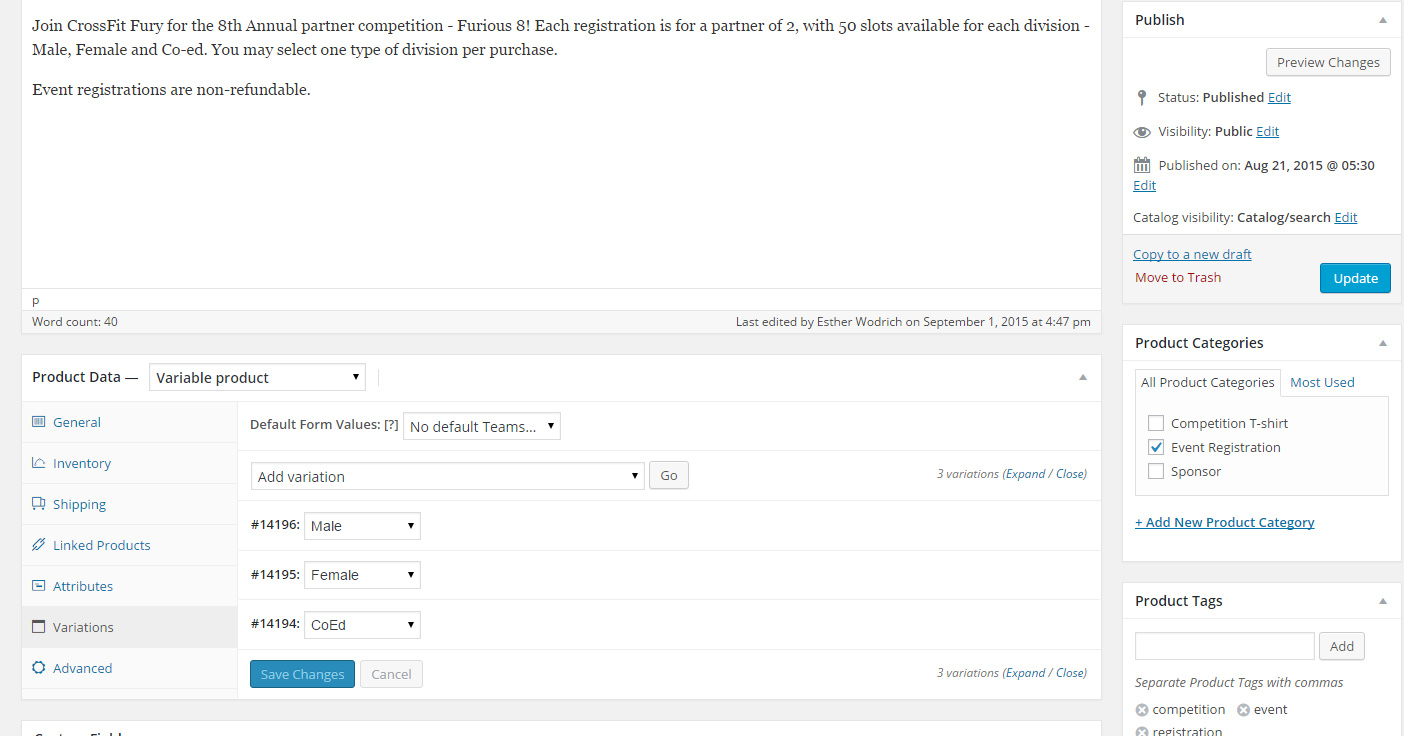
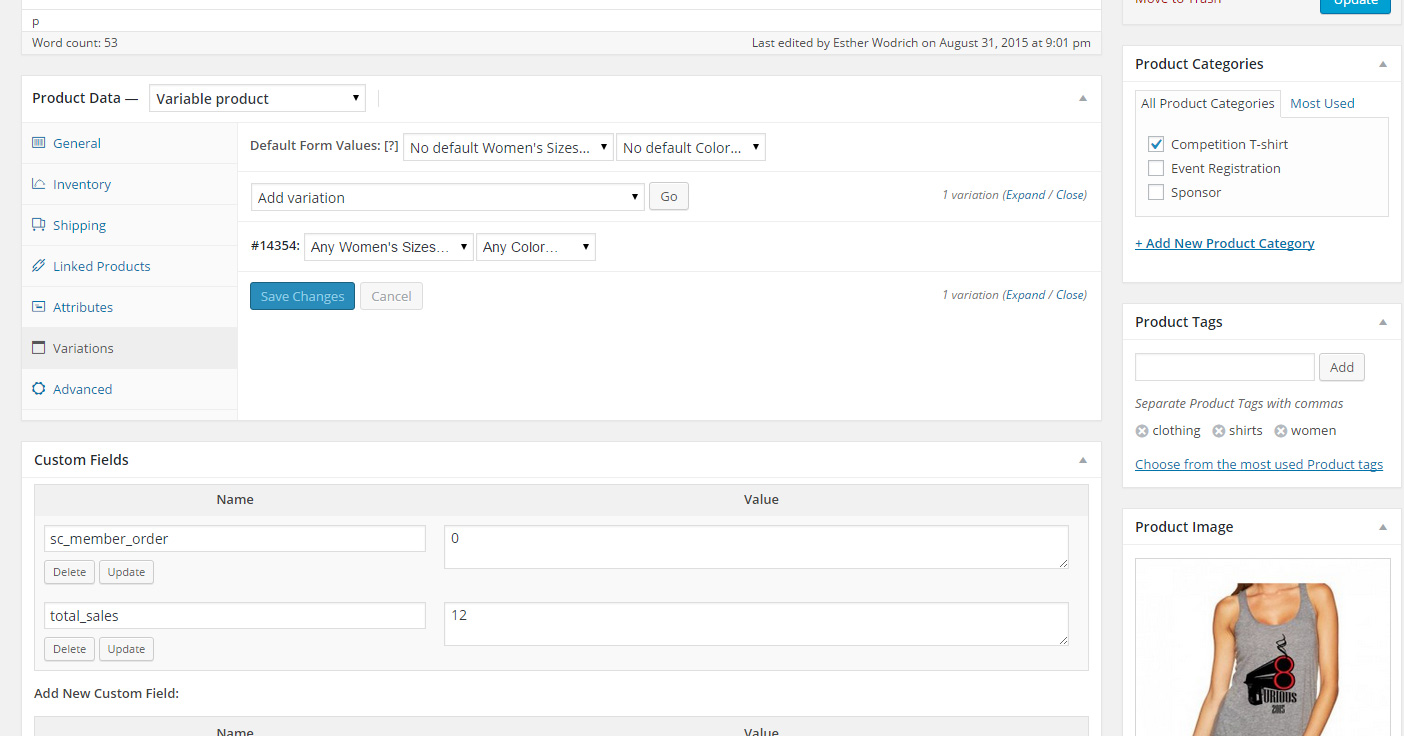
So, I have 2 different scenarios. One is where the variations are listed out (http://estherbeler.com/wp-content/uploads/2015/09/WC-EventVariation.jpg), the other is where they are not- ie any size, any color (http://estherbeler.com/wp-content/uploads/2015/09/WC-TVariations.jpg)
Does the first act any different when sent to paypal?
No, it reacts the same. Just says “Event Registration” but does not tell which registration was chosen.
One other piece of info. All of the products are listed as “virtual” because one is an event registration and the other is a pre-order shirt to be picked up at the event. I did attempt to add a variable product as normal (non-virtual) with shipping set to local pickup but the results were the same.
So, is this problem unique to me?
https://dl.dropboxusercontent.com/s/cex7hqbgz489k0f/2015-09-02%20at%2014.06.png?dl=0
https://dl.dropboxusercontent.com/s/4zbuz051y0718pe/2015-09-02%20at%2014.06%20%281%29.png?dl=0
Seems to be… Saving the product no effect? And this is WC 2.4?
Yes and yes.
Do you think there’s something in my settings? I must be doing something different than the average user.
WooCommerce > System Status – send your report.
### WordPress Environment ###
Home URL: http://www.crossfitfury.com
Site URL: http://www.crossfitfury.com
WC Version: 2.4.6
Log Directory Writable: ✔ /home1/crossfk7/public_html//wp-content/uploads/wc-logs/
WP Version: 4.3
WP Multisite: –
WP Memory Limit: 64 MB
WP Debug Mode: –
Language: en_US### Server Environment ###
Server Info: Apache
PHP Version: 5.4.28
PHP Post Max Size: 10 MB
PHP Time Limit: 30
PHP Max Input Vars: 1000
SUHOSIN Installed: –
MySQL Version: 5.5.42
Max Upload Size: 10 MB
Default Timezone is UTC: ✔
fsockopen/cURL: ✔
SoapClient: ✔
DOMDocument: ✔
GZip: ✔
Remote Post: ✔
Remote Get: ✔### Database ###
WC Database Version: 2.4.6
:
woocommerce_api_keys: ✔
woocommerce_attribute_taxonomies: ✔
woocommerce_termmeta: ✔
woocommerce_downloadable_product_permissions: ✔
woocommerce_order_items: ✔
woocommerce_order_itemmeta: ✔
woocommerce_tax_rates: ✔
woocommerce_tax_rate_locations: ✔### Active Plugins (7) ###
Akismet: by Automattic – 3.1.3
Conditional Woo Checkout Field: by Scott DeLuzio – 1.0.10
Meta Slider: by Matcha Labs – 3.3.4.1
Our Team Showcase: by SmartCat – 2.3
WooCommerce Simply Order Export: by Ankit Gade – 1.2.5
WooCommerce: by WooThemes – 2.4.6
Wordfence Security: by Wordfence – 6.0.15### Settings ###
Force SSL: –
Currency: USD ($)
Currency Position: left
Thousand Separator: ,
Decimal Separator: .
Number of Decimals: 2### API ###
API Enabled: ✔
API Version: 3.0.0### WC Pages ###
Shop Base: #14180 – /shop/
Cart: #14181 – /cart/
Checkout: #14182 – /checkout/
My Account: #14183 – /my-account/### Taxonomies ###
Product Types: external (external)
grouped (grouped)
simple (simple)
variable (variable)### Theme ###
Name: Divi Child
Version: 1.0.1429116402
Author URL:
Child Theme: ✔
Parent Theme Name: Divi
Parent Theme Version: 2.4.6.4
Parent Theme Author URL: http://www.elegantthemes.com
WooCommerce Support: ✔### Templates ###
Overrides: divi-child/woocommerce/emails/customer-invoice.php

The topic ‘Product variable details not displaying in Paypal’ is closed to new replies.