Slow database calls
-
Hello,
Please be advised that this post contains URLs that pertain to a blog of mine which has pornographic material (NSFW)!
First of all, thanks for the great plugin! Apart from “Popular Posts Tabbed Widget for Jetpack”, this is the only popular posts plugin that I really like and intend to use for my blogs. I especially like the default CSS style included with the plugin. With only a slight modification to the thumbnail size I managed to achieve almost identical looks to the plugin I used previously.
However, there is one downside: from time to time (in about 50% of cases) the plugin will cause a significant slowing down of the blog, apparently due to very long calls to the database.
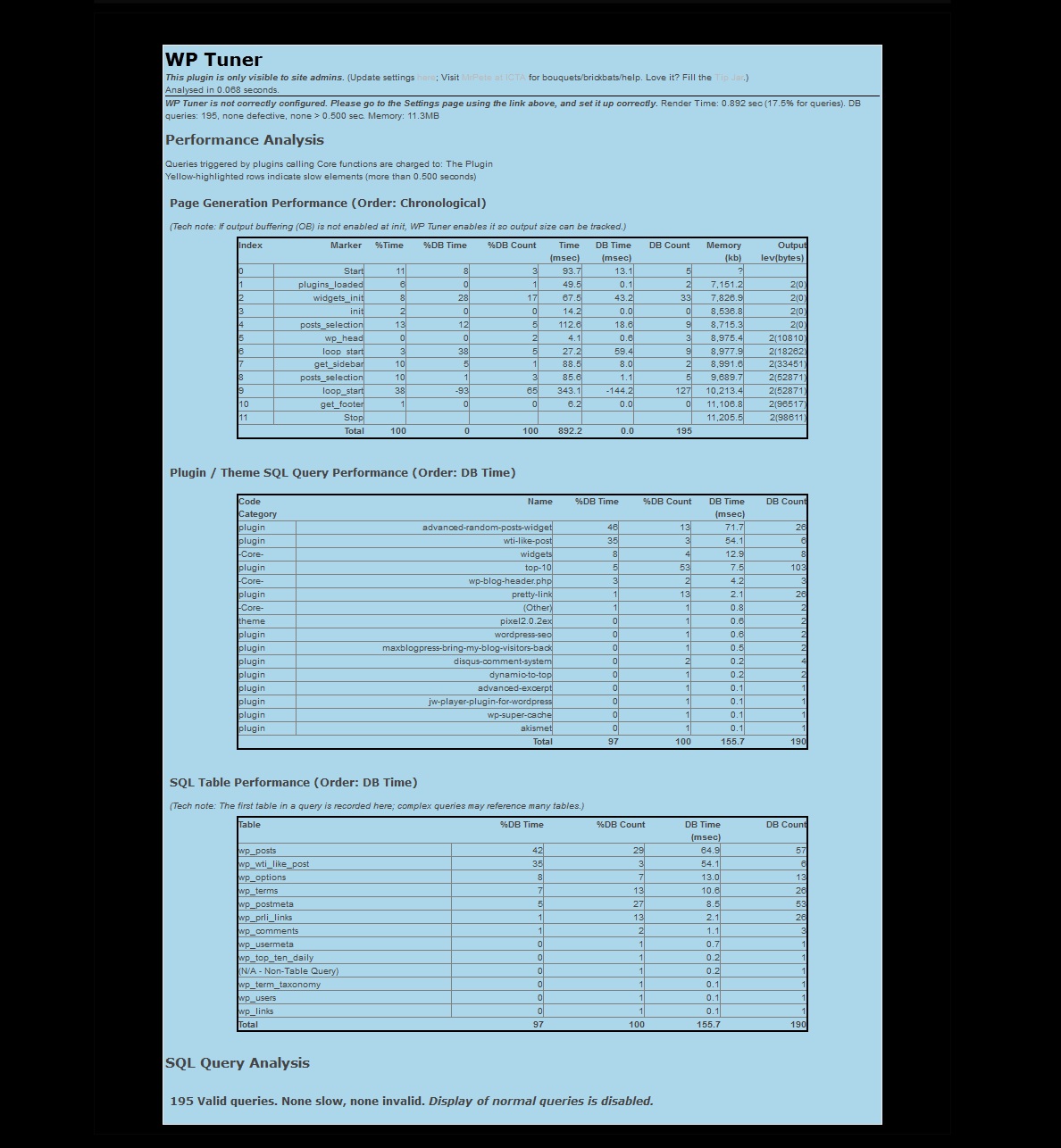
I use a plugin called WP-Tuner which can display slow plugins or widgets below the ordinary page (its output is visible only to logged in admins). Here is what the output should look like when no plugin is causing any slowdown:
http://www.roughstraightmen.com/wp-content/misc/top10b.jpg
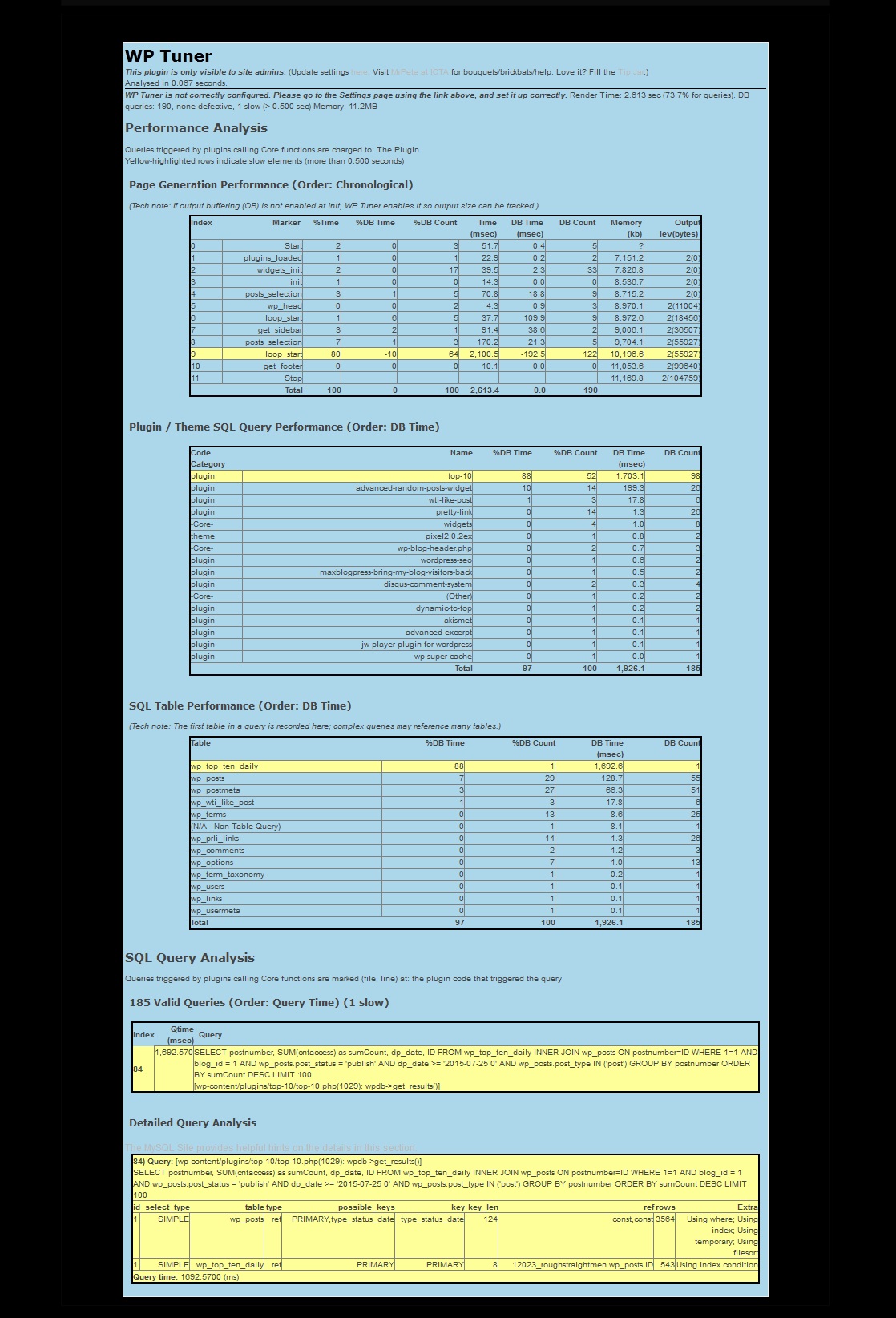
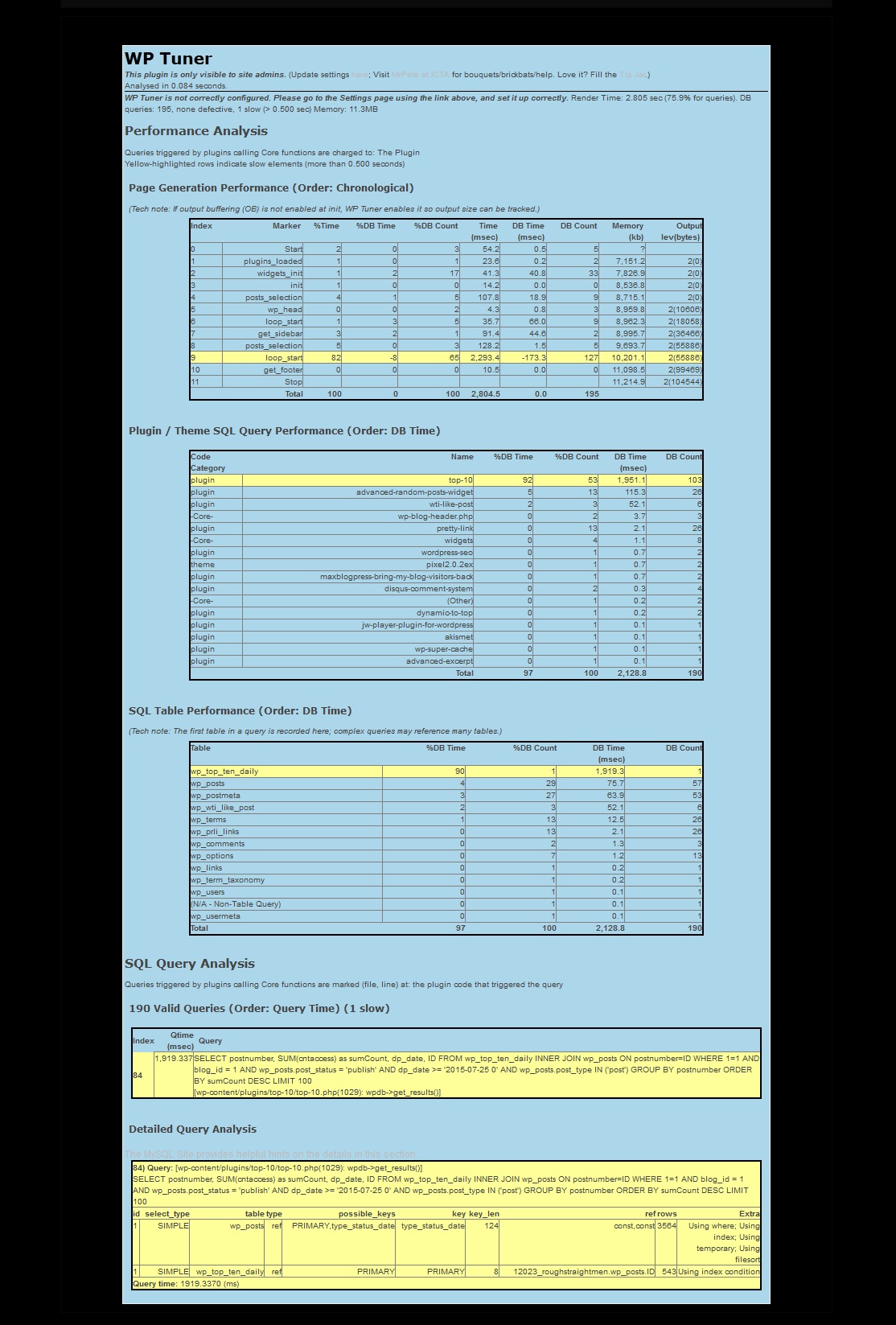
and here are outputs of WP-Tuner when Top-10 causes a slowdown. These were taken from two randomly selected posts. It doesn’t matter which post is selected – or if you select to display a category or tag archive instead of a individual post – when it “decides” to slow down the blog, it will slow it down, even with the most simple posts – at least for a few seconds.
http://www.roughstraightmen.com/wp-content/misc/top10a.jpg
http://www.roughstraightmen.com/wp-content/misc/top10c.jpgDo you know if there is anything I can do in order to fix this slowdown?
Thanks again.


The topic ‘Slow database calls’ is closed to new replies.