No Support for Child-Themes?
-
Hi, i just putted an empty CSS file in my child-theme directory and activated the child-theme.
Result:
– Menu got lost
– Settings got lostSeems that there something quite faulty.
Any idea?Regards axel

-
Which theme is this regarding?
Ooops. i came from here (https://wordpress.org/themes/full-frame/) and thought a click on “View support forum” would lead me to the specific forum (like i axperienced last week regarding another theme).
Anyway, its about this one:
https://wordpress.org/themes/full-frame/Can you link to your website with the child theme active?
Yes, but i am actually working on it:
http://www.photostudio-koepenick.de/Do you still have this empty CSS file in your Child Theme folder? What is the name of it?
oarent theme: full-frame
child theme: full-frame-child (its active)Yes, the CSS is still there and it just contains the header and one line which is doing the import
Sorry I’m not sure I understand the issue you’re facing, can you re-explain it?
If you activate a child theme which contains nothing than a prepared CSS it shoold not not change anything at the site itself because there is nothing in the child directory.
Only if you put something into the child-themes directory (eg, a new functions.php or some new lines in your CSS ) it should have any effects to your website.
If you change from a parent theme to a just empty child theme usually nothing happens at all because there is nothing which could override something
But I can see your Child Theme active and still the parent styles come through.
As i said before:
After the change to the child theme the menu was gone and the settings were lost.
Of course i fixed it because it is a public websites with customers visiting it.One issue you can still see:
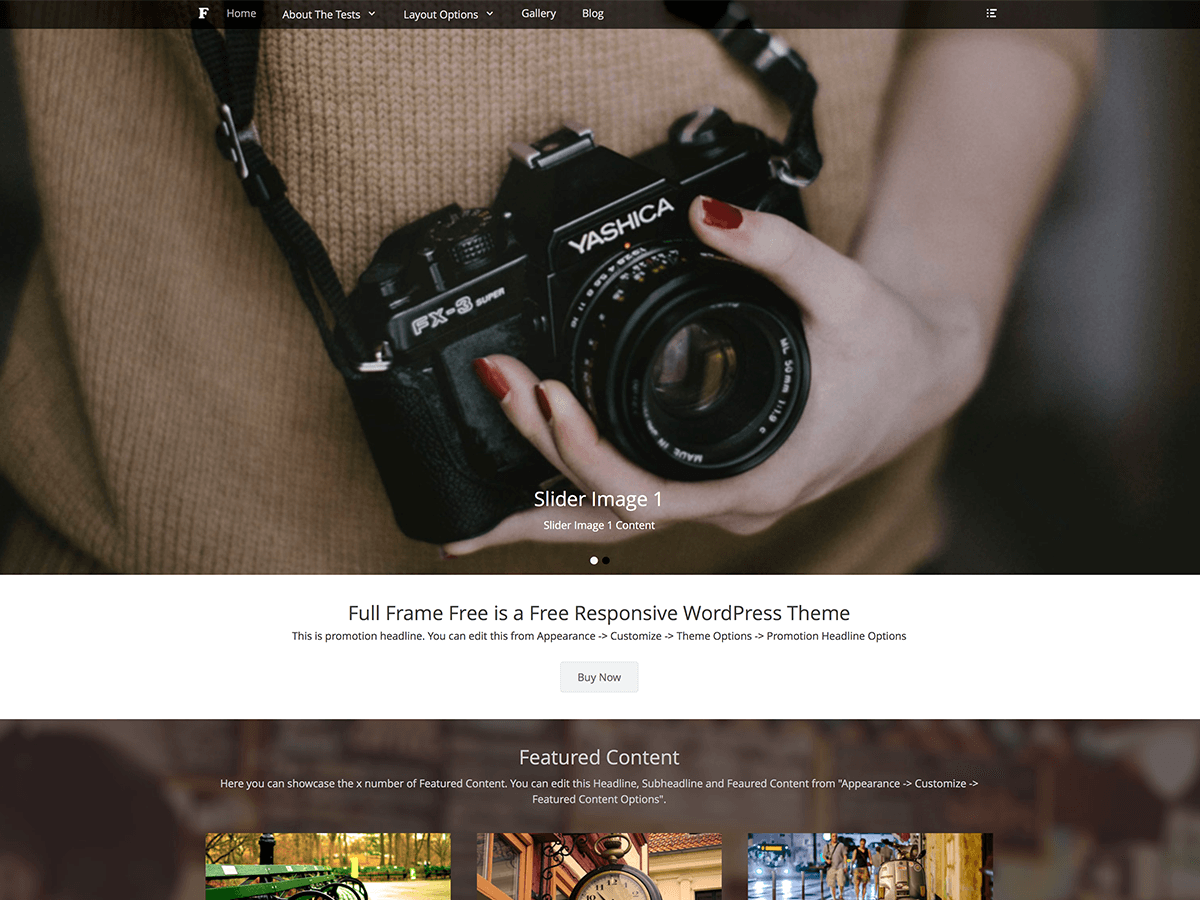
1: The text below the header (“Full Frame is a Premium Responsive WordPress Theme
This is promotion headline. You can edit this from Appearance -> Customize -> Theme Options -> Promotion Headline Options”)Before i changed it was this (“Ihr Dienstleister in Sachen…
Ob hochwertige Aktfotografien als Geschenk……….”)It shouldn’t have changed any of your settings, but changing even to a child-theme you need to reset the location of your menu.
It’s normal for some theme settings to become reset. The process of activating a Child Theme is the same process of activating a new theme.
That might be, but there seems to be something odd with that theme.
Look here..
That Textstring (“Full Frame is a Premium Responsive WordPress Theme
This is promotion headline. You can edit this from Appearance -> Customize -> Theme Options -> Promotion Headline Options”) you only find in full-frame/inc/fullframe-default-options.php.I changed that text to mine and uploaded that edited file to /full-frame-child/inc/fullframe-default-options.php, but still you can see that “default text”
Fixed it the dirty way.
thanx for helpingOh nooooo….
please have a look into the source code and find this:
“Posted on By Catch Themes”
Its direct in the middle oft the slider:<a title="Analoge Fotografie" href="#"><span>Analoge Fotografie</span></a></h1><div class="assistive-text"><span class="post-time">Posted on <time pubdate="" datetime="2014-08-16T10:56:23+00:00" class="entry-date updated">16 August, 2014</time></span><span class="post-author">By <span class="author vcard"><a rel="author" title="View all posts by Catch Themes" href="http://catchthemes.com/blog/" class="url fn n">Catch Themes</a></span></span></div> </header><divI am not sure, but as far as i know sneak / hidden links are a bit filthy, arent they?


The topic ‘No Support for Child-Themes?’ is closed to new replies.