Tempera Template – Help With Removing Items From Menu
-
Hello,
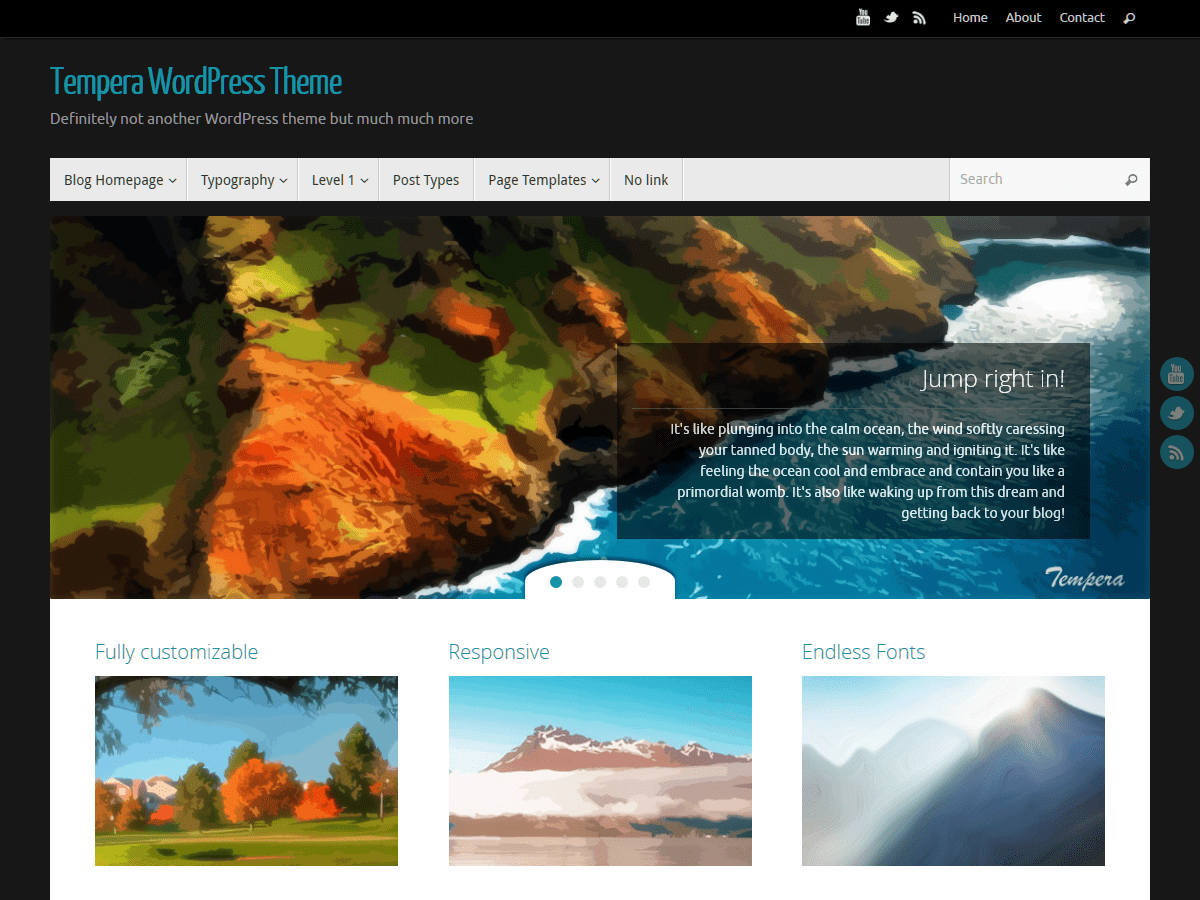
I am not a programmer and I need common sense layman type help, if that can be found here. I recently started a blog/site on WP (http://southsoundreonline.com/) I chose a theme and cannot remember what the original was, but changed it to Tempera. The original theme had a bunch of “filler” in the Menu. Such as “Anxiety Report Download,” “Adopt a Dog Download,” etc. I had assumed I could remove the junk items and replace with my own. However, I cannot find these in Appearance>Menus and do not know how to get rid of them. Everything I have been able to find after hours of searching tells me I have to like recode my site to figure it out. Even if I did follow those instructions, I would never be able to put it back together again.Also, there is a floating text box on the main page in the flash area. I followed instructions I found on another post (https://wordpress.org/support/topic/tempera-theme-settings) and those instructions did not change that part for me. Instead, it put the text I wrote below the flash area.
I have had people tell me how easy wordpress is to use, but I am finding it extremely difficult to find the information that I need to work with. If anyone has a suggestion on that, it would also be much appreciated. Thank you in advance for your time in reading this and offering any beginner user advice that you may have.
-
What theme were you using prior to switching to Tempera?
When you say “flash area”, are you referring to the slider? The part where it says things like “Jump right in!”, “Tempera is a breath of fresh air”, etc.?
Hi Stephen,
Thanks for the response. I cannot remember what the original template was and I do not know if there is a way to find out. Like some sort of history setting or something.Yes, I am referring to the slider area where you see “Jump right in!” etc. Geez, I really need to figure out the lingo. Thanks for reading between the lines!
That area is controlled in the theme options: Dashboard > Appearance > Tempera Settings > Presentation Page > Slides. Make sure that “Custom Slides” is set in the dropdown box marked “Slides content”. Once you’ve done that, you can click on the various accordions marked “Slide 1” through “Slide 5”. You can change the image, title, text, and link settings for each slide.
Stephen,
Thank you so very much for your help with the slides. I don’t know what happened on the menu items or why they are now gone as I did not do anything to remove them. I just updated the presentation page and saved my changes. They show in the dashboard, but when I pull up the site on another browser, the original theme content still shows. Is there perhaps some sort of delay with this theme? As I said, I could not even access the menu items that imported over from the last theme. They were there for 2 days before I posted requesting help. I logged on this evening and they were just gone.
Either way, thanks again Stephen, I really appreciate your help as I am learning this.I just enabled the top menu bar so that I can link to an administrative menu — a single page that is a gateway to various admin tasks. However, I seem to automatically get a login/logout item that I don’t want. I already have a login/logout on my main menu and want to keep it there.
Is there a way to remove the login/logout on the bar? Thanks.
@maryg483 – this thread is resolved – so not a good place to ask a new question. Try the developer’s forums here:
Sorry. Didn’t realize that I had hooked on to the above thread. Intended to start a new thread.
The topic ‘Tempera Template – Help With Removing Items From Menu’ is closed to new replies.