Hi @typeaway,
Sorry to hear of the problem you are having.
I have tested it on my test site using latest version of the plugin (2.0.5) and the latest version of WordPress (3.9.1) but i couldn’t reproduce the issue and it worked fine.
Can you check the javascript console for errors?
In Chrome go to “View -> Developer -> Javascript Console” and in Firefox you can go to “Tools -> Web Developer -> Console”
Let me know what errors if any you are getting!
You can just try on your development site deactivating all other plugins and using default WordPress theme like Twenty Thirteen to know which theme/ plugin is conflicting if any.
Kind Regards,
WPMU DEV
Hi,
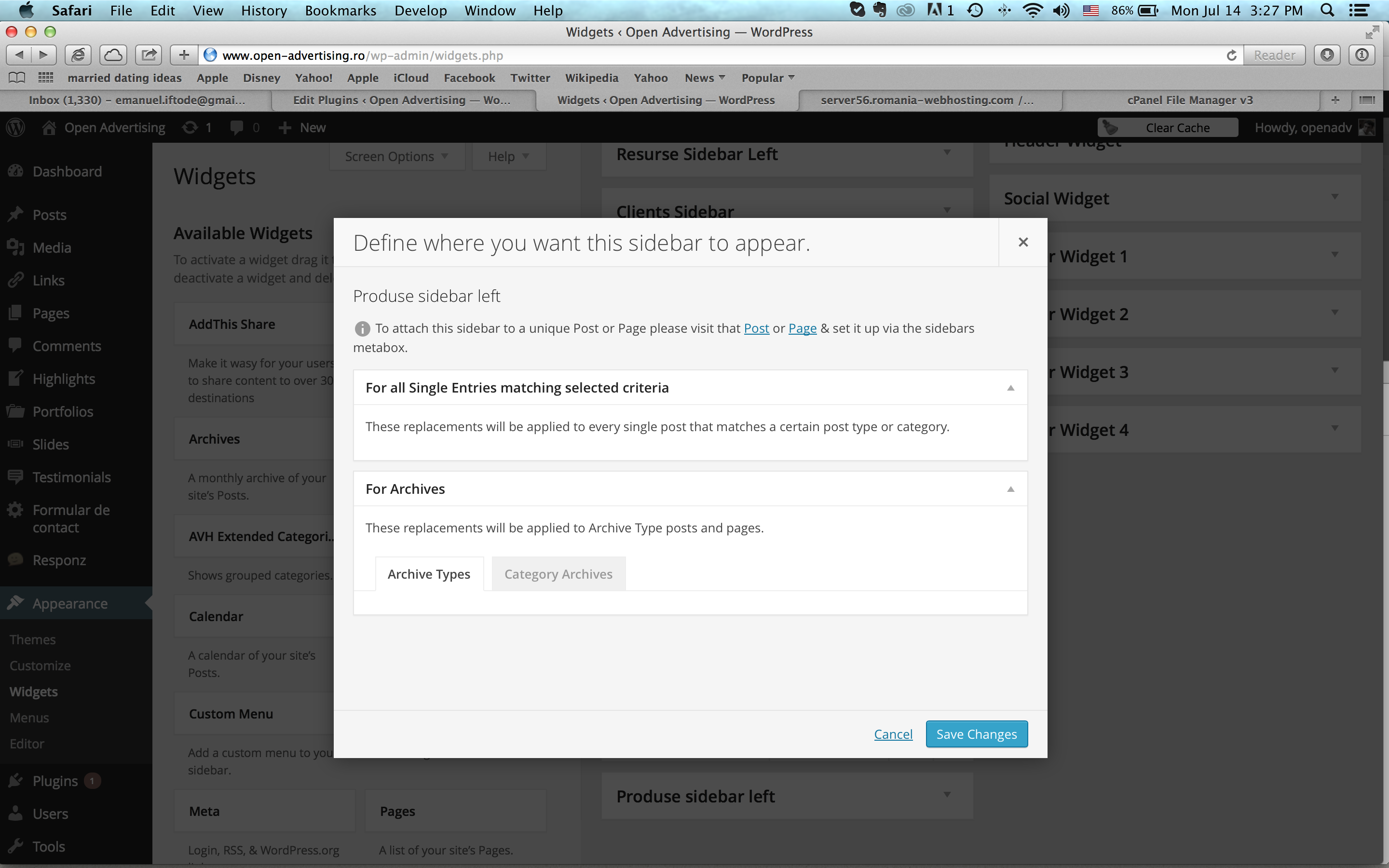
Unfortunately I’ve made the upgrade to the new version of the plugin, and now I cannot set custom sidebars to categories or archives. The Location link opens a page where nothing is loading for archivs or categories, only empty tabs.
See screenshot here
Hi @nneo777,
Make sure you have selected the option “Allow this sidebar to be replaced” as displayed in the attached screenshot.
Also may be you are facing the issue reported in the following reply that will be fixed shortly.
http://wordpress.org/support/topic/problems-after-update-from-16-to-205?replies=4#post-5786340
Regards,
WPMU DEV
Hi, I have done as you requested. Here is the screenshot of the information.
I look forward to your response.
Smiles,
Kat
I’m having the same issue. It seems to be a conflict with certain plugins. In my case it was with the Socials Ignited plugin. If you deactivate the offending plugin the sidebars location window will load.
If you hover over the “admin-cc-widget.js?ver=3.9.1:35” text in console you will get a web address, use the web address to find the plugin with the error and deactivate it.
Not really a solution, but will get your sidebars working until whatever is causing the problem can be fixed.
Hi Kat,
Thank you for your patience and sharing the screenshot.
In the screenshot you have shared i can see the JavaScript error generated by the file admin-cc-widget.js which may be causing to Custom Sidebars window pop up loading forever.
I think the following plugin may be causing this js file admin-cc-widget.js
https://wordpress.org/plugins/constant-contact-api/
Could you please try deactivating this plugin if you are using it to confirm the issue is caused by this plugin?
If this plugin is not causing this issue then try on your development site deactivating all other plugins and using default WordPress theme like Twenty Thirteen as displayed in the following flowchart to know which theme/plugin is conflicting if any.
http://premium.wpmudev.org/wp-content/uploads/2013/12/Support-Process-Support-Process.png
Also make sure to use recently released latest version of Custom Sidebars plugin which contains many bug fixes.
Cheers,
WPMU DEV