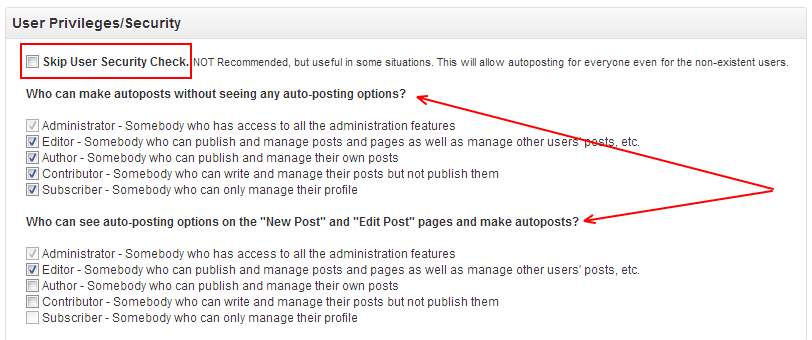
Are you getting any errors?
Please check your Log/History tab and let me know if you have any errors there.
Here: [2013-06-02 15:27:17] – [Skipped]- User ID 5 can’t autopost – Post ID:(2234)
That is the exact time of the post published. But the problem is that there is only one user account that have publish rights, which is an Administrator at the same time, and the user ID of this account is not 5. Not sure what’s really going on here.
Thank you but that was already unchecked.
My current settings: http://awesomescreenshot.com/0301cwagf3 All posts on my website can be published by an Administrator only.
So who is user #5? It looks like he is not Admin or Author
He is a Contributor who has never submitted a post yet. He barely logs into the admin panel anyways.
I’m 100% sure that post was published by a user, whose ID is NOT 5.
Could the “User Roles” plugin be conflicting with the SNAP? However, I have not made a single change on the Administrator role and as I said I have been publishing posts only via the user that has all the admin rights.
How do you make your posts?
1. Log in with the admin user account
2. Go to Posts > Add New
3. Write up the title and the content
4. Select category and tags
5. Publish
Then it’s very weird. If you post this way plugin doesn’t get user ID. The error you would’ve get in this case is: [Skipped]- Current user can’t autopost – Post ID:(2234)
Errors like “User ID 5 can’t autopost” produced only when post is being made by something automatic.
Today I published a post and it worked this time. The post was automatically linked to Facebook and the plugin didn’t produce any errors. I am not sure what really fixed the issue. I didn’t make any changes.