I’ve been asked by the powers that be to ‘re-insert http://www.’ as part of the meatmanagement.com web address,
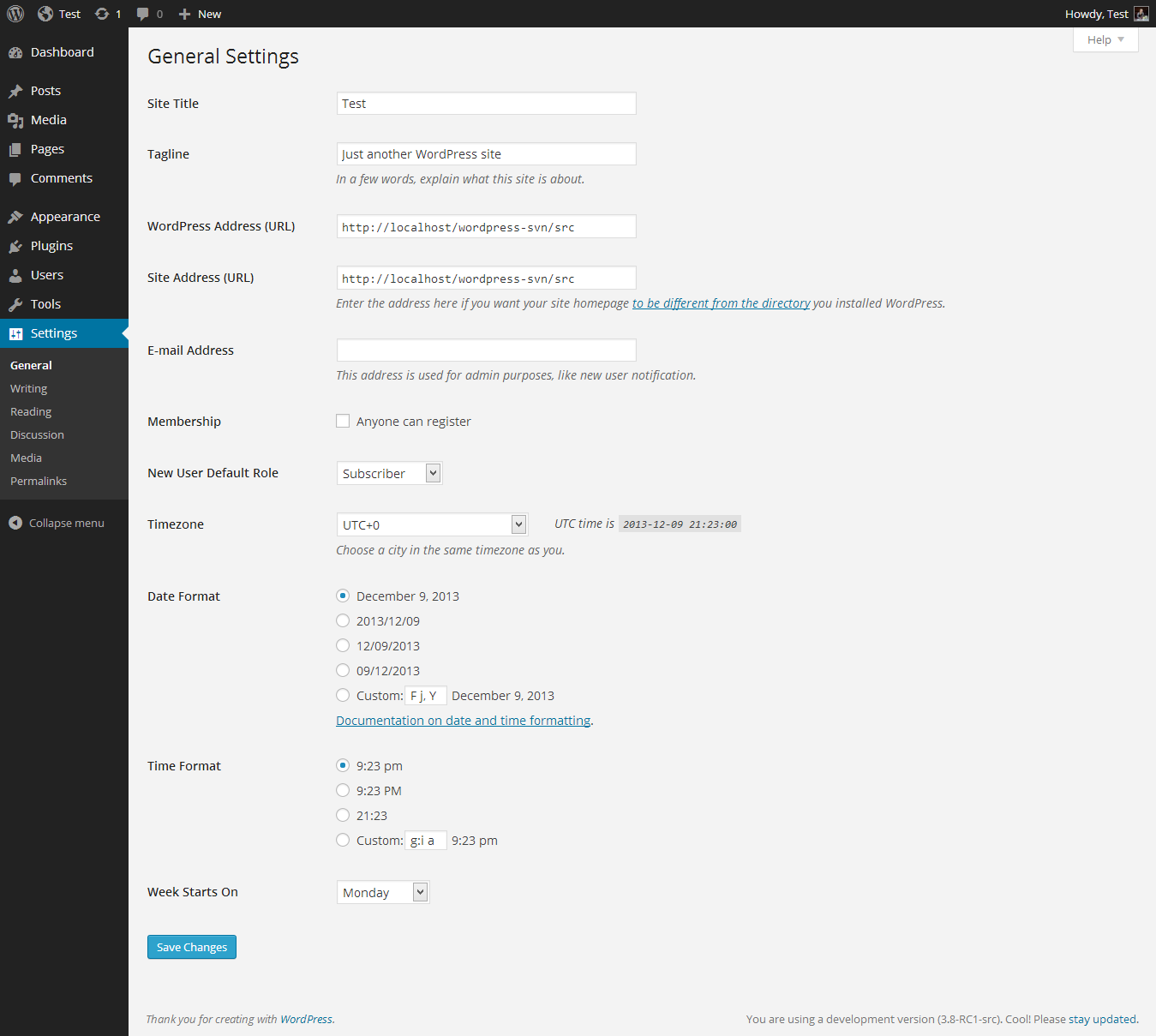
I wonder if adding the www prefix to your URL’s in the General Settings in your dashboard might be enough to do the trick?
Hi ClaytonJames. Thanks for taking the time to post a response. I’ve taken a look at our General Settings page and I don’t appear to have access to the fields for WordPress Address or Site Address… which is rather confusing as I have admin privileges…
Sounds like the URLs might be hardcoded in wp-config.php. See if there is
define('WP_SITEURL', 'http://example.com/wordpress');
line in wp-config.php
Hi songdogtech – thanks for responding so quickly. Great stuff. I’ve taken a look at our wp-config.php file and found this:
define( 'DOMAIN_CURRENT_SITE', 'meatmanagement.com' );
Has this hardcoded the URL? If so do I hardcode it to include ‘www.‘?
Are you running multisite? Is there a
define('WP_ALLOW_MULTISITE', true);
in the file?
While there isn’t content present, I can also see a /blogs.dir in your site structure. If your WordPress installation is setup for allowing multi-sites, there may be a difference in admin privileges if you aren’t logged in as the network admin.
Multisite Network Administration
“The capabilities of the site administrator role are also reduced in a WordPress Network…” (paraphrased, of course)
I’m not a regular user of the multi-site features, so my practical experience there is limited. Maybe someone else can clarify if that might be something that could limit your access to the main site configuration if you are logged in as a site admin rather than the network admin.
[edit] Nevermind.. you guys are way ahead of me! 🙂
Moving this to mutlisite forum, as I’m not sure about changing the main URL, even if it’s just adding the www.
Generally? The answer is ‘Don’t.’
However, where we have an issue is if www. is put before a direct link such as meatmanagement.com/about-us – the site is re-directed to the homepage instead of the About Us page
That’s a different matter, though, and wouldn’t go away with forceing in www. In fact, you’d now have the problem of domain.com/about-us kicking you to http://www.domain.com 🙂
Do you have noblgoredirect in your wp-config?
Hi Mika. Welcome to the party! Sorry for the tardiness in my response time – believe it or not I still want to resolve this – it’s just been a very busy time at work. Anyway, I’ve searched the wp-config file and cannot find noblgoredirect. Does that cast anymore light on things?
Alas, yes, but it tells me your server is a bit abnormal.
Try tossing this in the top of your .htaccess:
# Redirect to !www.
RewriteCond %{HTTP_HOST} ^www\.meatmanagement\.com
RewriteRule ^(.*)$ http://meatmanagement.com/$1 [R=301,L]
That will let you keep non WWW (which works better with multisite anyway) and hides the problem.
OK Mika – before I do this (he says with some trepidation), I just want to ensure that this will give us the ability to put www. before any pages and posts and they will re-direct to the correct page.
That’s what it’s supposed to do, yes.
Mika – you genius! Thank you very much. It works:
http://www.meatmanagement.com/about-us
goes to the intended page rather than the homepage. I’ve checked other pages and they’re working too. Great stuff. Thanks again.
I’ll now mark this topic as resolved. Thanks to all who helped and contributed – very much appreciated.