Plugin Author
 Richard
(@richardmallick)
Hi Garry,
Thanks for the screenshot and the link, that made it easy to find.
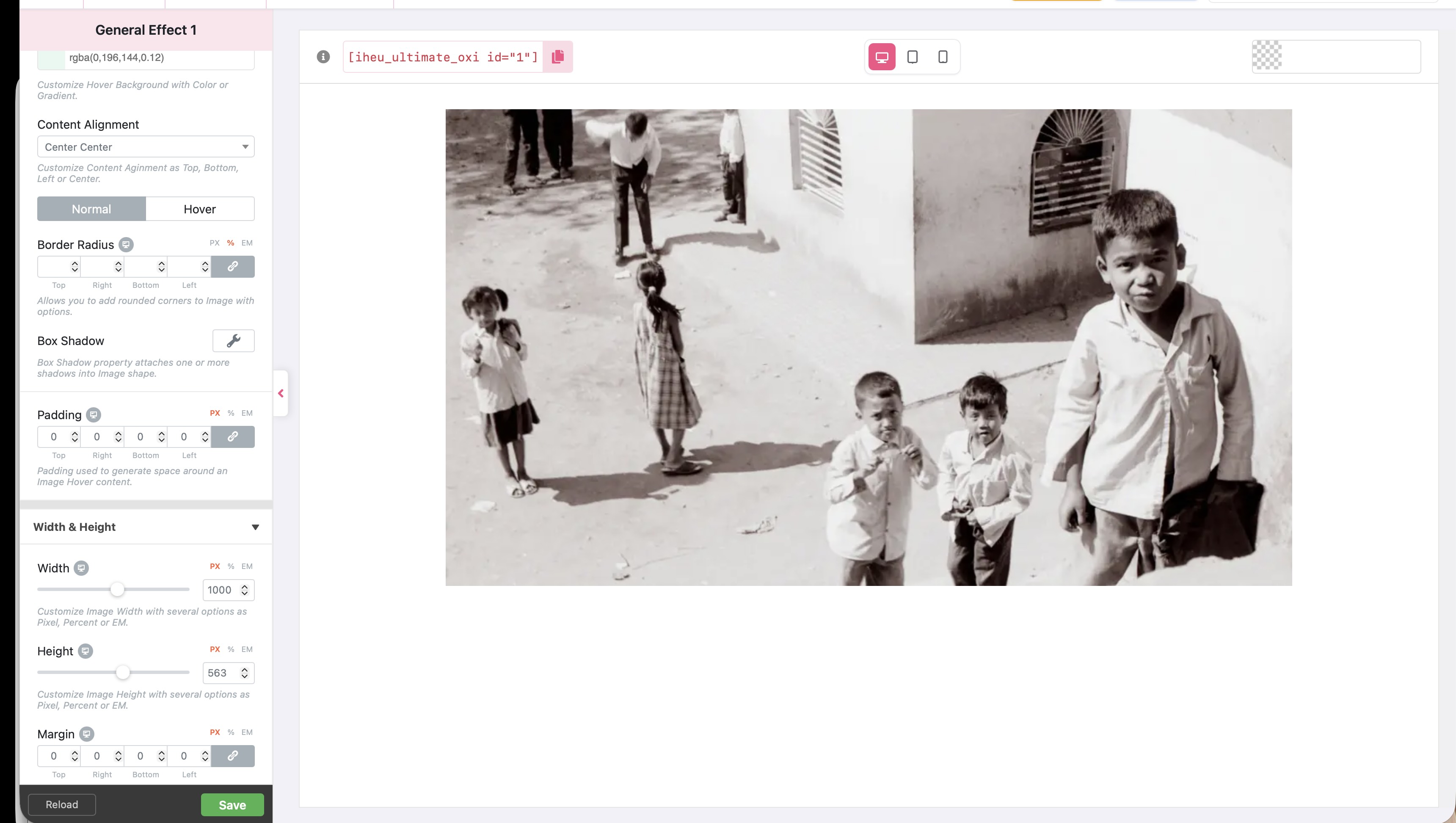
On your page each image is inside a column that is about 480px wide, so the image can’t be 1000px wide there. The width shrinks to fit the column, but the height is set to a fixed 563px, so the image gets squashed.
The fix is to set the height in percent instead of pixels. Then the height always follows the width and the image keeps its shape at any size:
- Open each style in Image Hover Effects and go to the Width & Height section.
- Next to Height, click “%” instead of “PX”.
- Enter 56 (563 ÷ 1000 = 56.3%, which keeps your 1000 × 563 shape).
- Click Save.
I tested this on your page and each image then shows at 480 × 269, the same shape as your original.
One more tip: your Columns block is set not to stack on mobile, so on a phone each image is only about 130px wide. To make them full width on phones, select the Columns block in the editor and turn on “Stack on mobile” in its settings.
Let us know if that sorts it out.
Best regards,
Richard
Oxilab Team
Excellent, that worked a treat. Thank you so much Richard. Regards Garry
Sorry to be dumb but where/how do I add a clickable url to the images?
Plugin Author
Richard
(@richardmallick)
Hi Garry,
You’re very welcome!
To add a clickable URL to an image, simply hover your mouse over the image and click the Edit button. A modal window will open.
Screenshots:
https://prnt.sc/uvd0Kqg–h2K
https://prnt.sc/okF1M8Ue08Xj
Enter your URL in the URL field and click Save.
Please let me know if you need any further help.
Best regards,
Richard
Oxilab Team
Blimey, thats easy. Thanks again Richard. I am testing before I use it here – https://garryrigby.com/
Regards Garry
Plugin Author
Richard
(@richardmallick)
Hi Garry,
You’re very welcome! 😊
Glad to hear everything is working well. Take your time testing the plugin, and if you need any help or have any questions while setting it up on your website, please feel free to reach out. I’ll be happy to help!
Best regards,
Richard
Oxilab Team
Many thanks again Richard – beyond the call of duty.
Have a good1, Regards Garry