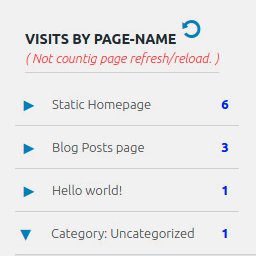
If “Do not delete plugin data on plugin delete/uninstall” checkbox was checked when you deleted the plugin, then page visits data will automatically reappear, as it was not deleted.
In case this checkbox was not checked, the visits data has been deleted and you cannot bring it back.
UPDATE: The stable fix is now live (Version 2.0.5)!
I am happy to confirm that Version 2.0.5 is fully safe, stable, and includes the necessary security update. If your website was affected by the fatal error, updating to this version will resolve the issue and bring your site back online.
I want to thank all of you so much for your incredible patience and understanding. I also wanted to explain why this fix took a bit longer to appear: after pushing the corrected code to the official WordPress repository, we had to wait about 6 hours for WordPress to complete all its automated security scans and reviews. Only after those checks were successful did WordPress make the update available in your WP admin dashboards.
What you need to do now:
- If your site has automatic updates enabled: It should automatically pull Version 2.0.5 and fix itself within the next few hours (once your site’s WordPress cron job runs).
- If you can access your WP Admin dashboard: Please go to Plugins > Installed Plugins and manually click Update on this plugin.
- If your website is still showing a blank screen (Fatal Error) and you cannot access the dashboard:
- Log into your server via FTP or cPanel File Manager.
- Navigate to
wp-content/plugins/ and delete or rename the folder of this plugin (this will bring your site back instantly).
- Log back into your WP Admin, download Version 2.0.5 from the plugin repository, and activate it.
Thank you again for standing by me while I resolved this. Please let me know if everything is back to normal on your end!
Best regards,
Denis Botić