• Hi there,

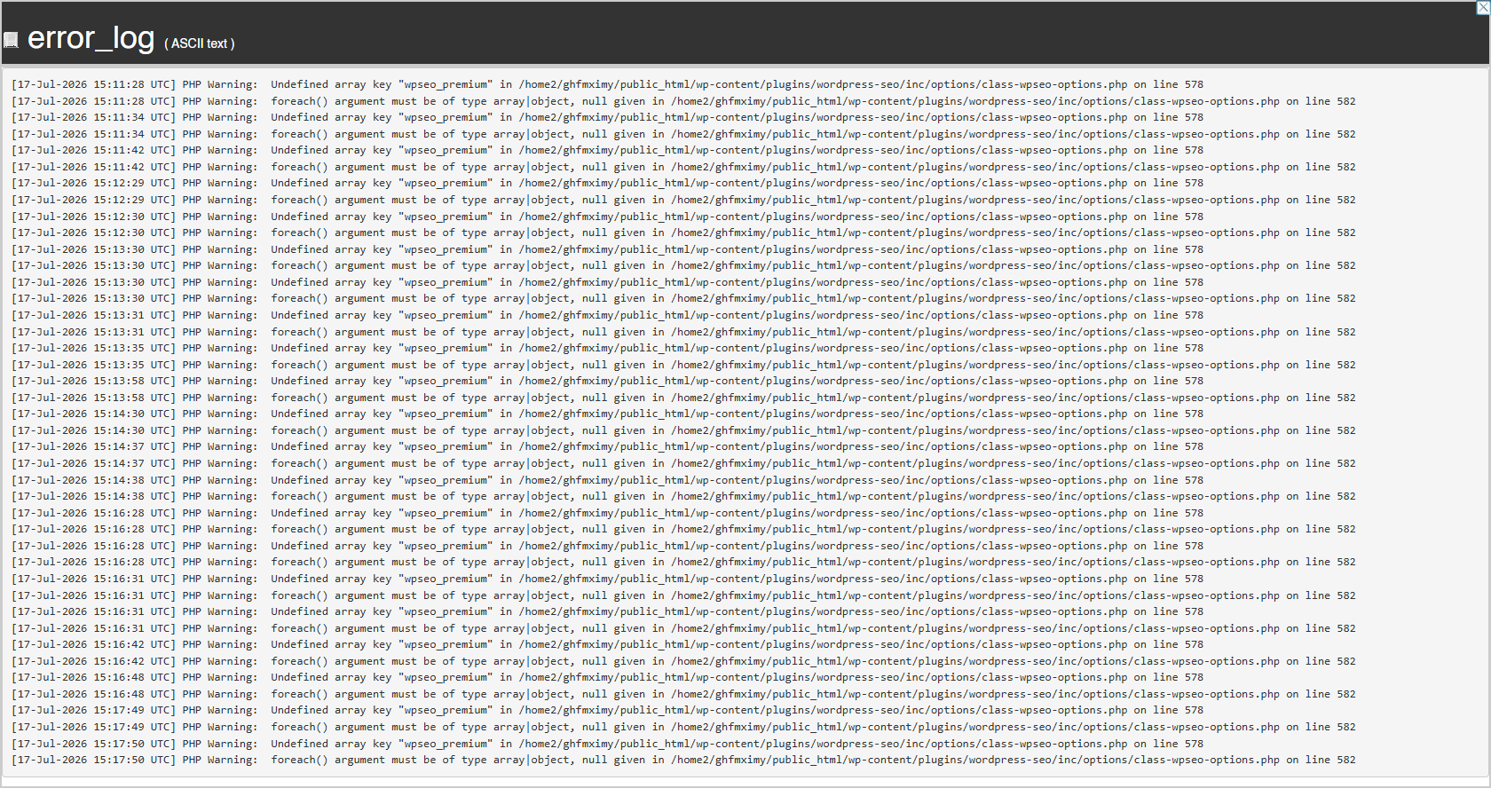
    We noticed some warnings in our server logs. They seem to come from the Yoast SEO plugin.

    The logs show two warnings:

    1. PHP warns about an undefined key named “wpseo_premium” on line 578.
    2. PHP warns about a loop on line 582. The loop gets a null value instead of an array.

    Both warnings happen in this file: wp-content/plugins/wordpress-seo/inc/options/class-wpseo-options.php

    You can view our log screenshot here: https://maicoind.com/wp-content/uploads/2026/07/Error-Log.webp

    Here’s our environment, in case it helps:

    • WordPress version: 7.0.1
    • Theme: Astra 4.13.6
    • PHP version: 8.3.32
    • Database: MySQL 8.0.46-37
    • Yoast SEO: 28.0

    Will there be a fix for this? Thank you for your help.

Viewing 7 replies - 1 through 7 (of 7 total)
  • Plugin Support Maybellyne

    (@maybellyne)

    Hello @amahend,

    Thanks for sharing the PHP errors, though they are harmless. Kindly share your site info via Pastebin – WordPress > Tools > Site Health > Info > Copy site info to clipboard.

    Thread Starter Amanda Mae

    (@amahend)

    @maybellyne Okay. This has been completed.

    https://pastebin.com/etb6dz2a

    • This reply was modified 4 days, 12 hours ago by Amanda Mae.
    Plugin Support Maybellyne

    (@maybellyne)

    Thanks for sharing the site info. Nothing in the report immediately stands out as being incompatible with Yoast SEO 28.0. The warnings you’re seeing (Undefined array key "wpseo_premium" ) is not expected behaviour. A couple of questions:

    • Do these warnings occur consistently, or did they only appear once?
    • Was Yoast SEO Premium ever installed on this site, even if it has since been removed?
    Thread Starter Amanda Mae

    (@amahend)

    To answer your questions:

    1. It wasn’t as consistent as on July 17th, but I am still receiving the same errors today.
    2. No, we’ve never had Yoast premium, which is why I am confused about the warning.
    Plugin Support Maybellyne

    (@maybellyne)

    Thanks for following up with us.

    As a next step, could you please try performing a clean reinstall of Yoast SEO?

    1. Deactivate Yoast SEO.
    2. Delete the plugin, ensuring that the wordpress-seo plugin folder is completely removed from wp-content/plugins/.
    3. Install and activate the latest version of Yoast SEO again.

    After that, please monitor your server logs and let us know whether the same warnings continue to appear. This will help us rule out any issues with the plugin installation. If the warnings persist after a clean reinstall, we’ll continue investigating the cause.

    Thread Starter Amanda Mae

    (@amahend)

    @maybellyne Would this deleted the current work I have done for SEO on my pages?

    Plugin Support Maybellyne

    (@maybellyne)

    Not at all. All your existing SEO data are stored in WordPress database tables which aren’t touched by deleting a plugin.

Viewing 7 replies - 1 through 7 (of 7 total)

You must be logged in to reply to this topic.