Hi @bplndk
Thank you for reaching out.
Could you please let us know which plugin or feature you are using to set the payment due date on the invoice?
Additionally, if possible, please share a screenshot of the settings where the due date is being configured.
This will help us better understand your setup and advise you accordingly.
We look forward to your reply.
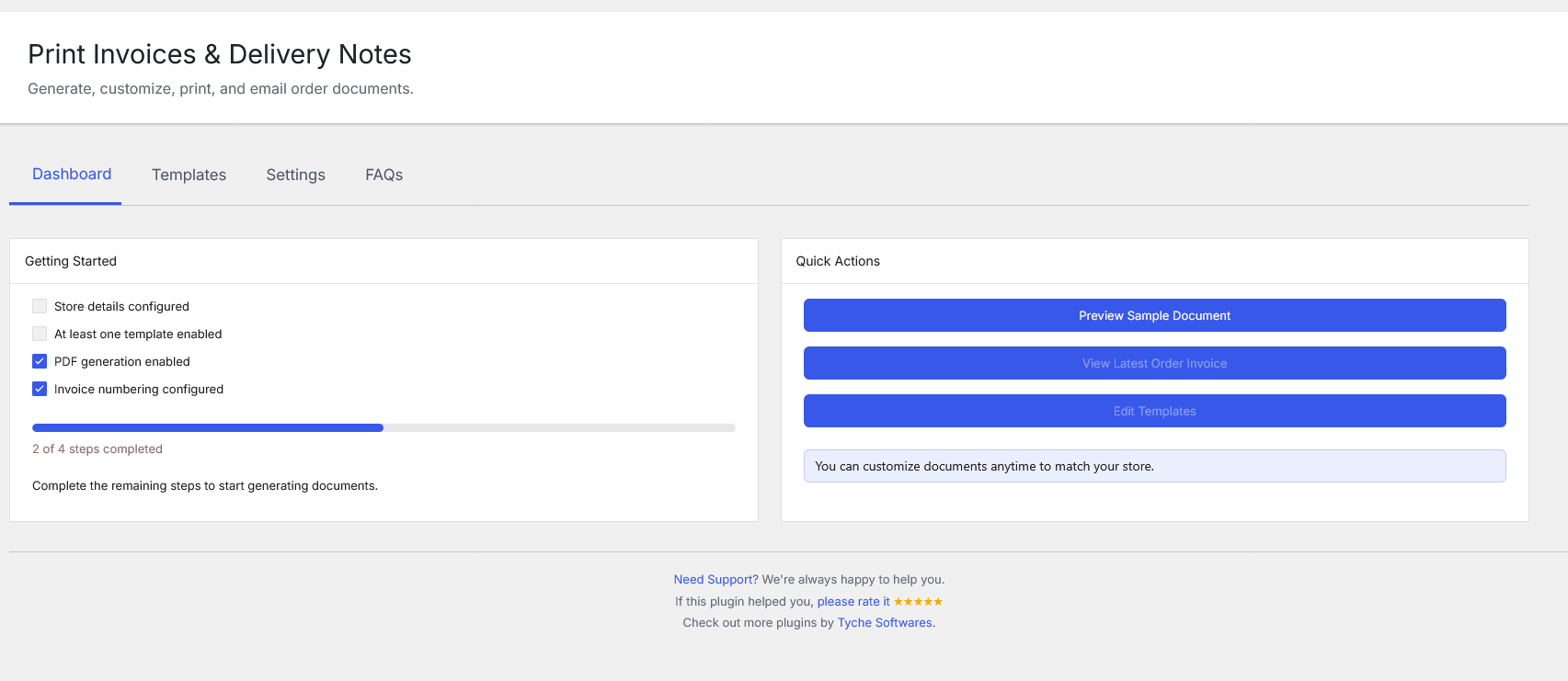
Yes, I’m using “Print Invoice & Delivery Notes for WooCommerce”. You can see it here :
http://hll-frontline.dk/wp-content/uploads/2026/07/Screenshot-2026-07-17-at-13-45-37-Print-Invoices-Delivery-Notes-‹-BPN-FOTO.DK-–-WordPress.png
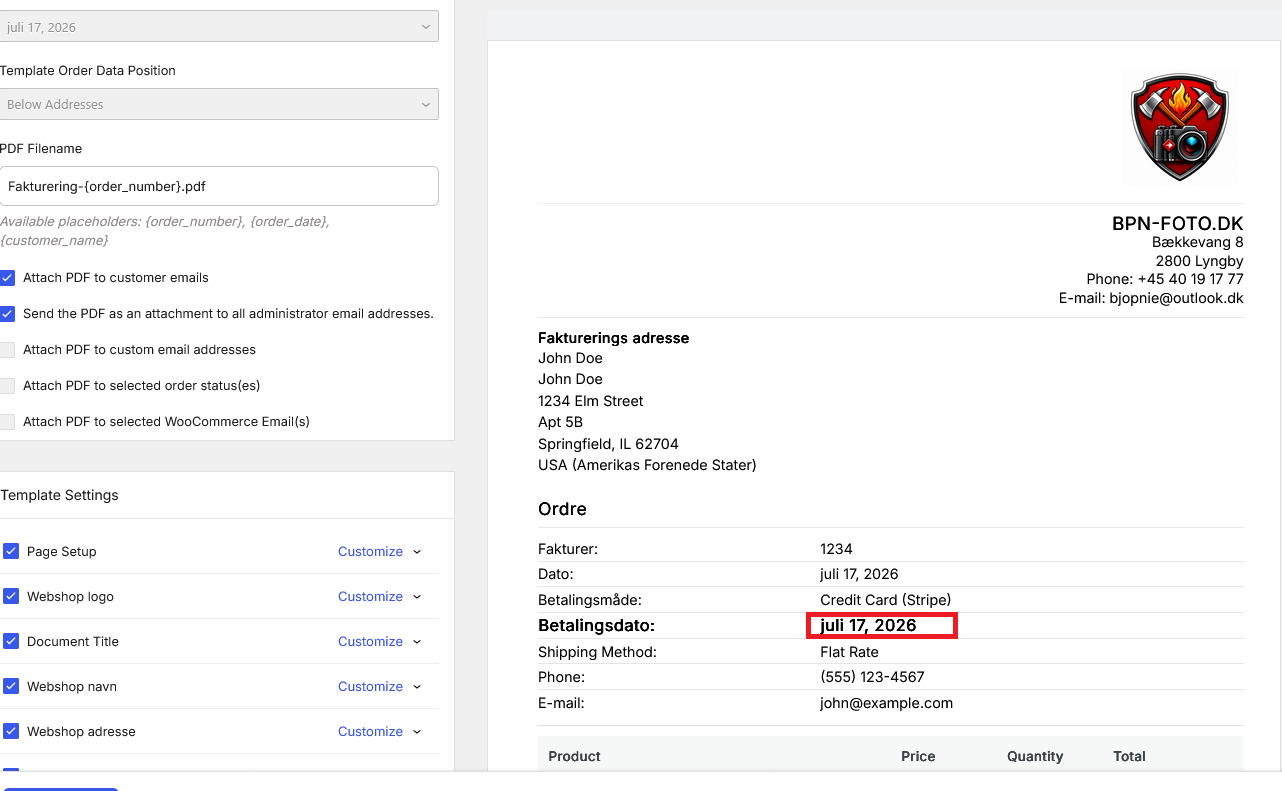
http://hll-frontline.dk/wp-content/uploads/2026/07/Screenshot-2026-07-17-at-13-46-56-Print-Invoices-Delivery-Notes-‹-BPN-FOTO.DK-–-WordPress.png
When I generate an invoice, it automatically sets the payment date to the same date the invoice is sent (it’s labeled “Payment Date” in Danish).
Is it possible to make it so that the payment due date is automatically set to 8 days from the date the invoice is sent instead?
Hi @bplndk
Thank you for your patience.
Our developer checked your requirement and provided a filter code.
You can add the below code via Code Snippets plugin or theme’s function.php file:
/**
 * ============================================================================
 * CUSTOM: Add extra days to the "Order Date" shown on WCDN documents
 * ============================================================================
 *
 * By default, WooCommerce Delivery Notes (WCDN) shows the actual order
 * creation date under the "Date" / "Order Date" field on invoices, receipts,
 * delivery notes, etc.
 *
 * This snippet changes that displayed date by adding a fixed number of days
 * to it (e.g. showing "expected date" instead of the real order date).
 *
 * IMPORTANT: This only changes what is DISPLAYED on the document.
 * It does NOT change the actual order date stored in WooCommerce.
 *
 * TO CHANGE THE NUMBER OF DAYS:
 * Just edit the number in the line below:
 *      $days_to_add = 8;
 * ============================================================================
 */
add_filter( 'wcdn_order_meta_fields', function( $fields ) {

	// -------------------------------------------------------------------
	// CHANGE THIS NUMBER to control how many days are added to the date.
	// Example: 8 = adds 8 days, 3 = adds 3 days, -2 = subtracts 2 days.
	// -------------------------------------------------------------------
	$days_to_add = 8;

	// Loop through every meta field (Order No, Date, Payment Method, etc.)
	foreach ( $fields as $index => $field ) {

		// We only want to modify the field whose key is "orderDate".
		// (This key is set internally by the WCDN plugin — do not change it.)
		if ( 'orderDate' === $field['key'] && ! empty( $field['value'] ) ) {

			// Step 1: Convert the displayed date text (e.g. "July 16, 2026")
			// into a machine-readable timestamp.
			$original_timestamp = strtotime( $field['value'] );

			// Only proceed if the date was successfully understood.
			if ( $original_timestamp ) {

				// Step 2: Add the configured number of days to the timestamp.
				$new_timestamp = strtotime( "+{$days_to_add} days", $original_timestamp );

				// Step 3: Convert the new timestamp back into a readable date,
				// using the same date format configured in WooCommerce
				// (Settings > General > Date format), so it matches the
				// rest of the site.
				$fields[ $index ]['value'] = date_i18n( wc_date_format(), $new_timestamp );
			}
		}
	}

	// Return the modified fields array back to WCDN so it can display it.
	return $fields;

// Priority 20: runs AFTER the pickup-fields snippet (which uses priority 10),
// so both customizations work together without conflicting.
}, 20, 1 );
Please let me know if there are any issues with the provided solution.
Looking forward to hearing from you.