Plugin Support
 Saransh
(@saranshwpm)
Hi,
Thank you for the details.
Could you please check whether the backup log contains any specific error before the final message?
You can copy and paste the log here after removing any sensitive information, or share it through a paste service if it’s too long.
Since you mentioned this is a legacy job, could you also try creating the same backup using the new UI and let me know if the issue occurs there as well? This will help determine whether the issue is specific to the legacy job or affects both job types.
I’ll be happy to take a closer look once I have the log.
Best regards,
I have created a paste entry here: https://pastebin.com/GGsyQPNn
(Note: I have changed the pastebin URL from the original post).
There are several log entries that specify: WARNING: Job restarts due to inactivity for more than 5 minutes
This is why I increased Job Settings to 45 seconds, as reported in the original post. I will have to learn how to translate the legacy job to the new UI and when I do will let you know the results.
Regards,
Dan Nessett
-
This reply was modified 1 week ago by
 dnessett.
-
This reply was modified 1 week ago by dnessett.
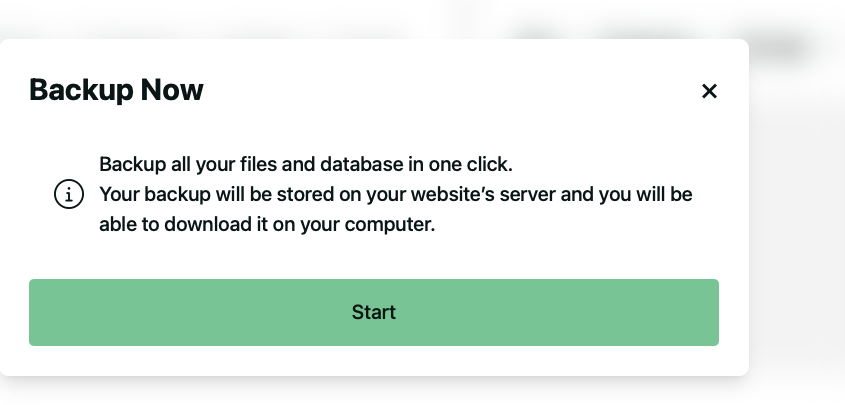
I have tried to backup using the current UI with the same results. I have also taken screenshots of the backup job parameters. The first (Job Parameters) shows the Job parameters. The second (Storage Submenu) shows the Storage submenu parameters. The third (FTP Settings) shows the FTP settings. When I start the job, the informational message indicates the backup will go to the backup directory on the webserver, not to the FTP server (Informational Message), however, the job does not get that far. Here is the job log:
[INFO] BackWPup 5.7.3; A project of WP Media
[INFO] WordPress 6.8.5 on https://mountolive.com/
[INFO] Log Level: Normal
[INFO] BackWPup job: Backup Now
[INFO] Logfile is: backwpup_log_a598cb_2026-06-29_13-04-46.html
[INFO] Backup file is located at: /homepages/45/d229262802/htdocs/MountOlive/wp-content/uploads/…/2026-06-29_13-04-46_MKZ3MZCK09_DBDUMP-FILE-WPPLUGIN.zip
[June 29, 2026 1:04 pm] 1. Try to backup database …
[June 29, 2026 1:04 pm] Connected to database db708735103 on db708735103.db.1and1.com
[June 29, 2026 1:04 pm] Added database dump "db708735103.sql" with 127.81 MB to backup file list
[June 29, 2026 1:04 pm] Database backup done!
[June 29, 2026 1:04 pm] 1. Trying to make a list of folders to back up …
[June 29, 2026 1:04 pm] Added "wp-config.php" to backup file list
[June 29, 2026 1:04 pm] 3505 folders to backup.
[June 29, 2026 1:04 pm] 1. Trying to generate a file with installed plugin names …
[June 29, 2026 1:04 pm] Added plugin list file "Mount-Olive-Church-Billings.pluginlist.2026-06-29.txt" with 5.54 KB to backup file list.
[June 29, 2026 1:04 pm] 1. Trying to generate a manifest file …
[June 29, 2026 1:04 pm] Added manifest.json file with 5.53 KB to backup file list.
[June 29, 2026 1:04 pm] 1. Trying to create backup archive …
[June 29, 2026 1:04 pm] Compressing files as ZipArchive. Please be patient, this may take a moment.
[June 29, 2026 1:05 pm] After restrat on folder: wp-content/plugins/wd-facebook-feed/images/ffwd/
[June 29, 2026 1:06 pm] After restrat on folder: wp-content/themes/enfold 7.1/config-layerslider/LayerSlider/assets/views/
[June 29, 2026 1:07 pm] After restrat on folder: wp-content/uploads/2021/01/
[June 29, 2026 1:13 pm] WARNING: Job restarts due to inactivity for more than 5 minutes.
[June 29, 2026 1:13 pm] 2. Trying to create backup archive …
[June 29, 2026 1:13 pm] After restrat on folder: wp-content/uploads/2021/06/
[June 29, 2026 1:19 pm] WARNING: Job restarts due to inactivity for more than 5 minutes.
[June 29, 2026 1:19 pm] 3. Trying to create backup archive …
[June 29, 2026 1:19 pm] After restrat on folder: wp-content/uploads/2021/08/
[June 29, 2026 1:25 pm] WARNING: Job restarts due to inactivity for more than 5 minutes.
[June 29, 2026 1:25 pm] ERROR: Step aborted: too many attempts!
[June 29, 2026 1:25 pm] 3 old logs deleted
[June 29, 2026 1:25 pm] ERROR: Job has ended with errors in 1267 seconds. You must resolve the errors for correct execution.
Plugin Support
Saransh
(@saranshwpm)
Hi @dnessett,
Thank you so much for all the details.
For the specific error, you need to lower the script time: https://backwpup.com/docs/job-restarts-due-to-inactivity-for-more-than-5-minutes/.
In any case, our developers have identified the cause of the other issue you’re experiencing, the ‘after restrat’ error for ZIP format backups, and are working on a solution. We expect it to be included in the upcoming release.
I apologize for the inconvenience this has caused and would like to thank you for reporting this.
Best Regards,
Thanks for the reply. Do you have any estimate on when the next release might be available?
Regards.
Plugin Support
Saransh
(@saranshwpm)
Hello,
It is expected to be released early next week.
Best Regards,