That looks like you are using a canvas blocker.
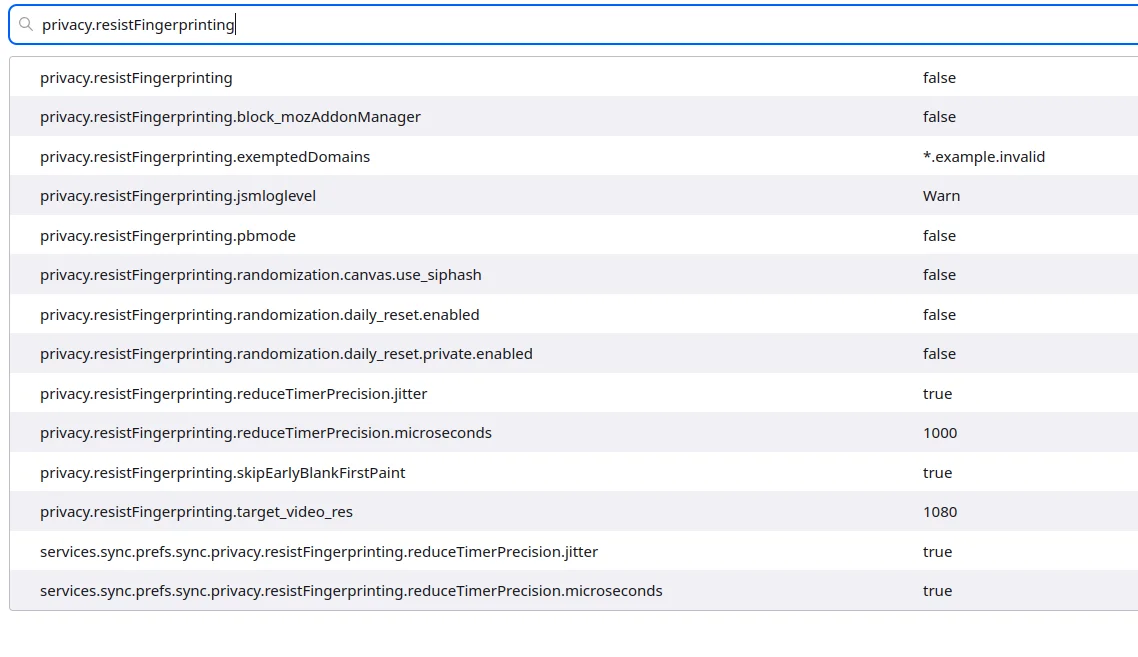
In about:config , search privacy.resistFingerprinting and make sure it’s set to false.
If it is already, do you have a privacy/anti-tracking extension installed on that browser ?
By default, Firefox doesn’t block canvas because that would break a lot of websites.
Thread Starter
 p1c2d3
(@postcd)
privacy.resistFingerprinting seems to be at default Firefox values (none in bold).
When i right click the graph and open it as image in a new tab, it is blob:null/... it works (displays graph), but when i do the same for the image download button presented under the graph, select to Open link in a new tab, it shows just grey color image data:image/png;base64,longstringhere== (full URI) when i paste same URI into a private browsing window of a Firefox (should be without extensions) the outcome is the same (grey image). I have also tried to use empty Firefox profile (no extensions) to generate the profile and download image and the outcome is also the same – noise/grey. Renaming .htaccess before profiling does not help either. This is Litespeed, PHP 8.4, WP 7.0..
-
This reply was modified 6 hours, 43 minutes ago by
 p1c2d3.