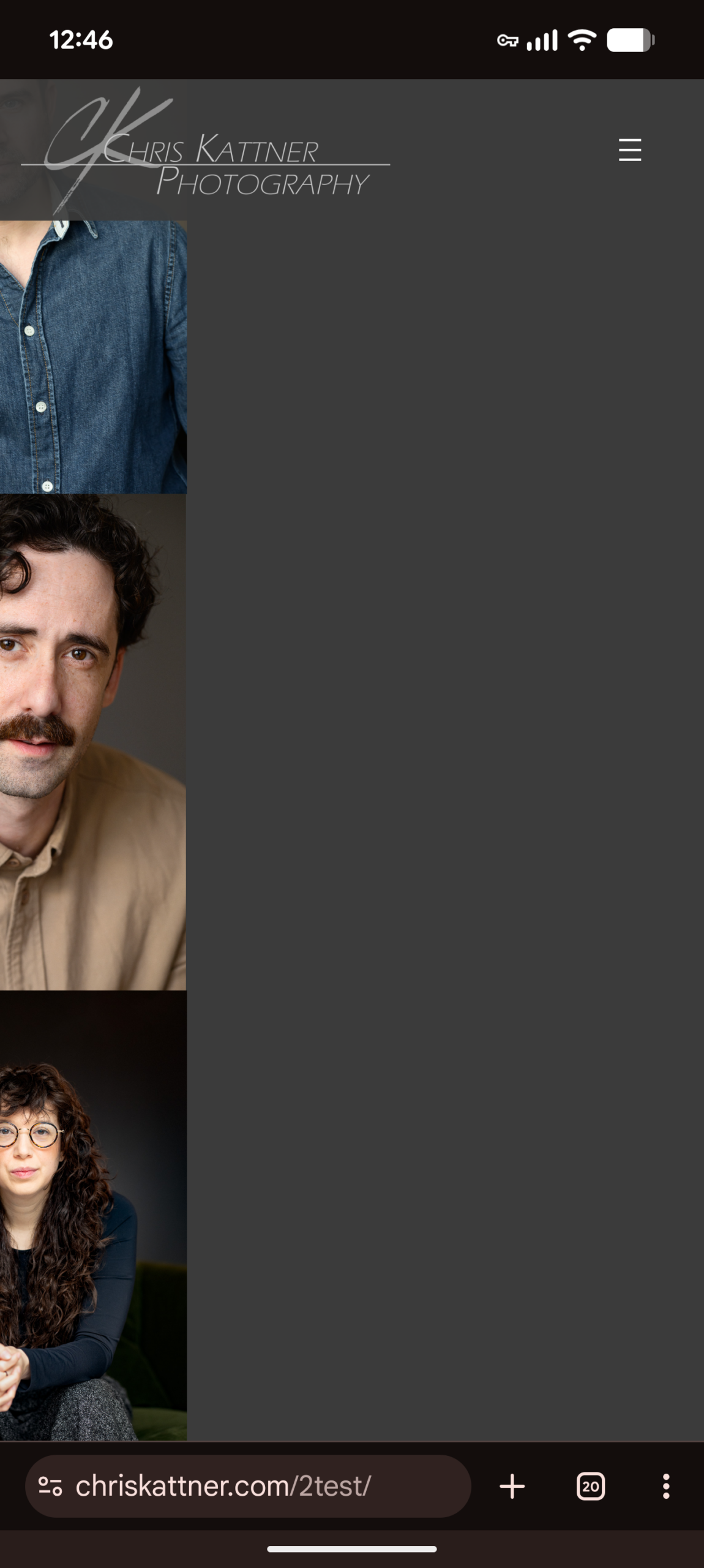
• When viewing the galley on mobile, the images are not centred. Half of the image is cut off on the left of the phone screen.
    This is only a problem when it set the gallery to Masonry when the number of columns is set to automatic. With custom or creative the images are properly centred.

    The page I need help with: [log in to see the link]

Viewing 4 replies - 1 through 4 (of 4 total)
  • Plugin Author Cristian Raiber

    (@cristianraiber-1)

    @ckatt – We have a national holiday going on in here but someone will take a look at this first thing on Monday and we’ll push an update, if necessary, to address this.

    Plugin Author Teo Alex

    (@altesin)

    Hello @ckatt,

    We’ve run several tests on multiple mobile devices, and the gallery images appear centered and displayed in two columns.

    Were you able to resolve the issue on your end? If the issue still persists, could you please provide more details on how to reproduce it? Information such as the device type, browser screenshots, and version would also be helpful.

    Thread Starter ckatt

    (@ckatt)

    I haven’t been able to solve it. Though it only seems to be a problem with the Chrome browser. I’m using a pixle 8 pro. I tried Firefox on my phone, and it did display correctly.

    https://chriskattner.com/wp-content/uploads/2026/05/Screenshot_20260430-124602-scaled.png

    This is what it looks like. it only happen when the number of columns is set to automatic

    Plugin Author Cristian Raiber

    (@cristianraiber-1)

    @ckatt we’re still looking into this

Viewing 4 replies - 1 through 4 (of 4 total)

You must be logged in to reply to this topic.