• Resolved remifiat

    (@remifiat)


    Hello

    Help would be kindly accepted since I can’t get Firewall Optimization Setup to complete
    When “Optimize the wordfence firewall” is selected, offers the following web server’s configuration : Apache + CGI/Fast CGI (which I checked on the server is appropriate)
    Save backup for .htaccess and .user.ini files
    Click on continue
    Message says everything went fine but it can take some time to appear as complete : it never does

    I had a look in the .htaccess and .user.ini files and wordfence has added some instructions allright

    Checked the auto_prepend_file in the diagnosics and it’s directing to the right folder

    Asked the server’s hotline (host is LWS) if they have any know issues with Wordfence but they tell me that they don’t and that they runned a check on my website, they confirmed that Wordfence modified the files without problems

    I read the Wordfence help and tried a few things but I can’t get the Optimisation to complete

    So if anyone has an idea ? Please ?

    Last question : the Firewall is still in learning mode, can it interfere with the optimisation ?

    Many thanks

    Rémi

    The page I need help with: [log in to see the link]

Viewing 3 replies - 1 through 3 (of 3 total)
  • Plugin Support wfmargaret

    (@wfmargaret)

    Hi Rémi,

    Thanks for reaching out! Learning Mode would not interfere with the firewall optimization.

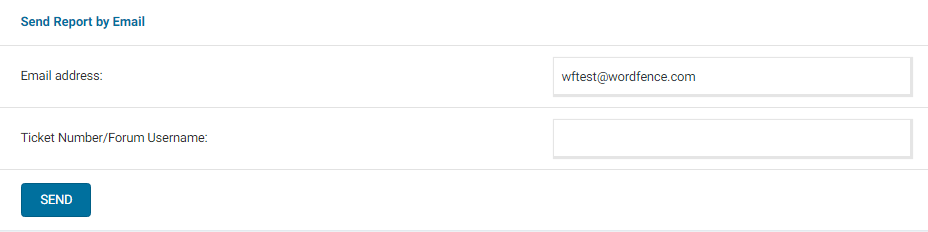
    Can you send a diagnostic report to wftest @ wordfence . com? You can find the link to do so at the top of the Wordfence > Tools > Diagnostics page. Then click on “Send Report by Email”. Please add your forum username where indicated and respond here after you have sent it.

    NOTE: It should look as follows – Screenshot of Tools > Diagnostic > Send by Email

    Thanks,
    Margaret

    Thread Starter remifiat

    (@remifiat)

    Hi Margaret

    Thank you for your prompt reply

    The diagnostic was send by e-mail with my username where indicated

    Regards

    Rémi

    Plugin Support wfmargaret

    (@wfmargaret)

    Hi Rémi,

    Thanks for sending the diagnostics. I can see that the auto_prepend_file directive is correctly set in your .user.ini file, but it’s not being reflected in the actual PHP configuration. This means something on LWS’s server is preventing the value from being set.

    I’d recommend contacting LWS and letting them know that you need the auto_prepend_file PHP directive to be set to the path of the wordfence-waf.php file in your WordPress root directory. They may be able to update that for you manually or point you to where it needs to be updated.

    For more details on this, here’s the relevant troubleshooting page:
    https://www.wordfence.com/help/firewall/optimizing-the-firewall/troubleshooting/

    Let us know how it goes!

    Thanks,
    Margaret

Viewing 3 replies - 1 through 3 (of 3 total)

You must be logged in to reply to this topic.