It’s improved; more images are now displayed correctly, but images are still not appearing on the homepage. You can see this at the following URL: https://valorados.es/
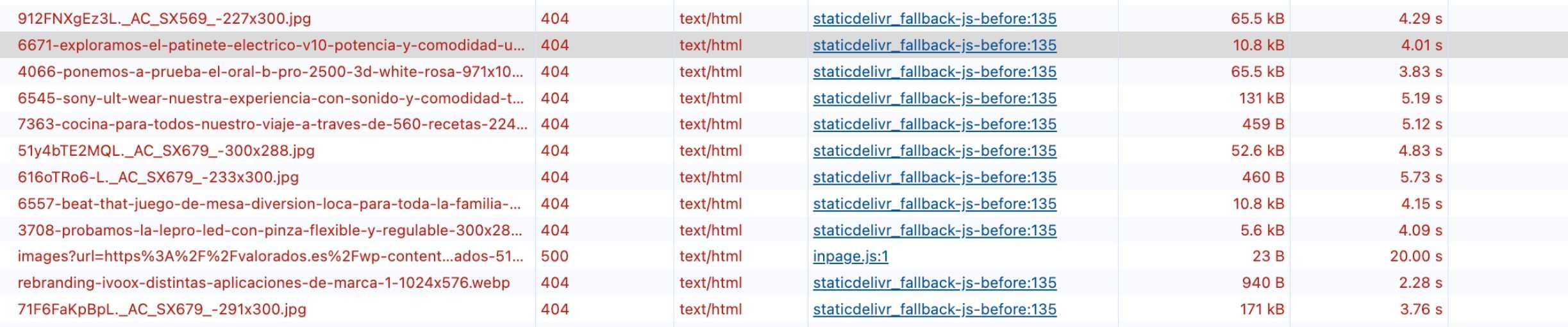
It returns 404 on your website. Can you double check if the image does exist?
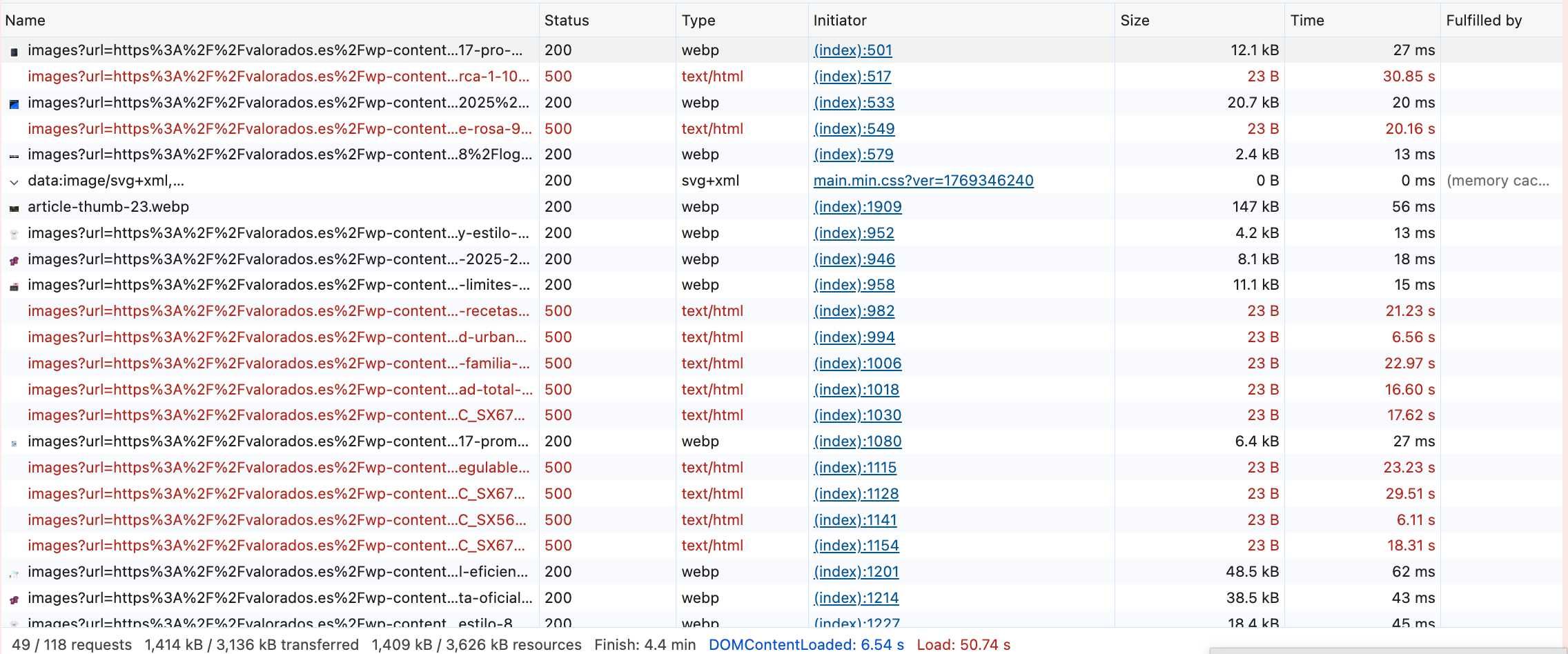
Looking at the Network Logs below:
You can see that all the ones returning 500 on the CDN have tried loading for up to 30 seconds on some cases.However, if you look at the screenshot below, the plugin does have a fallback system so that if there is a problem on the CDN it loads the original image on the original website, (bypasses the CDN).
By the looks of the network logs, the images may just be missing in your WordPress Media Library?
Great to hear everything is working well now and thank you again for reporting the issue. Your feedback was genuinely helpful; I wouldn’t have caught that edge case without your input.
If anything else comes up, feel free to reach out anytime.
By the way, I’m curious: how did you come across the plugin in the WordPress repo? Any insight would really help me understand how users discover it and how I can improve visibility.
You’re right, Eugenio. These attributes are currently missing because of how the theme or editor handles images, and our plugin currently only rewrites the URLs. You can see how it doesn’t happen on the homepage.
However, I agree this is important for PageSpeed! Try updating the plugin and it will include a feature to automatically detect and ‘fill in’ those missing dimensions for you. This will fix that warning automatically.
Thanks for your reply. The missing width and height issue is resolved by selecting the image format in auto (I had it set to webp) in the StaticDelivr CDN plugin.
When the StaticDelivr plugin is enabled, it prevents the featured image from being displayed when editing a blog post (Backend). This problem disappears when the StaticDelivr plugin is disabled. It appears to be some kind of conflict with the featured image on the blog’s entry page.
Thank you for the report! I’ve just released version 2.5.1 which fixes this issue. Please update and let me know if everything is working for you now. 🙂
Thanks so much for confirming. I’m really glad everything is working smoothly now.
I really appreciate your patience and the detailed reports along the way, they helped improve the plugin for everyone. And as mentioned earlier, feel free to reach out to me personally anytime if you need help with anything at all.