Hi,
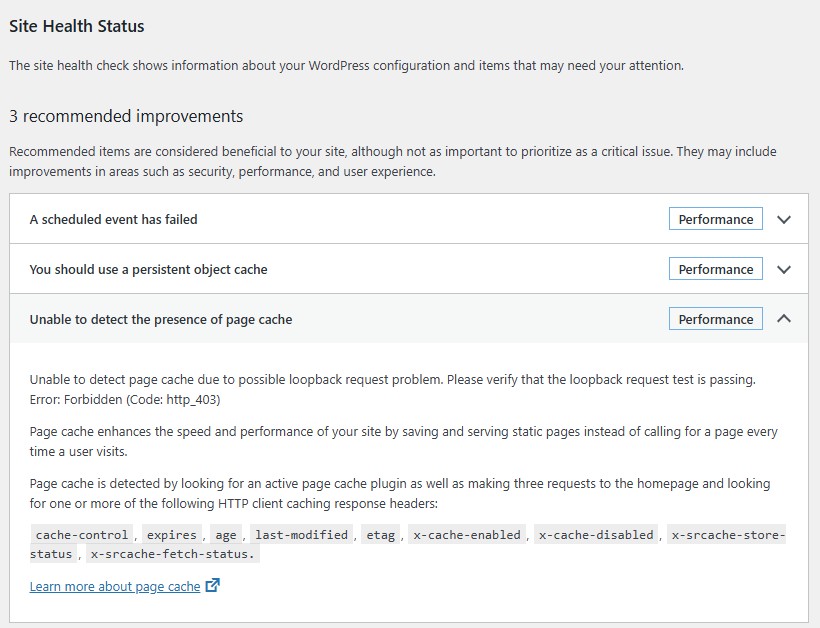
Thanks for reaching out about this and providing the screenshot! Looking at the screenshot it mentions that the loopback request isn’t succeeding and is resulting in a 403 Forbidden error so WordPress isn’t able to verify if a page cache exists.
Do you have any security plugins installed on that site? I would also recommend reaching out to the hosting support just in case they have some security configuration that is blocking the loopback requests.
Would you also mind sharing a link to the site? I can take a look at the front-end in my browser and double check if the page cache is working properly despite the warning in the Site Health.
Thank you!
Thanks.
This is the site. https://phoenixccaz.com
I have Wordfence installed but have that installed along with WP-Optimize on 30 other sites with no issues. I also tried disabling that and it did not help.
However, this is the only site on this hosting provider so have to think it has to do with them.
I see on the server control panel Cloudfare is enabled. Could that have anything to do with it?
-
This reply was modified 2 months, 4 weeks ago by
 jimk1416.
Not sure if this is any help but if I delete the htaccess file the error clears.
But once I save the Permalink settings to regenerate it the error comes back.
At that point the only thing in the htaccess file is what is between the BEGIN and END WordPress tags
Hi,
Thanks for the update. Very interesting that removing the default htaccess rules makes the error go away since these rules are generated by WordPress itself. I don’t recommend keeping these deleted so that the Permalinks work correctly for your other pages.
I’ve been browsing the site and all of the Pages except the home page are showing as being served by the WP-Optimize Page Cache, whereas the home page seems to be served directly from Cloudflare’s cache. This is likely due to some cache settings that are set up in your Cloudflare configuration.
Our website uses both WP-Optimize and Cloudflare so normally this type of conflict shouldn’t be causing the error that you’re seeing in Site Health but might be due to some of the Cloudflare configuration.
If you temporarily Pause Cloudflare on that site and log in to the site using an incognito / private window and visit the Site Health, does the warning still appear?
I’m glad to report though that the Pages aside from the home page are being served by WP-Optimize Page Cache.
Thank you I’ve disabled Cloudfare and that is “In progress”
Once it completes I’ll recheck the Site Health and report back.
Yes. Once Cloudfare was disabled that message cleared.
Thanks for your time researching this.