• Resolved patc1963

    (@patc1963)


    Hello,
    I am helping the owner of the website with the translation of site into English:
    The plugin works well and is easy to use but I am having an issue with an issue.
    I cannot see the Swedish text shown in the attached image in the translation interface when translating the Swedish content:

    How can I access this layer? Why is it hidden in the translation UI?
    Moreover, is there way to open the English pages in Elementor to make small tweaks to layout?
    br
    Patrick

    The page I need help with: [log in to see the link]

Viewing 3 replies - 1 through 3 (of 3 total)
  • Plugin Support Alex

    (@alexcozmoslabs)

    Hi,

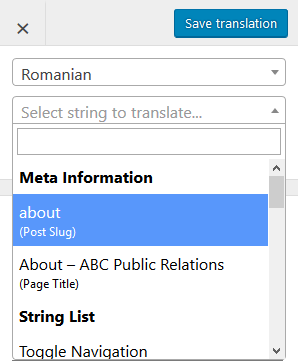
    If a string isn’t selectable with the pencil tool, you can search for it using the list of strings, available for translation from the Translation Editor. You can search for it also in the String Translation Interface –> Regular tab (this tab requires to be activated from TP Settings –> Advanced tab –> Debug section).

    — Moreover, is there way to open the English pages in Elementor to make small tweaks to layout?
    You can edit only the default version in the Elementor interface. TranslatePress does not create new posts for the translated versions of the original post. But the translated versions will have separate urls. That means every page has a separate URL for each language no matter if that page is translated or not.
    However, if you need to have different content on translated version you can check our content restriction integration with Elementor.

    Thread Starter patc1963

    (@patc1963)

    Thank you for fast turnaround and clear and concise answer.

    Plugin Support Alex

    (@alexcozmoslabs)

    Hi,

    You are welcome. Glad to know it helped.

    Also, I was wondering since you are using TranslatePress, and interacting with our support, will it be too much to ask for you to leave a review on WordPress.org?One or two sentences will do it and it may help us to reach more people as well as get feedback from existing users.

Viewing 3 replies - 1 through 3 (of 3 total)

The topic ‘Translation interface’ is closed to new replies.