“Error: -200, Message: HTTP Error” during file upload for some users
-
Hi,
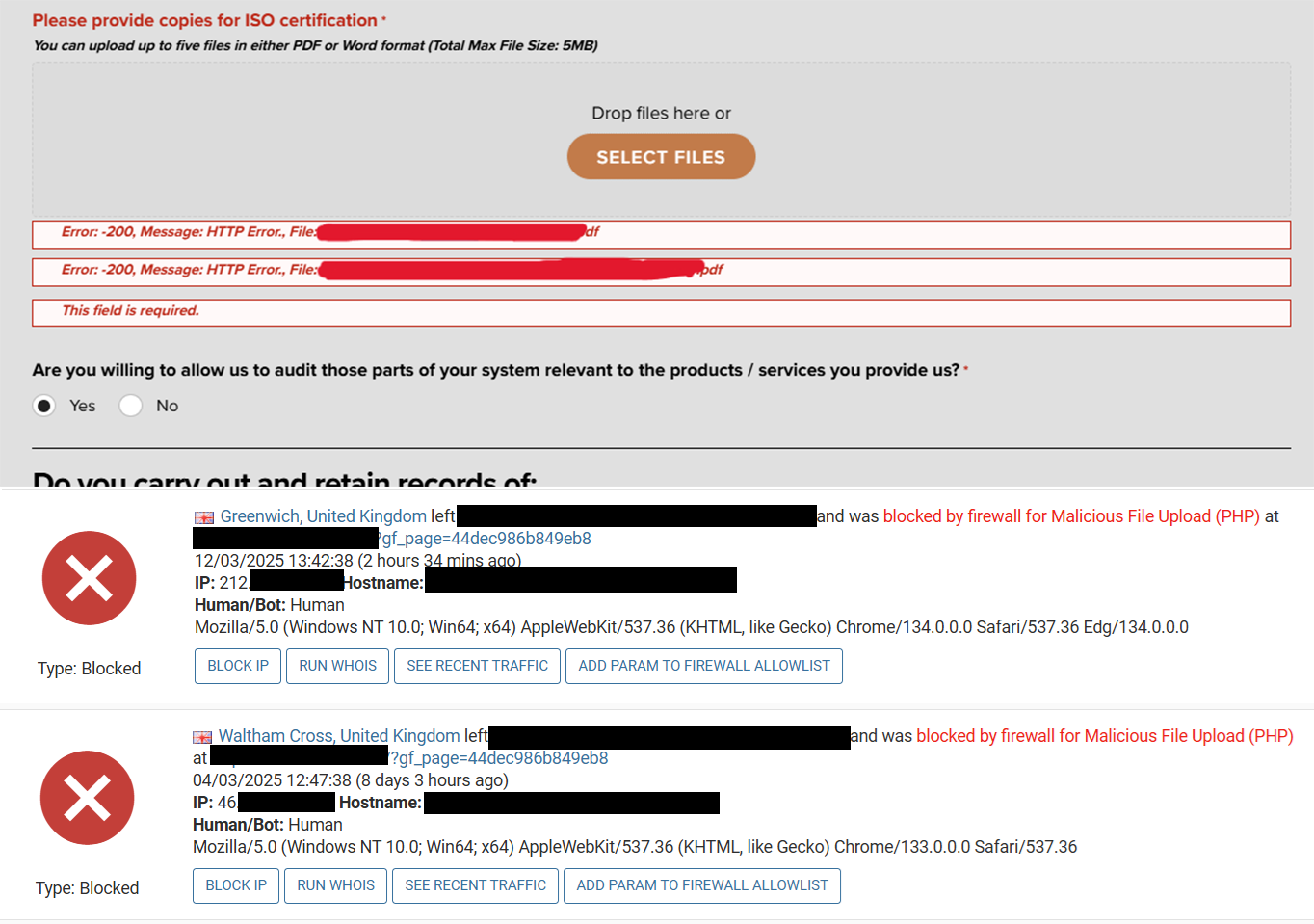
I’ve built a form using GravityForms for external clients to supply their details, and a couple have come back with the same issues, that when they get to this field upload some certificates, they get this “Error: -200, Message: HTTP Error., File:[filename]” error that stops them from proceeding, as it’s a required field.
I’ve tried filling out the form multiple times on my end using different browsers and devices, as well as the exact PDFs that the clients tried to upload, and it’s letting me proceed fine. I’ve found a couple of threads discussing this issue online, but they’re all several years old and don’t really have a definitive solution. I’ve seen some people say it may be a server/firewall issue, but I’m lost on what to try next. I’m running Themify Ultra with Wordfence. I do have the Captcha add-on installed for GravityForms, but it’s disabled for this form.
I’ve dug more into Wordfence and found two examples which should relate to the issue, as they’re both linked to that form URL and mentioned a block triggered by file upload. I’ve also seen that you can switch this protection off, but I don’t feel comfortable leave that vulnerability open on the site. Is there a way to whitelist my forms/entire plugin to allow file uploads of certain types? Or turn up the tolerance to allow PDFs through without issue.
If you have any suggestions on whether this is a server issue or not, then I’d be very grateful for the assistance
Screenshot of the errors: https://www.covvi.com/wp-content/uploads/documents/Wordfence-Error.png
The page I need help with: [log in to see the link]


The topic ‘“Error: -200, Message: HTTP Error” during file upload for some users’ is closed to new replies.