Plugin Support
 Alex
Alex
(@alexcozmoslabs)
Hi,
Automatic translation through DeepL API is part of our pro feature. We recommend opening a ticket on our website, https://translatepress.com/support/open-ticket/, because WP.org prohibits topics related to paid features.
Regarding to second point, please give us more details about what selection box do you make reference? If the question is how you can translate an embedded section, well, you can use our Conditional Shortcode Based On Language to display different content for different languages https://translatepress.com/docs/translation-shortcode/, or if your website is built with Elementor, you can restrict the modules based on language using our Restrict by Language integration: https://translatepress.com/docs/restrict-by-language/elementor-integration/.
Also, we have similar integrations with Oxygen Builder, https://translatepress.com/docs/restrict-by-language/oxygen-builder-integration/, and WP Bakery, https://translatepress.com/docs/restrict-by-language/wpbackery-integration/.
Kind Regards,
-
This reply was modified 1 year, 6 months ago by
 Alex.
Alex.
I want to translate the terms and blogs. How do I do this? Do I need to save after translating a paragraph or can I continue translating the next paragraph until the blog or terms are translated and then save it all at once?
Plugin Support
Alex
(@alexcozmoslabs)
Hi,
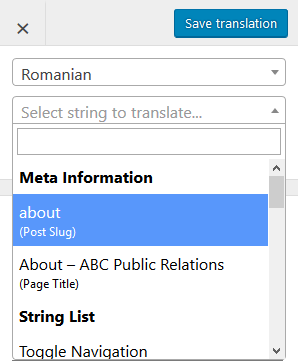
Each string translation you do, you have to save it separately in Translation Editor. If you want to translate particular string from a page, you can just select it with the pencil tool. If a string isn’t selectable with the pencil tool, you can search for it using the list of strings, available for translation from the Translation Editor. You can search for it also in the String Translation Interface –> Gettext or Regular tab (this tab requires to be activated from TP Settings –> Advance tab –> Debug section).