Hi @began87,
By default, the fields would fit to the width of the page container. I’m afraid, there isn’t any inbuilt feature to change this behaviour without custom code. The easiest would be to use custom CSS.
please tell me how to remove the lower limit in the calculation field?
Could you please explain further about the above? How is the value calculated? Is any specific formula used?
Are you referring with the output of the calculation needs to have a lower limit?
Could you please share the form export so that we could have a better idea and see what could be suggested for the above aspects?
Please check the following doc on how to export a form:
https://wpmudev.com/docs/wpmu-dev-plugins/forminator/#import-export
If you are concerned about any sensitive information in the form, then you can duplicate your form, remove any sensitive information, and then export it.
You can share the export file via Google Drive, Dropbox or any cloud service in the next reply.
Looking forward to your response.
Best Regards,
Nithin
https://drive.google.com/file/d/1SE2uyO0r39j9TWyJ-YlTezpr_On0nyI7/view?usp=drive_link
The exported form on google drive.
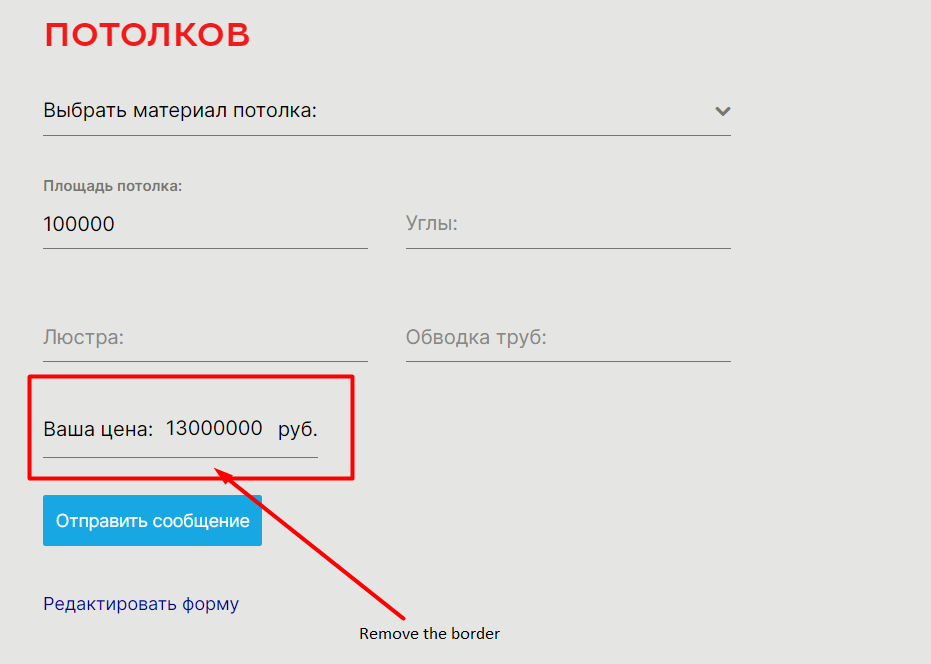
1) You misunderstood me a little, you need to remove the lower border indicated in the screenshot in the frontend in only one single field. This is purely visually necessary.
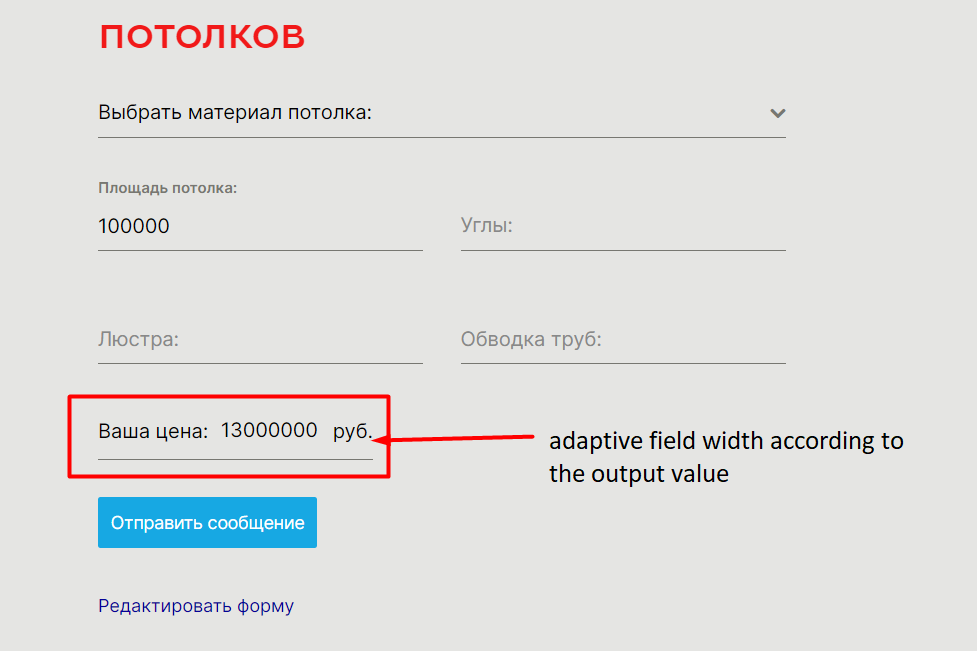
2) The width of the calculation field must be adaptive so that it is automatically adjusted to the width of the output calculation value
Hi @began87
Thank you for response!
Unfortunately, the form export link is protected. Please change the link permissions at your GDrive to “everyone with a link can view…” and let us know here once it’s done.
We’ll look into these requests once we can import and check the form.
Kind regards,
Adam
Hi @began87,
Hope this message finds you well.
Is not possible to add a dynamic width to the Calculation field or any other field using just CSS, it might require some jQuery, it needs to catch when the field changes, perform a calculation for the width, and add it to the main container.
In such case, I notify our devs and see if they can provide a workaround. Since they work on very complex issues getting a reply from them could take more time than usual. We will back to this topic once we get an update from them.
Best regards,
Laura
Thank you very much. I will be waiting for an answer from you
Hi @began87
Please try this snippet as a mu-plugin:
<?php
add_action( 'wp_footer', 'wpmudev_calculation_field_width_auto', 9999 );
function wpmudev_calculation_field_width_auto() {
	global $post;
	if ( is_a( $post, 'WP_Post' ) && ! has_shortcode( $post->post_content, 'forminator_form' ) ) {
		return;
	}
	?>
	<script type="text/javascript">
	jQuery(document).ready(function($){
		setTimeout(function() {
			$('.forminator-custom-form').trigger('after.load.forminator');
		},500);

		$(document).on('after.load.forminator', function(e, form_id) {
			if ( 'forminator-module-2960' === e.target.id ) { // Please change the form ID.
				$('#calculation-1 input').on('change', function () {
					var value = $(this).val();
					var width = value.length * 8 + 160; // 8px per character.
					$(this).parent().css('width' , width);
				});
			}
		});
	});
	</script>
	<?php
}
Note you need to change the form ID (forminator-module-2960) and calculation field ID (#calculation-1).
If you are not familiar with mu-plugins you can read about them here:
https://wpmudev.com/docs/getting-started/download-wpmu-dev-plugins-themes/#installing-mu-plugins
Kind Regards,
Kris
Thank you very much. It helped