• Resolved kondio

    (@kondio)


    Hi team,

    I am using Neve theme and your cost calculator plugin. I updated the plugin and it messed up my whole css. It adds underline text in headers and just in general messes up the padding, margins and text.

    https://honeydew-cassowary-281667.hostingersite.com

    I will leave it bugged so that you can see the issue if it is possible somehow but I found that if your plugin is deactivated there is no issue.

    This is how it looks while the plugin is off.

    This is how it looks with the plugin turned on.

    I have a caching plugin but it does not change if I deactivate it so it seems that the latest update on your plugin caused this

    WordPress 6.5.4

    PHP 8.1

Viewing 4 replies - 1 through 4 (of 4 total)
  • Thread Starter kondio

    (@kondio)

    I am currently using your plugin free version:  3.2.7

    Before the update:

    After the update: You can see the messed up font size, margin, padding and underline text…

    the same problem after updating the plugin, the styles on the entire site were damaged

    Before the update:

    After the update:

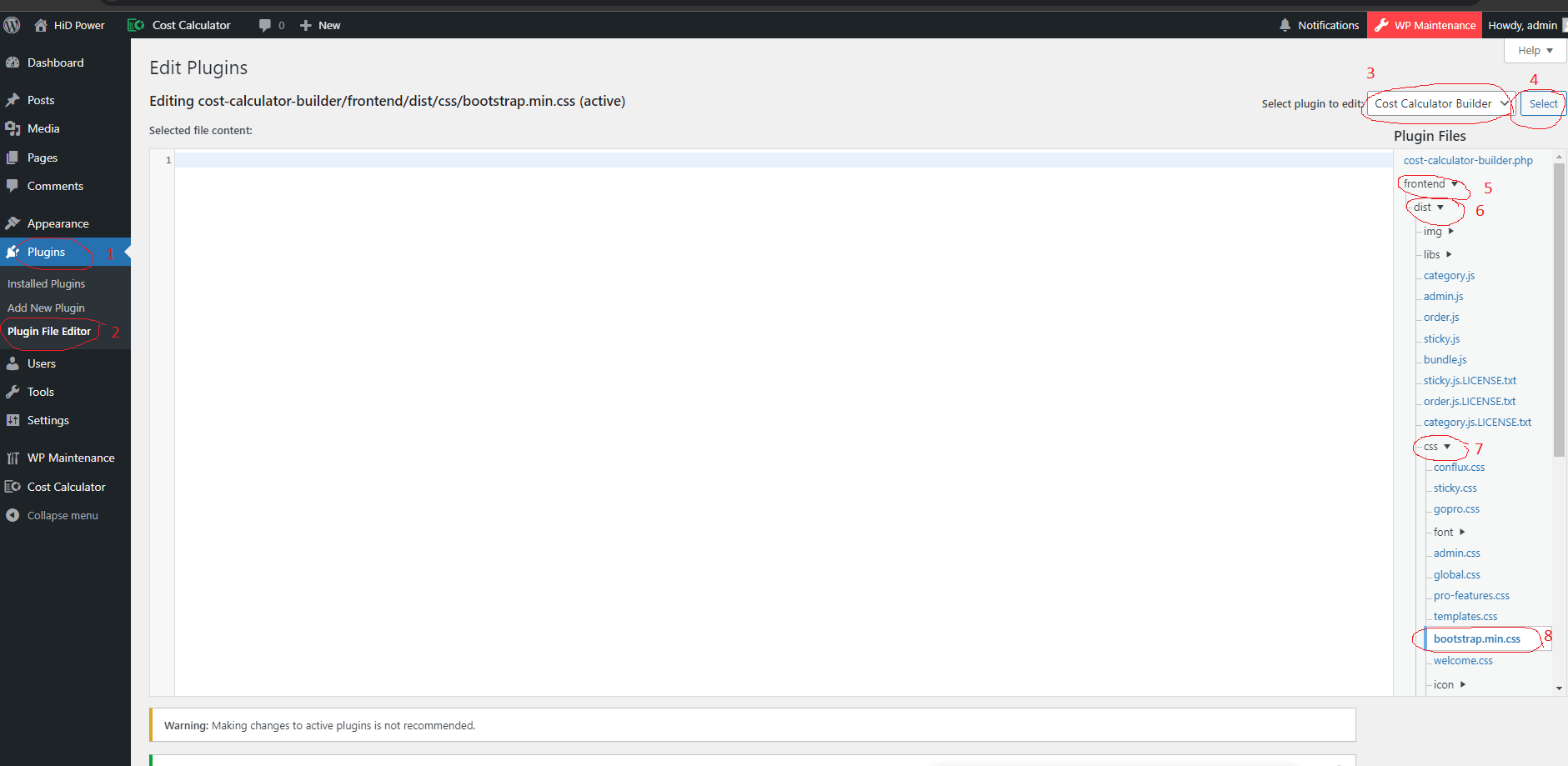
    I found a temporary solution: open file bootstrap.min.css in the directory with the plugin and delete or comment out its contents. Save the file. The plugin should work. This is a temporary solution until the developer fixes the connections in the plugin.

    Plugin Support mgordon7

    (@mgordon7)

    Hello,

    Thank you for sharing the information. We have identified some unexpected issues with the Neve theme, and based on your comments, our development team has pinpointed the core of the problem related to the use of Bootstrap.

    Our development team is currently working on resolving this issue, and an update will be available within the next 12-20 hours.

    Thank you for your patience.

    Best regards

Viewing 4 replies - 1 through 4 (of 4 total)

The topic ‘3.’ is closed to new replies.