Refresh twice to get page cached
-
Hi,
I’m facing a problem with Litespeed cache. Once I make a change on any page, the first refresh gives me the following cache related headers :
Cache-Control: no-store, no-cacheX-Litespeed-Cache-Control: no-cacheX-Litespeed-Tag: b90_HTTP.200So the page is not cached yet.
I refresh the page again and it gives me :
X-Litespeed-Cache-Control: public,max-age=604800X-Litespeed-Tag: b90_HTTP.200,b90_front,b90_URL./,b90_F,b90_Po.11,b90_PGS,b90_,b90_MIN.673fe16fd8a74456bed2bdcf64cdfb1f.jsX-Lsadc-Cache: missI then refresh a third time and I finally get
X-Lsadc-Cache: hitWhy do I need to refresh twice every time to get my pages cached ?
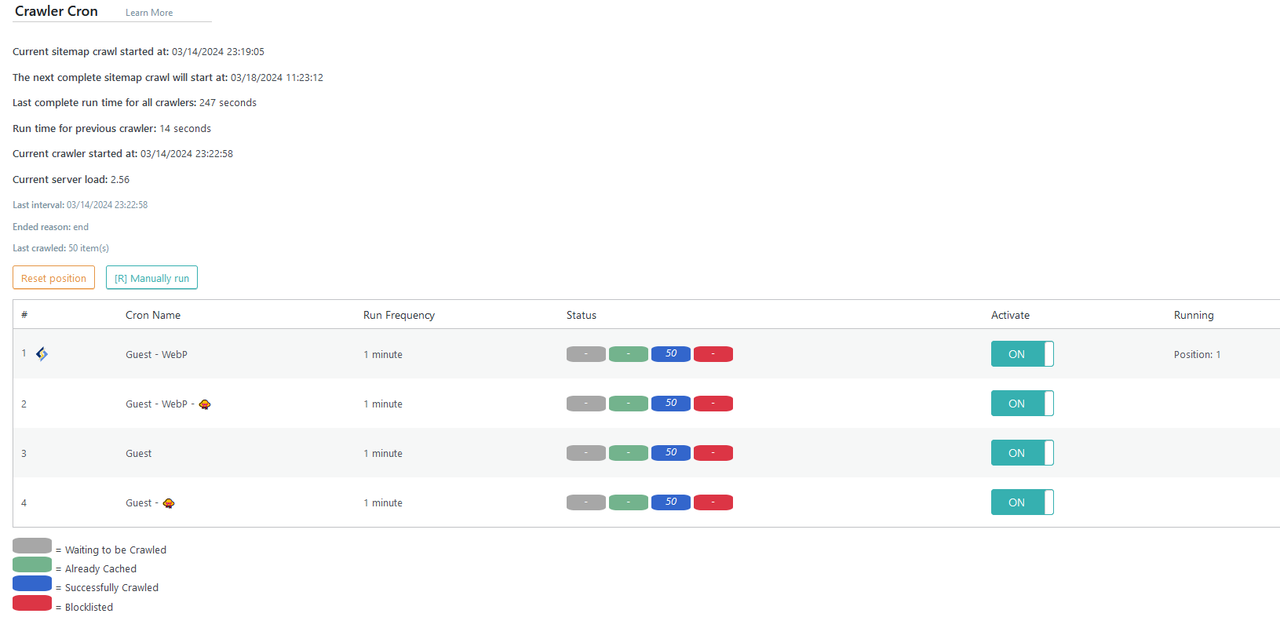
The same problem occurs with the crawler : my pages get crawled with the blue indicator. Normally that would mean my paged have correctly been cached.
Unfortunately, once I get to my web pages, I still need to refresh every page one more time before getting them actually cached
What am I doing wrong ?
Thank you for your help


The topic ‘Refresh twice to get page cached’ is closed to new replies.