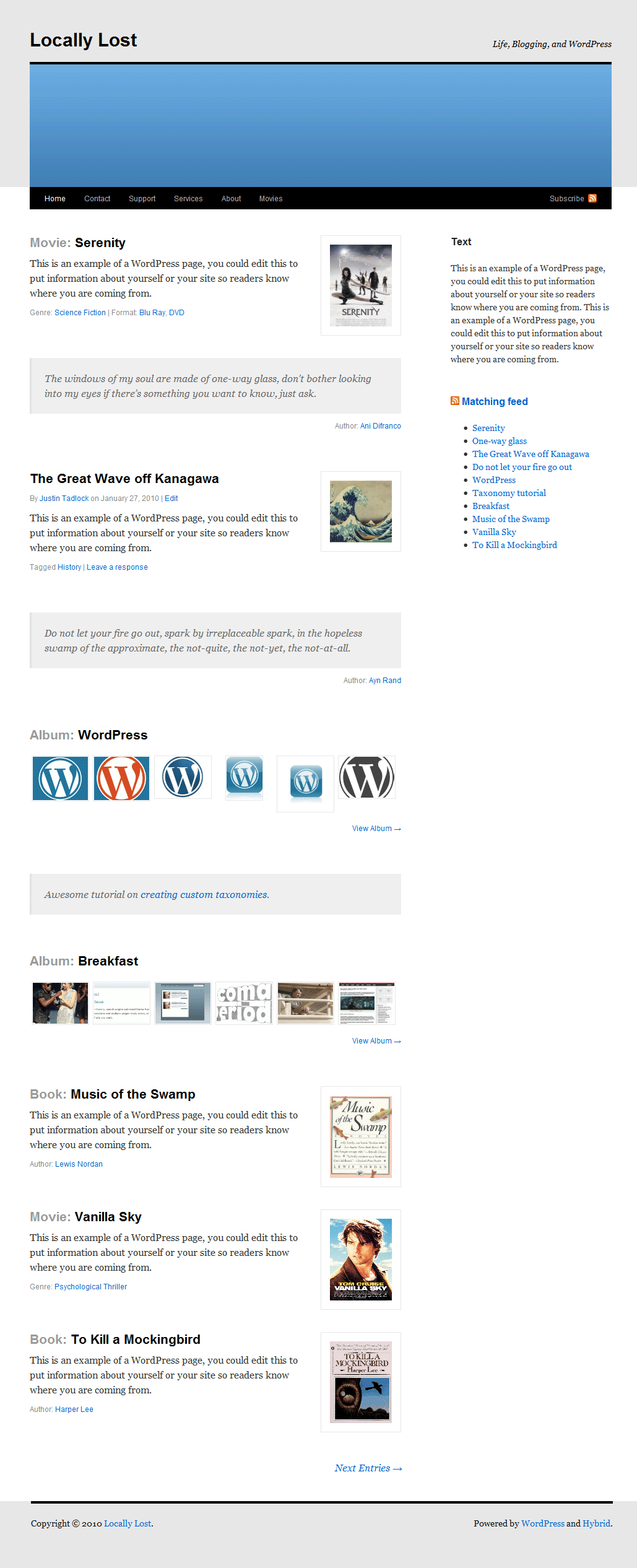
I’ve discovered partially how to do this. I can now display everything using this:
<?php $post_type = get_post_type_object( get_post_type($post) );
echo $post_type->label ; ?>
but it displays all post type names including the standard “post” so a custom post type of “Movie” and title of “Scott Pilgrim” will display as
Movie Scott Pilgrim but a regular post with the default post type “post” with a title of “Hello World!” will also display as Post Hello World!, how do I exclude posts from displaying “Post” before their title?
Well I solved this problem thanks to Mr. Tadlock himself. gave me the code he used so it would be something like this if anyone else is trying to accomplish the same task:
<?php

$type = get_post_type();

if ( 'movie' == $type )
	echo 'Movie: ';
elseif ( 'book' == $type )
	echo 'Book: ';

?>
Hello mediadecay,
This is the only code you used?
I’m trying to use the plugin ‘Custom Post Type UI’ to display (meta)data just like your Movie: ‘Name of movie’ example. I can’t seem to display any of the data in my posts at all (except for the standard post title and content of course)
Where did you put the code? I have created a separate template page named ‘page-movies.php’ (for this test), Should i put it in there?
Doesn’t work the way i do it anyway.
Help’s appreciated.
I used this for both my single-movies template as well as my index.