Hello @wassouf88,
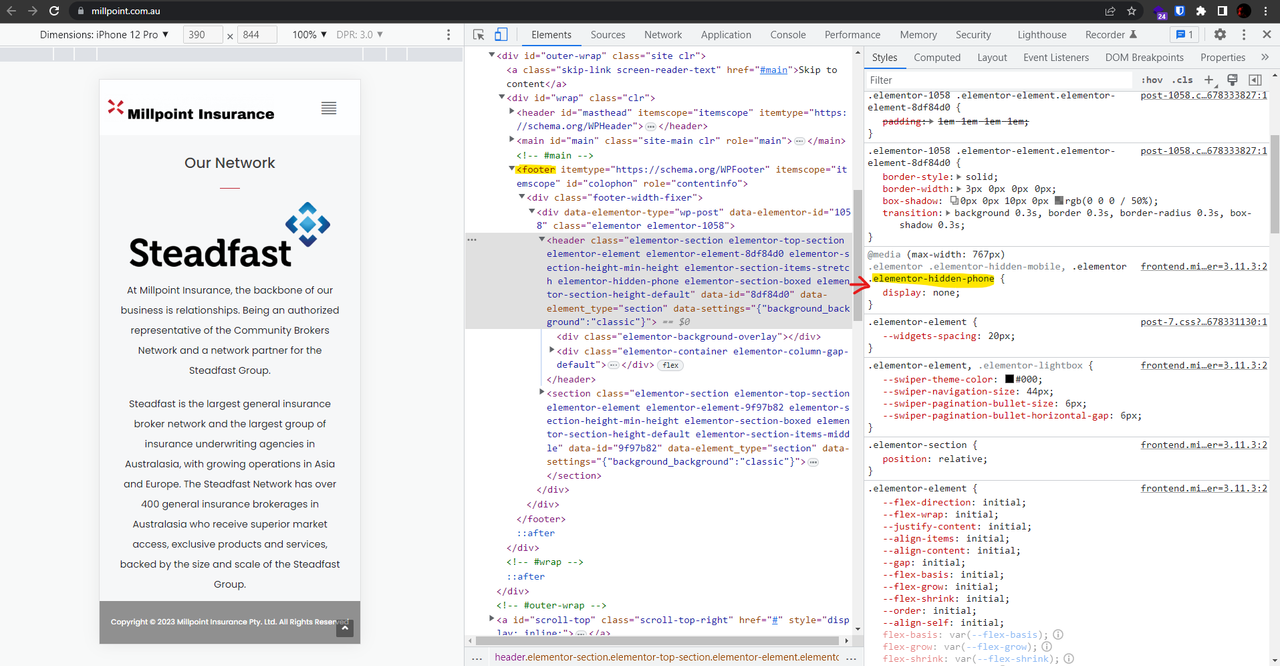
1. The footer is hidden on mobile, to solve it, please disable the “hide” option on elementor. Please follow the steps explained in this link: https://elementor.com/help/show-or-hide-columns-per-device/.
Since the footer is built by elementor, you should navigate to your footer template, and edit the template with your page builder.
Screenshot: https://i.postimg.cc/ZnQnZnvD/image.png
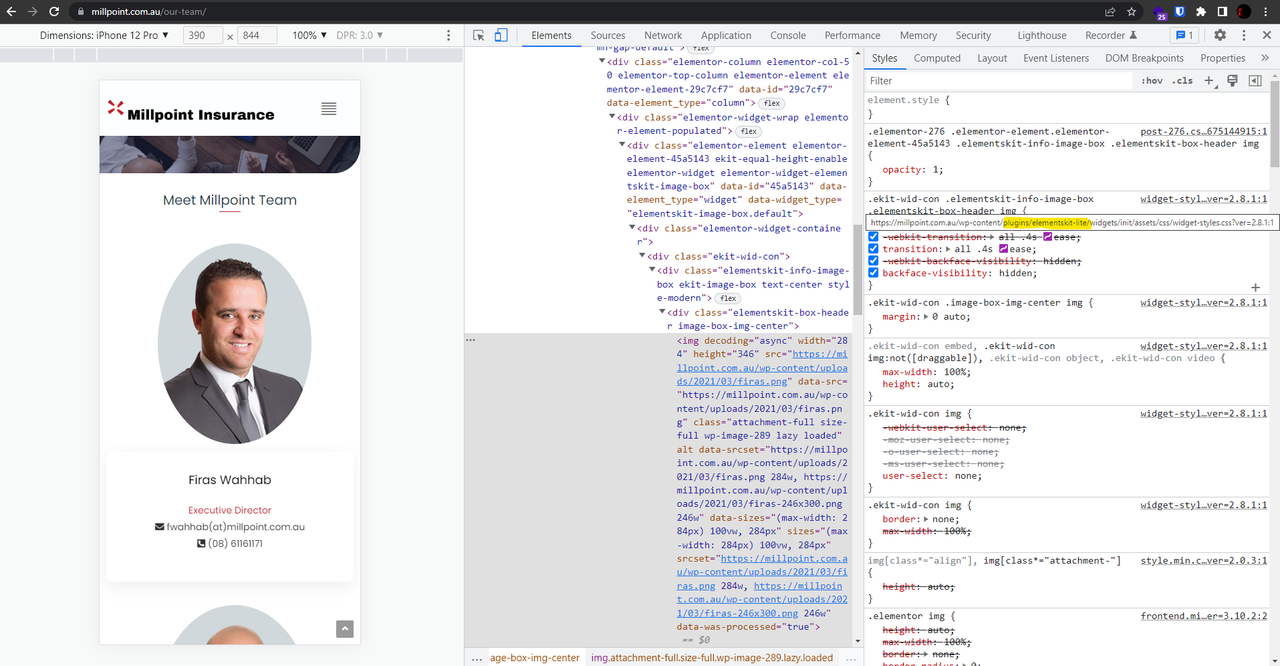
2. This is not related to OceanWP theme, you should contact your third-party plugin, please check this screenshot: https://i.postimg.cc/LXwhFh1Q/image.png, however, maybe the CSS below could help you to solve it. Please put the CSS below in Customizing > Custom CSS/JS > CSS Code:
@media(max-width:780px) {
    .ekit-wid-con .elementskit-info-image-box .elementskit-box-header img {
        width: 100% !important;
    }
}
Please read this link for more information about the CSS/JS code on the customizer: https://docs.oceanwp.org/article/354-add-custom-css-and-js-to-your-website.
3. I didn’t see any issue with the grey copyright footer, tell us how you would like the section to look like. Since it’s an elementor section, you can edit it with Elementor page builder. Open the template: https://elementor.com/help/the-edit-with-elementor-link-has-disappeared/ then set your desired style for widgets, columns, and sections.
Best Regards
Hi @skalanter,
Thanks for your response,
- Regarding the footer, I followed the link and instructions but it didn’t work. The hide button is ‘off’, but the black footer is still not showing on mobile phones.
Your assistance is appreciated, happy to pay for this service.
Regards,
Hello @wassouf88,
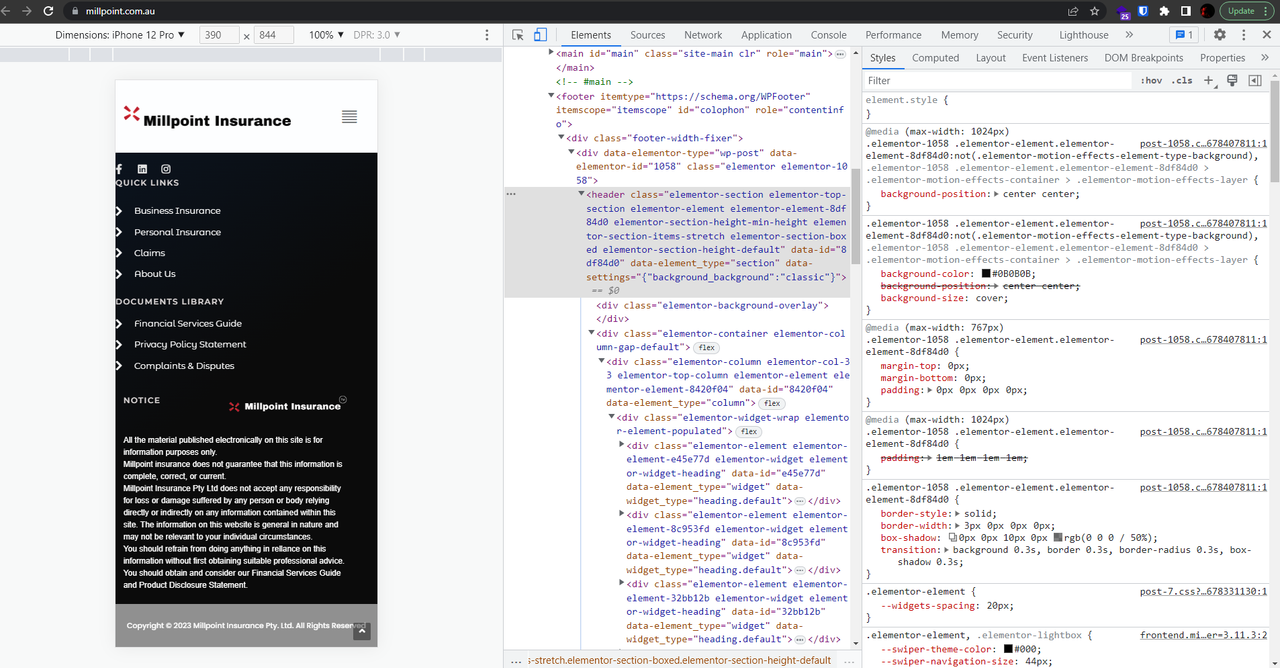
It seems it’s a cache issue; The footer is loaded on my end: https://i.postimg.cc/C10MbJv7/image.png.
If you have any cache plugin or server cache(CDN / Browser Cache and Cookies and …), you need to clear its cache contents or disable them to see your changes. Also, in Elementor, please don’t forget to click on the regenerate all assets file and data in Elementor > Tools; and finally, use hard-refreshing keys and recheck the issue.
To refresh the page, please follow the steps explained in this link:
https://www.documate.org/automation/what-is-a-hard-refresh-how-to-do-a-hard-refresh-in-any-browser/.
Win: Ctrl+Shift+R
Mac: Shift+Command+R
Also, you can try to check your website on the guest browser.
I hope it helps.
Best Regards
Hi @skalanter,
I can see it now, thank you.
However, the margins of the footer are not right in mobile view, any suggestions please?
Regards,
Hello @wassouf88,
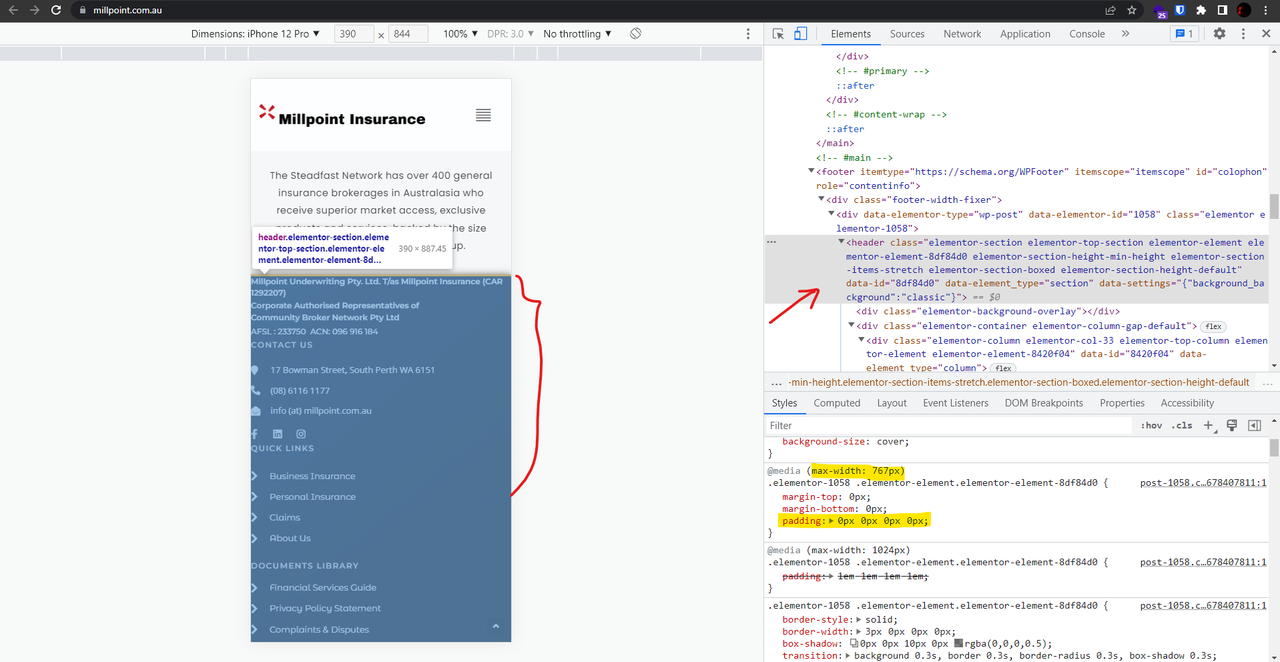
The footer is built by elementor, so you need to check the elementor environment for the footer template; enable the mobile/tablet mode and set your desired style for the section, screenshot: https://i.postimg.cc/m2T81qwZ/image.png.
Please follow the steps explained in this link:
https://elementor.com/help/mobile-editing/.
Best Regards
Thank you @skalanter. Do you provide paid WordPress website solutions?
Thank you,
Hello @wassouf88,
Unfortunately, we are not allowed to discuss about any paid services in this forum, whether the services we provide ourselves or what is available on other sites. But I believe we can mention that we at OceanWP do not build custom websites for clients or any other custom service, we only provide tech support for our products as is. https://oceanwp.org/support-policy/
Would you please read the forum guidelines: https://wordpress.org/support/guidelines/#the-bad-stuff.
Thank you for understanding,
Best Regards