Hello @grandloup,
Please share a live URL from your issue, I couldn’t open your website, please check this screenshot: https://postimg.cc/Kk5QGN84.
Also, that would be great if you could share a short video from the issue and let us know how you would like the section to look like.
You can upload your files to one of the following online services:
https://loom.com
https://drive.google.com
https://wetransfer.com
https://dropbox.com
Best Regards
Hello, you can see now live url on the new server :
envoil.fr
The problem is the same in submenu, on desktop. On mobile device its’ok. I don’t see what…
Thank you !
you can see the video here :
brassens-plage.com/wpocean/_DSC0249.MOV
Hello @grandloup,
I fully examined the issue you have raised on this topic and could not see it on my end. How can we replicate your steps to arrive at the issue on a fresh WordPress installation?
For troubleshooting, please do the following steps and let me know the results:
0. Enable the primary theme(if you are using a child theme).
1. Head over to WP Dashboard > Plugin.
2. Deactivate all plugins.
3. Then, first, activate the Ocean Extra plugin.
4. Check your issue.
5. Then, activate your plugins one by one
6. After activation of any plugins, check your issue
Note 1: You can try troubleshooting on the staging website/or on a fresh installation.
Note 2: if you have any cache plugin or server cache(CDN / Browser Cache and Cookies and …), you need to clear its cache contents or disable them to see your changes. Also, remember to click on the regenerate all assets file and data in Elementor > Tools(if you have Elementor).
Note 3: Please make sure you use the latest versions of the theme and plugins(OceanWP, Ocean Extra, WooCommerce, Elementor, etc.).
Note 4: Please deactivate all Elementor Experiments from WP-admin page > Elementor > Settings > Experiments and try to recheck your issue.
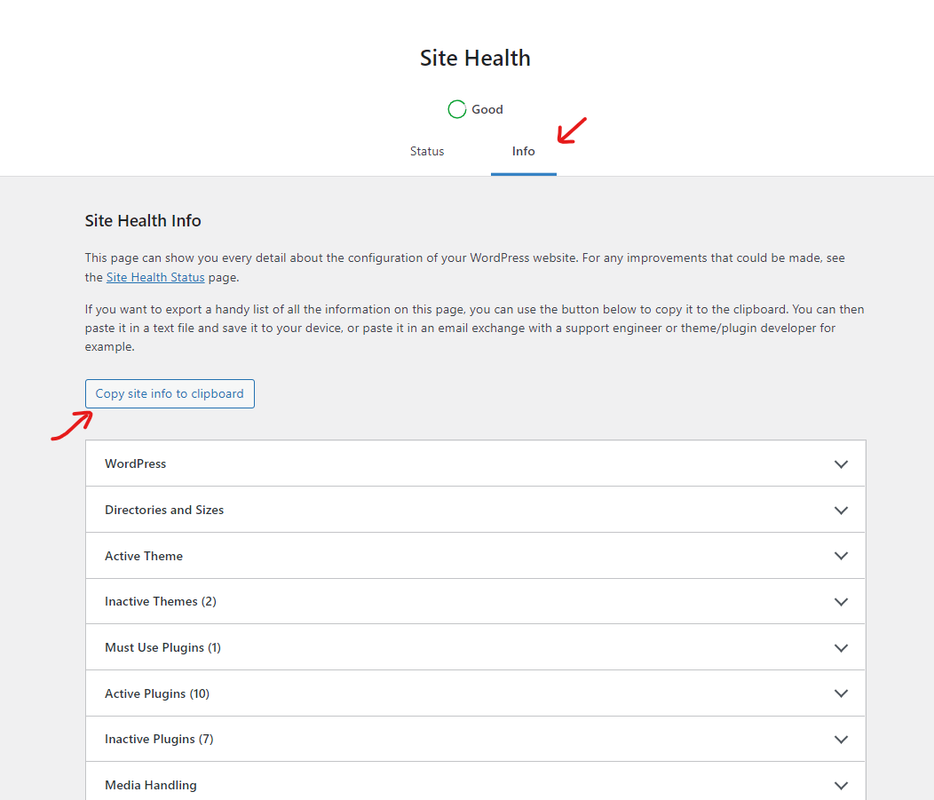
Also, kindly provide us with your system environment information. To do this, please go to WP Dashboard > Tools > Site Health > Info Tab and click on the button Copy site info to clipboard. You can send the information as code here or upload them to http://pastebin.com/ and get an exclusive link: https://i.postimg.cc/fbjtkFyJ/image.png.
Best Regards