Hello @devilmakq,
Please put the CSS below in Customizing > Custom CSS/JS > CSS Code:
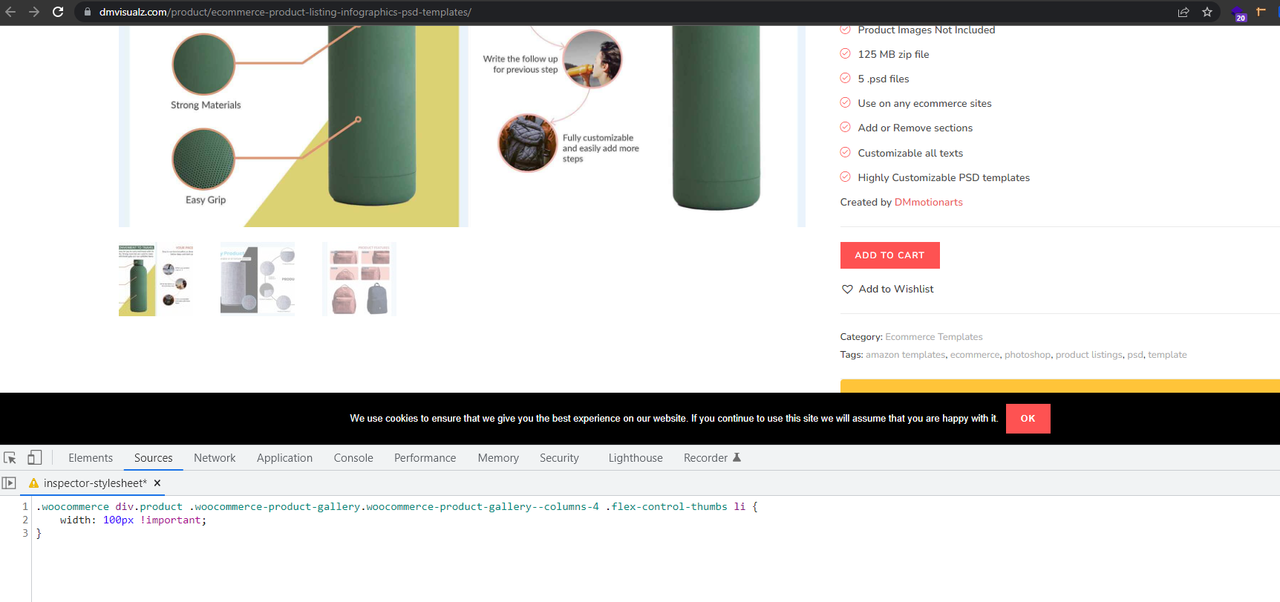
.woocommerce div.product .woocommerce-product-gallery.woocommerce-product-gallery--columns-4 .flex-control-thumbs li {
    width: 100px !important;
}
Please read this link for more information about the CSS/JS code on the customizer: https://docs.oceanwp.org/article/354-add-custom-css-and-js-to-your-website.
Result: https://i.postimg.cc/zv6xMFBb/image.png.
Note: if you have any cache plugin or server cache(CDN / Browser Cache and Cookies and …), you need to clear its cache contents or disable them to see your changes. Also, remember to click on the regenerate all assets file and data in Elementor > Tools(if you have Elementor).
Also, you can learn how to use Chrome Developer Tools or Firefox Developer Tools to help you see and test changes to your CSS:
https://developers.google.com/web/tools/chrome-devtools/
https://developer.mozilla.org/en-US/docs/Tools
CSS Tutorial: https://www.w3schools.com/css/
I hope that helps.
Best Regards
Hello, thank you for your response but it doesn’t work as intended. It creates 4 columns, so it messes up when there are more products. Also it messes up on mobile.