• Resolved Ervael

    (@ervael)


    Hi,

    I’m contacting you because my website has OceanWP theme. On homepage i used Gutenberg Gallery block with 4 pictures, They were well aligned in one row. I’m using a child theme but i’ve only 1 custom CSS (for entry-content h2) and it was already here before the update.

    Since WordPress 6.1 release the 4 pictures are now in column at the left border (in content). I thought first it was related to WordPress mostly because i’ve found this Github topic: https://github.com/WordPress/gutenberg/issues/45153
    And this one specific for Gallery Block and it’s the same issue than me : https://github.com/WordPress/gutenberg/pull/45173 linked to it.

    Tha seems fixed according to them (if i’ve understood well) and on another website where i’m using Twenty Twenty One theme it’s fine. So i suppose it’s related to OceanWP. I’ve tried some CSS to force the right alignement but i’ve not found for the moment.

    Can you help me please ?

    Thanks by advance

    • This topic was modified 3 years, 6 months ago by Ervael.
Viewing 3 replies - 1 through 3 (of 3 total)
  • Hello @ervael,

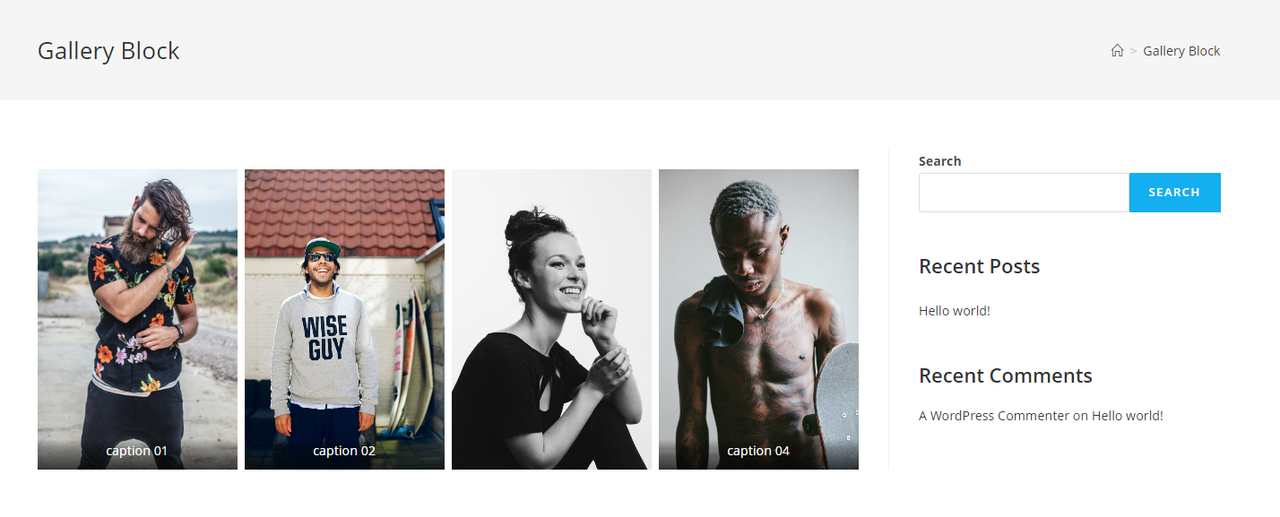
    I fully examined the issue you have raised on this topic and could not see it on my end. Please check this screenshot: https://i.postimg.cc/cCbcpJYB/image.png.

    Kindly share the following info that could help us understand the issue you described better and hopefully help you resolve it:

    1. Explain to us step by step how we can reproduce the issue so we can recreate it somewhere other than your website.
    – You can upload your files using one of the following online services:
    https://postimages.org
    https://imgbb.com
    https://loom.com
    https://drive.google.com

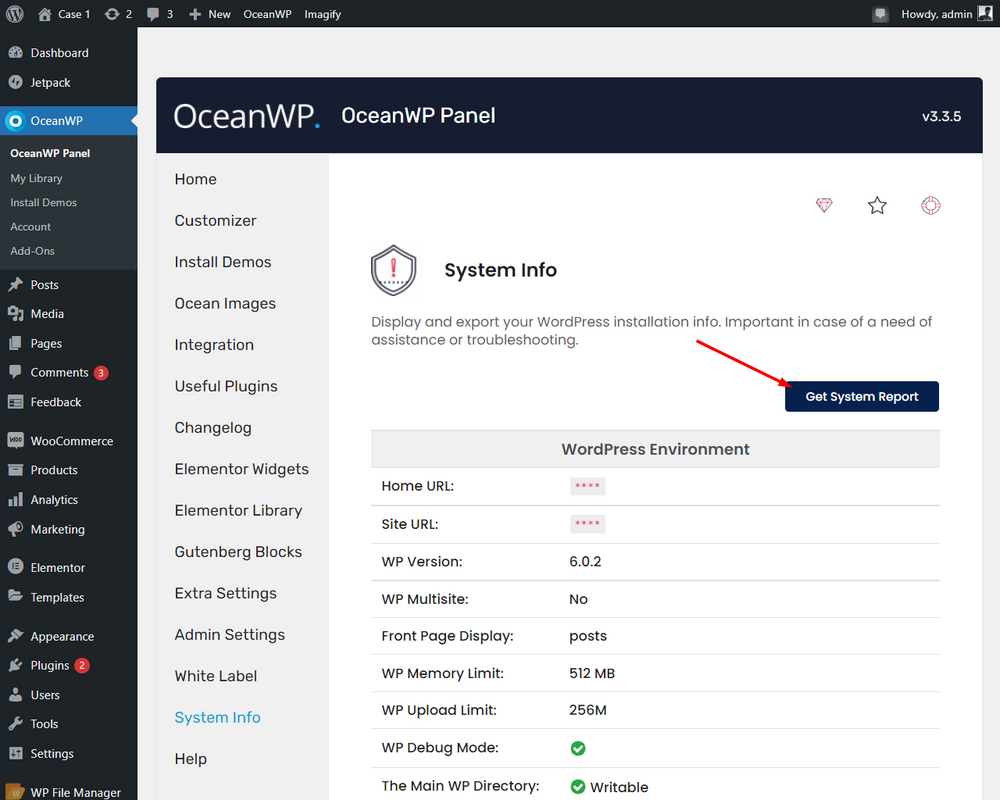
    2. Kindly provide us with your system environment information. Please navigate to WP Dashboard > OceanWP > OceanWP Panel > System Info: https://i.postimg.cc/0QZrGq46/system-info.png.
    – You can send the information as code here or upload them to http://pastebin.com/ and get an exclusive link.

    Before sending these, please make sure that:
    Everything on your website is running the latest versions (WP, theme, plugins). If possible, perform a basic troubleshooting checkup method and make sure the issue is related to our theme or plugin(s). To do this, deactivate all other plugins, then activate them one by one and check for this issue. Continue doing this until you find out what product is causing a conflict with our product. Then provide the details as explained above.

    Note: if you have any cache plugin or server cache(CDN / Browser Cache and Cookies and …), you need to clear its cache contents or disable them to see your changes.

    3. If you have a live URL, please send it here.

    Please keep us posted.
    Best Regards

    Thread Starter Ervael

    (@ervael)

    Hi,

    Thanks for your reply. After further investigation it wasn’t related to any one of my plugins. I’ve finally discovered that the issue is apparently directly related to WordPress last update with some websites. This is the topic i’ve found with the solution to fix it, few CSS lines: https://generatepress.com/forums/topic/gallery-problems-after-update-to-wp-6-1/

    Thanks again

    Thank you for reaching out,
    I’m glad you found a solution.

Viewing 3 replies - 1 through 3 (of 3 total)

The topic ‘Gutenberg Gallery block has wrong alignment’ is closed to new replies.