Hello @r4fiqul
Standard mode users, If your site is using Standard mode you don’t need to perform any actions simply delete the AMP plugin and Watch for a decreasing trendline on the “indexed AMP pages” graph.
Transitional and Reader Mode You will have to perform the following actions to remove AMP from your site.
1) Remove AMP from your website.
2) Remove AMP URLs from Google Search Central & Redirect your AMP pages to non-AMP pages.
Remove AMP from your website
The first step is easy to deactivate the AMP plugin and delete it from your WordPress site
Login to your WordPress site as Admin
Goto Dashboard -> Plugins -> Installed Plugins
Look for the AMP plugin and deactivate it, once deactivated you can delete the plugin, make sure to opt-in for deleting plugin data in case you completely remove the AMP plugin.
Remove AMP URLs from Google Search Central & Redirect your AMP pages to non-AMP pages.
Once you delete the AMP plugin the amp version of your pages will no longer exist, which means your non-AMP pages will no longer have <link rel="amphtml"> tag
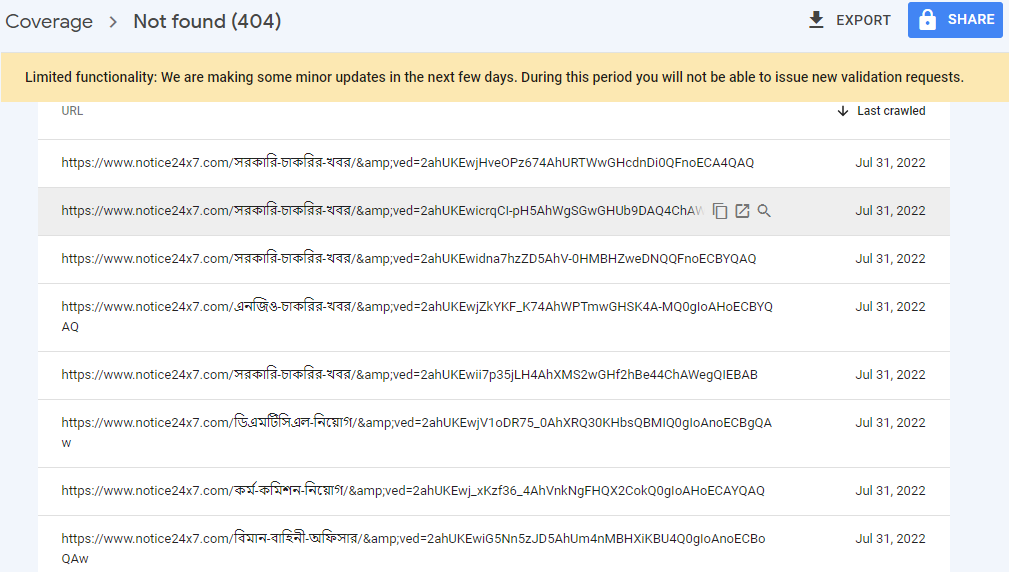
If an AMP page is requested from Google Search or a request is made from other platforms where AMP cache exits they will land on a 404 page not found, we will have to redirect that traffic to non-AMP pages.
You can use the mini plugins such as Redirection to create a redirection or use this mini plugin to which can redirect users from AMP to non-AMP pages, you can also ask your hosting provider to add a redirect rule to your server configuration.
I hope this is helpful!
@r4fiqul As we didn’t receive a response I’ll mark this as resolved. Feel free to open a new support topic if you require any further assistance.