• Resolved Jon Stubbington

    (@jonstubbington)


    I have updated to the latest version of Woocommerce (5.8.0) and the plugin is now causing a fatal error on my site.

    I have disabled all plugins and identified that it is Woocommerce that is causing the issue.

    I have attempted to rollback to 5.7.1 but the fatal error persists.

    I have deleted the plugin and reinstalled 5.8.0 and activated the plugin on its own (no other plugins activated) and the fatal error persists.

    I am running PHP 7.4, Ocean WP theme, and all other plugins and themes are up-to-date.

    Error Details
    =============
    An error of type E_COMPILE_ERROR was caused in line 87 of the file /home/jonstubb/public_html/wp-content/plugins/woocommerce/vendor/jetpack-autoloader/class-php-autoloader.php. Error message: require(): Failed opening required ‘/home/jonstubb/public_html/wp-content/plugins/woocommerce/packages/woocommerce-admin/src/Notes/Note.php’ (include_path=’.:/opt/alt/php74/usr/share/pear’)

    The page I need help with: [log in to see the link]

Viewing 5 replies - 1 through 5 (of 5 total)
  • Mirko P.

    (@rainfallnixfig)

    Hi there,

    Thanks for sharing with us your error logs.

    Could you please also share a copy of your site’s System Status? You can find it via WooCommerce > Status. Select “Get system report” and then “Copy for support”. Once you’ve done that, paste it here in your response.

    Thanks.

    Thread Starter Jon Stubbington

    (@jonstubbington)

    Hi Mirko.

    Thanks for getting back to me. I cannot activate the Woocommerce plugin (attempting to activate it crashes the site) so I cannot navigate to the Woocommerce > Status area of my dashboard. Is there an alternative way to generate/access this report?

    Thanks.

    Hi @jonstubbington,

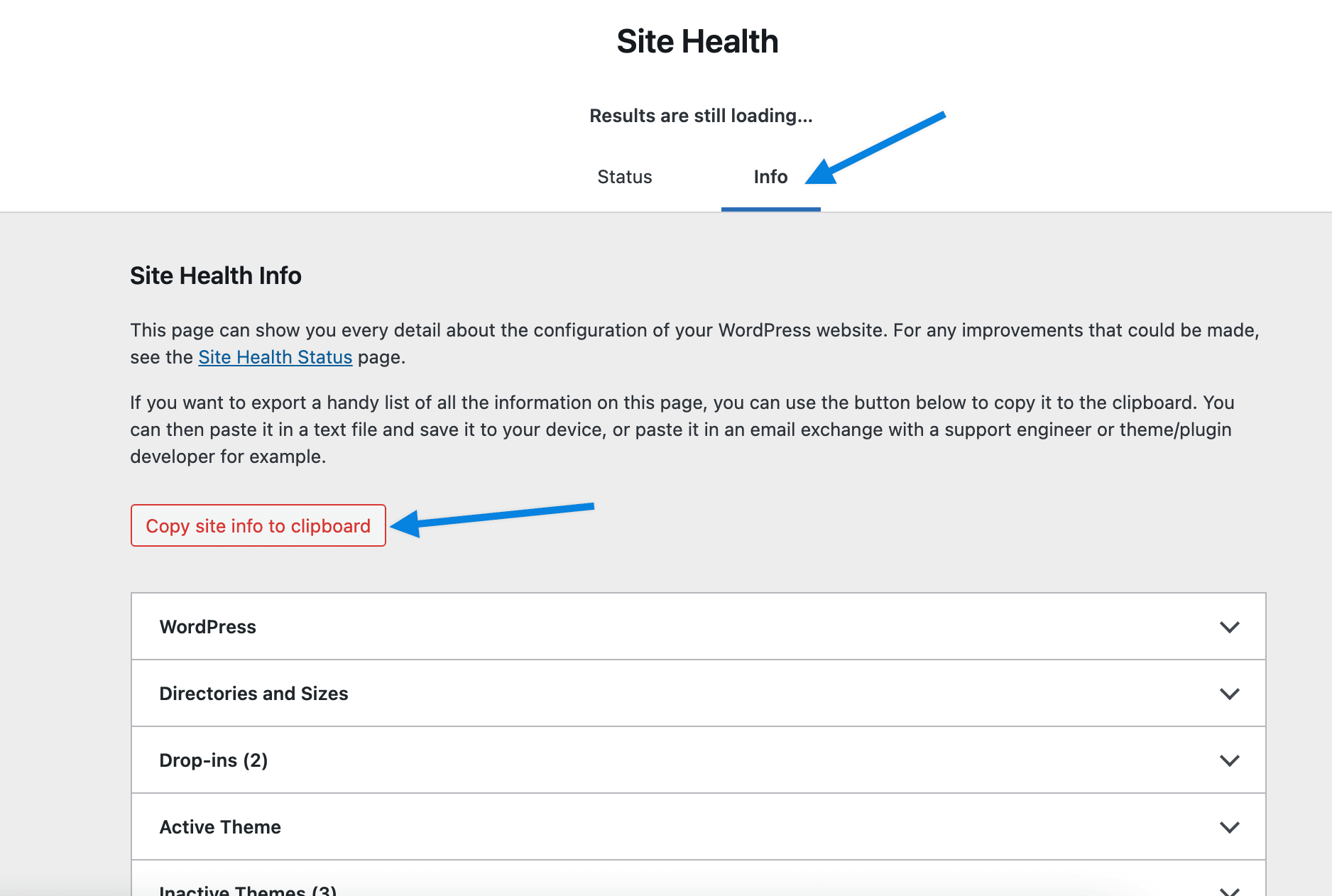
    Great point. It definitely won’t be possible to pull the WooCommerce status report without it active. Let’s do this. If you’re still having trouble, please go to Tools > Site Health and click on the “Info” link at the top. There is a “Copy site info” button here. Click that and paste it here in your reply.

    Thanks!

    Thread Starter Jon Stubbington

    (@jonstubbington)

    Hi @3sonsdevelopment

    Before downloading the site health information I tried activating the Woocommerce plugin once again and, this time, it worked. Other than updating some of my other plugins as updates became available, I have not made any other changes to the site, so I am guessing it might have been a conflict with another plugin that has been resolved when I updated whichever plugin was causing the conflict?

    At any rate, the issue now seems to be resolved. Thanks for your help.

    Plugin Support Nicholas E

    (@nicholasje)

    Hi @jonstubbington,

    That is great to hear! We are thrilled the issue has been resolved.

    I hope you have a great day! (:

Viewing 5 replies - 1 through 5 (of 5 total)

The topic ‘E_COMPILE_ERROR’ is closed to new replies.