Hello @edit4ever
Which is the appearance you want to apply your components? You can insert radio buttons, checkboxes, or acceptance controls and tick the “Display as on/off switch” option in their settings to transform them into toggle buttons.
Best regards.
Thank you! I had only looked at radio buttons not checkboxes since I assumed an on/off switch could only have one choice. Checkboxes worked for creating the look of an on/off switch, however…
Radio buttons does not show the option for display as on/off switch.
Using checkboxes shows each choice as an on/off switch instead of on being one choice and off being the second choice.
BTW – the goal is not really on/off – just a toggle between two choices.
-
This reply was modified 4 years, 8 months ago by
 edit4ever.
-
This reply was modified 4 years, 8 months ago by edit4ever.
Hello @edit4ever
My apologies for the delay in responding to your question. I’ve published an update of the plugin (at this moment) that includes the on/off switch to the radio buttons fields.
Please, install the plugin’s update.
Best regards.
Thank you – that fixed the missing on/off toggle from the radio buttons.
However, as a simple two choice display – there shouldn’t be two toggles – just a single toggle with choice 1 on one side and choice 2 on the other.
I’m guessing this may require a new form control.
Hello @edit4ever
If you need a custom coding service to customize the on/off control, you can contact me through my private website: Click Here
Best regards.
Thanks – wasn’t looking to customize at this point. Just seemed strange that there wasn’t a simple yes/no or on/off or like/dislike form control that is displayed as a toggle.
Hello @edit4ever
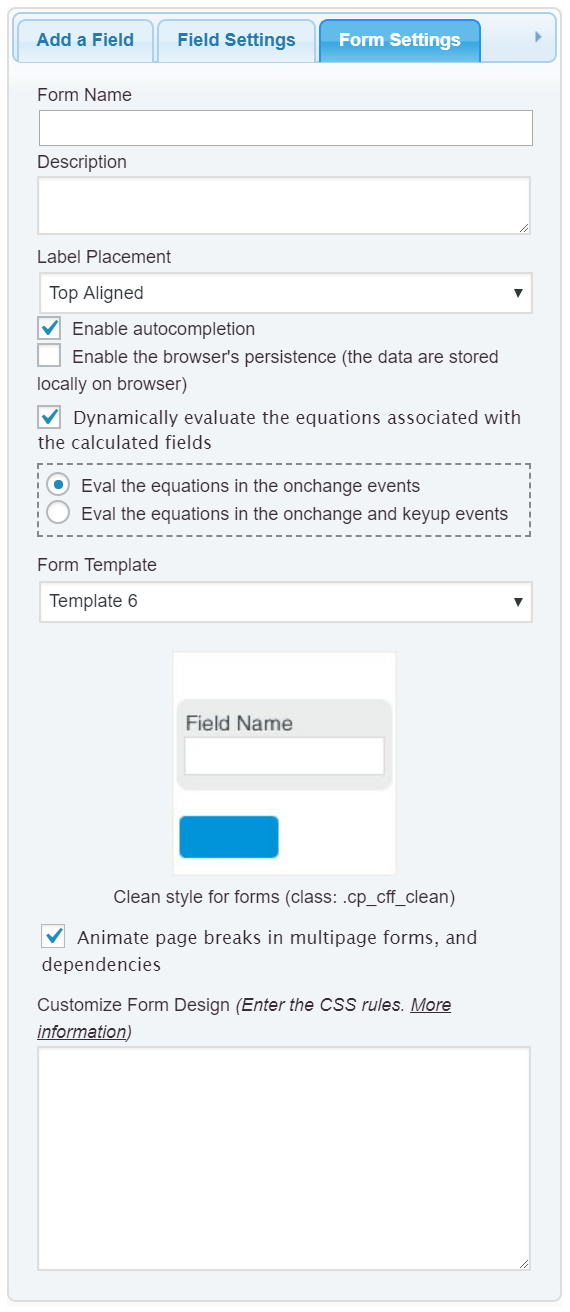
You are free to customize the appearance of the on/off control with CSS through the “Customize Form Design” attribute in the “Form Settings” tab (https://resources.developers4web.com/cff/images/documentation/form-settings-tab.png).
More information about the customization for form’s design by reading the following blog post:
https://cff.dwbooster.com/blog/2020/01/12/form-design
Best regards.