• thatman115

    (@thatman115)


    Hey guys, I have a website hosted with FastComet and uses Cloudflare DNS. Some visitors are reporting getting a ERR_QUIC_PROTOCOL_ERROR, however, these same visitors can access other websites on the Internet just fine, so I think it’s not as simple as a chrome issue. I’ve done a bit of research and it could be related to SSL certificates, UDP port 443 and some other things.
    Any ideas on what can be done?

    Note: I am already aware of the following steps:

    1. Open a new tab in Chrome
    2. Enter chrome://flags/ into the address bar
    3. Locate Experimental QUIC protocol
    4. Using the drop-down menu, select Disable
    5. Restart Chrome

    And they are not feasible steps to be providing to my visitors. Other solutions please.

    Thanks!

    • This topic was modified 5 years ago by thatman115.
    • This topic was modified 5 years ago by Jan Dembowski. Reason: Moved to Fixing WordPress, this is not an Everything else WordPress topic
Viewing 12 replies - 1 through 12 (of 12 total)
  • Moderator Yui

    (@fierevere)

    永子

    This problem is not related to WordPress, its your webserver set up.
    Please ask your hosting or/and Cloudflare support.

    Thread Starter thatman115

    (@thatman115)

    I’ve spoken to my hosting and they’re claiming there’s nothing they can do which I think is bollocks. I was just wondering if anybody here had this issue and maybe in fact solved it through their hosting and/or Cloudflare settings.

    Thread Starter thatman115

    (@thatman115)

    I’ve just spoken to me hosting again and they responded with this:

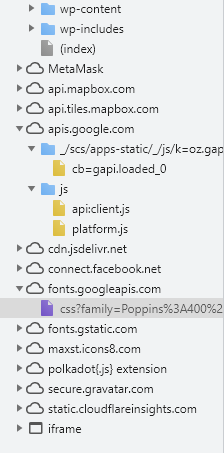
    Most websites do not use the QUIC protocol at all, Tolu. It is developed by Google and it is mainly used on their websites, including Google.com and YouTube. If there are Google integrations like embedded content and videos from Google.com or YouTube QUIC will also be used on your website. There is JavaScript and fonts that are loaded from Google on your website which you can verify from this screenshot:

    Screenshot

    Could somebody advise me on how I can remove Google Javascript and fonts from my site. I’ve tried the Autoptimize plugin with no luck.

    • This reply was modified 5 years ago by thatman115.
    • This reply was modified 5 years ago by thatman115.
    Moderator Yui

    (@fierevere)

    永子

    QUIC (can also say HTTP/3, but it is not exactly so, but when you mean QUIC in a Web context, its HTTP/3) been recently approved by IETF, so it is ready to be used and it will be used and not just by Google sites, but by Cloudflare too.

    It is enabled in HTTP headers by “Alt-Svc”
    See https://developer.mozilla.org/en-US/docs/Web/HTTP/Headers/Alt-Svc

    So you have to check your site http headers and find out why and where QUIC been enabled.

    Removing Google fonts and scripts served from their CDN will not help, they should not have a problem with being served from their CDN.

    Thread Starter thatman115

    (@thatman115)

    I see, thanks.

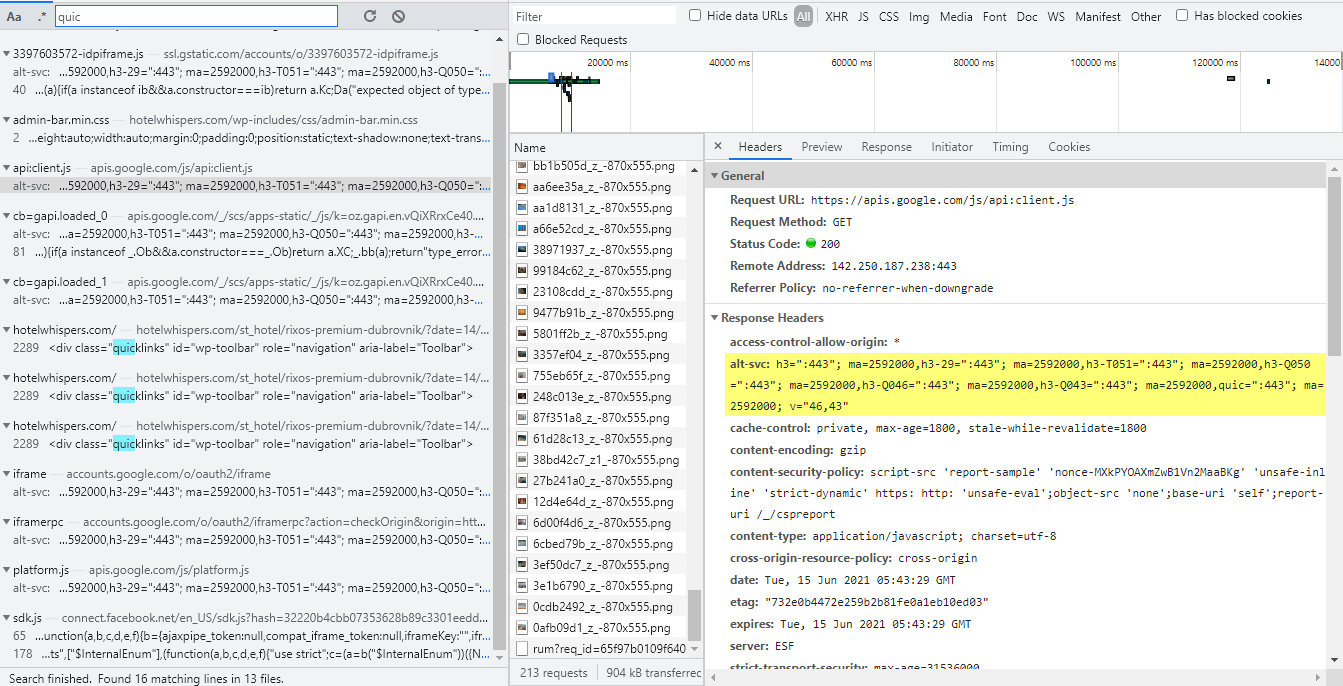
    So I had a look at my Network tab and saw QUIC in various places.

    Screenshot

    I’ve also read that:
    You cannot use self-signed SSL certificates with QUIC. Only trusted SSL certificates issued by a CA (Certificate Authority) work.

    Currently I am using Let’s Encrypt SSL. My questions now are:
    1. Is there a way I can easily disable QUIC now that I know (kind of) where it’s coming from?

    2. If I purchase a SSL certificate issued by a CA, would that fix my issue?

    Thanks

    Website Rob

    (@website-rob)

    line #109 of source code
    <script type='text/javascript' src='https://apis.google.com/js/api:client.js' id='google-api-js'></script>

    As the above code is what seems to be the problem, you should determine what is putting it there and why it is needed. If not needed then remove. If it is needed then you’ll probably have to register with Google to use the code.

    Thread Starter thatman115

    (@thatman115)

    Thank you for the response. Unfortunately i’m not too savvy when it comes to web design and I have no idea what could be putting it there. Is there an easy way to check? Could it potentially be a theme?

    Website Rob

    (@website-rob)

    Suggest you disable all plugins then reload the page (CTRL + F5) and search for the code I mentioned.

    If code is still there you know it’s the theme inserting the code and you’ll have to change themes.

    If code is not there enable plugins one-at-time reloading the page after each enable. Eventually you’ll find the plugin inserting the code.

    Thread Starter thatman115

    (@thatman115)

    Thanks for the help, the theme was the one inserting the code. I have removed it, i’ll need to ask my visitors if they’re still getting the same error to confirm if it has been fixed.

    Thread Starter thatman115

    (@thatman115)

    Unfortunately, those visitors still can’t access the website. Could it be a firewall issue? Is there any way I can open up certain ports etc?

    Moderator Yui

    (@fierevere)

    永子

    You should not have problems with LetsEncrypt CA, there is actually no difference (for connectivity) which CA will ship your certificate.
    If you are getting “self signed” errors, then most likely you have not installed your certificate correctly (incomplete chain issues).

    Website Rob

    (@website-rob)

    The problem is your site is using HTTP/3, which to my knowledge is still somewhat experimental. Another reason why Google asks for registration.

    Ask your Hoster to change it to HTTP/2 and problems should go away.

Viewing 12 replies - 1 through 12 (of 12 total)

The topic ‘Some visitors getting ERR_QUIC_PROTOCOL_ERROR’ is closed to new replies.