Plugin Contributor
 iSaumya
(@isaumya)
Hi @darkcod3r,
There are many similar threads in the support forum on this exact same issue which I will highly recommend you to check as this has been already explained there many times.
In case of your website:
1. In the response header I do not see any response headers that are added by the plugin so I’m not sure if the plugin is enabled on your site.
2. Also your cache-control header is not what the plugin sets which leads to this issue.
Screenshot: https://i.imgur.com/PVhWupE.png
@isaumya yes i have checked out some of support questions but none of them has clear solution of this problem.
1: Plugin is enabled (if it wasn’t, i wont be posting support question here).
2: I dont know why it is not like that.! Plugin is enabled though. I can provide you access to admin dashboard if you like…
-
This reply was modified 5 years, 5 months ago by
 DarkCoder.
Plugin Contributor
iSaumya
(@isaumya)
Hi @darkcod3r,
Thanks for confirming the plugin is enabled. But the problem is we don’t see any response headers that get added by the plugin. Can you try deactivating the WP Rocket and only keep this plugin to see if that resolves the issue?
@isaumya Here is the log file …
Also, getting same error after deactivating WP-Rocket..
.
https://filebin.net/aar8ua1i7tipaekv
-
This reply was modified 5 years, 5 months ago by DarkCoder.
Plugin Contributor
iSaumya
(@isaumya)
Hi @darkcod3r,
Thanks for the log file. But please disable WP Rocket and clear the whole cache for further testing.
@isaumya Disabled wp rocket, Purged whole cache. still same issue..
Plugin Contributor
iSaumya
(@isaumya)
Hi,
Now when I am looking at your site: https://i.imgur.com/zOpAOch.png
I still see an issue with the cache-control header and it seems WP Rocket is still enabled
@isaumya Cause i have re-enabled the plugin after testing. Kindly check again..
Hi @darkcod3r ,
the problem is this:
cache-control: expr={resp:x-wp-cf-super-cache-cache-control}
this happen when you are using a web server with a bad support of mod_headers such like LiteSpeed Server version lower than 6.0RC1.
Please disable the option Overwrite the cache-control header for WordPress’s pages using web server rules
on Cache tab or use CF workers by enabling the Worker mode.
Let me know when done
@salvatorefresta That is strange cause i am using this plugin on another website hosted on same server, yet no issue on that website ( plugin settings on default).
.
As for that setting, i have disabled it but still same issue…
https://i.ibb.co/DM6qJB5/overwrite.jpg
Hi @darkcod3r ,
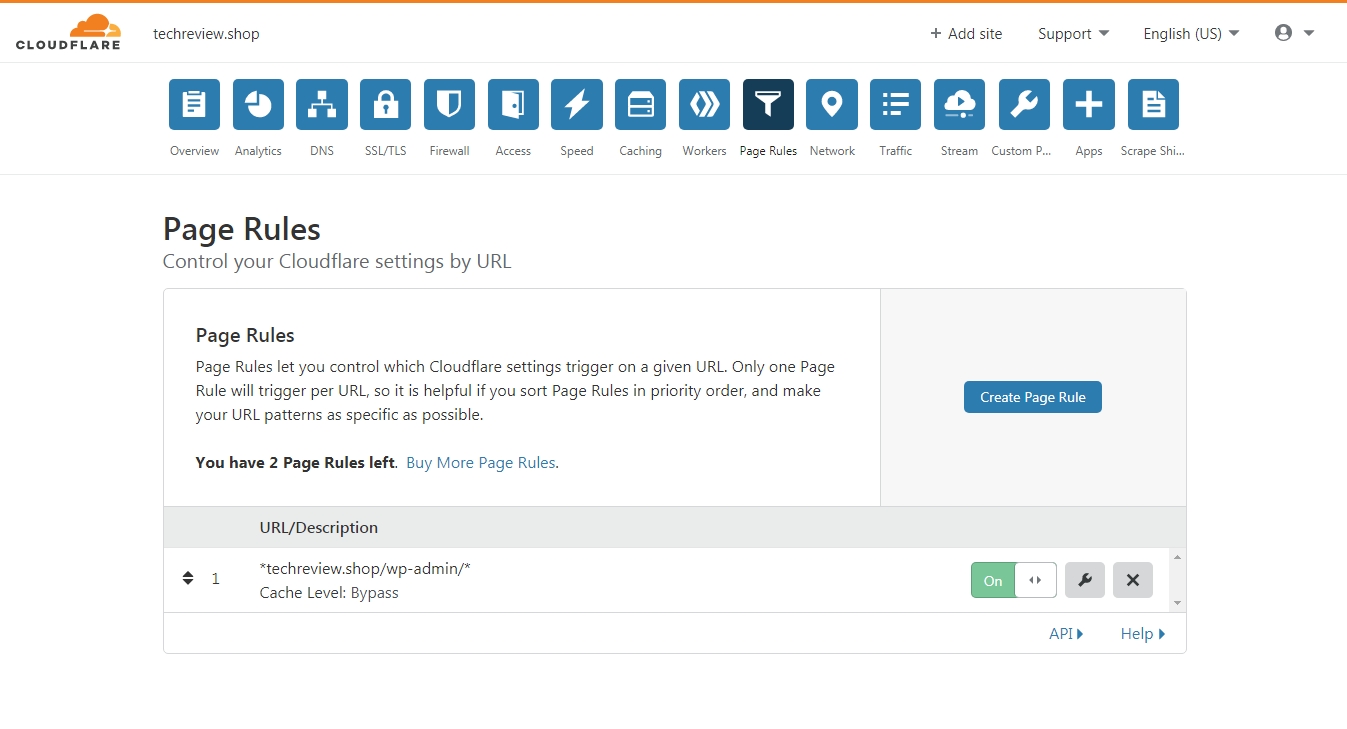
now the cache-control response header is correct. One problem solved. Can you please give me a screenshot of page rule section on your CF account?
and please disable railgun
@salvatorefresta
Sure.
Only this rule is showing (It has been added by me manually around 1 year ago)..
.
https://i.ibb.co/hBt3mN6/rules.jpg
.
And i have disabled Railgun..
-
This reply was modified 5 years, 5 months ago by DarkCoder.
Ok please enable and disable the cache from the plugin. A new page rule should coming up
@salvatorefresta
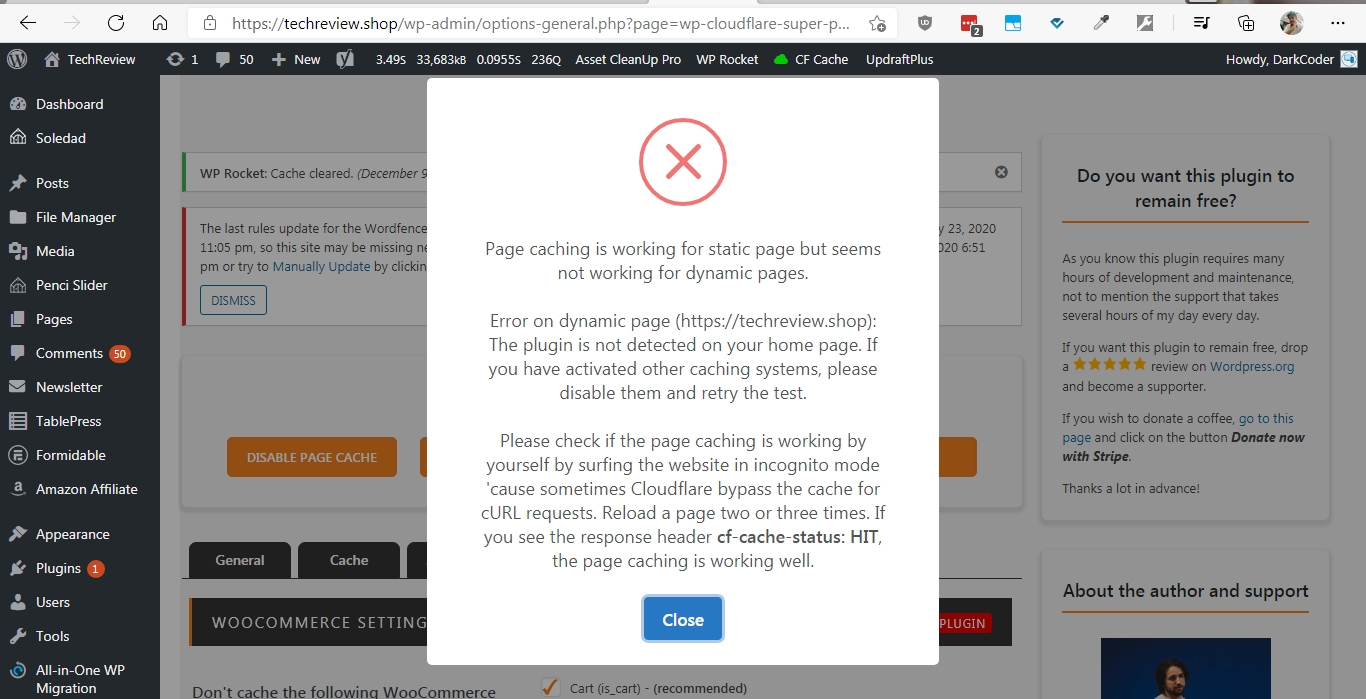
Hi. I have disabled and re-enabled cache. Rule added in cloudflare but still getting error on testng.
.
https://i.ibb.co/Qr6n18w/error.jpg
.
(And i just checked, now CF cache status showing EXPIRED. No matter how many times i refresh, always expired..
-
This reply was modified 5 years, 5 months ago by DarkCoder.
-
This reply was modified 5 years, 5 months ago by DarkCoder.