Where is $comments array created? What file, what function?
-
I really think this belongs in WP-Advanced but I’m not a moderator.
Ahh, looks like get_comments() is going to help me, looking into it…
Here’s the fix, if you’re wondering why your blog loads up on a huge 10,000 comment $comments array every time someone visits your most popular page, it’s the get_comments() function here:
http://phpxref.ftwr.co.uk/wordpress/wp-includes/comment.php.source.html#l171
You’re looking for the “number” which sets the MySQL “LIMIT” so you can get $comments down to a reasonable size. You can hack that function or comments_template() in comment-template.php
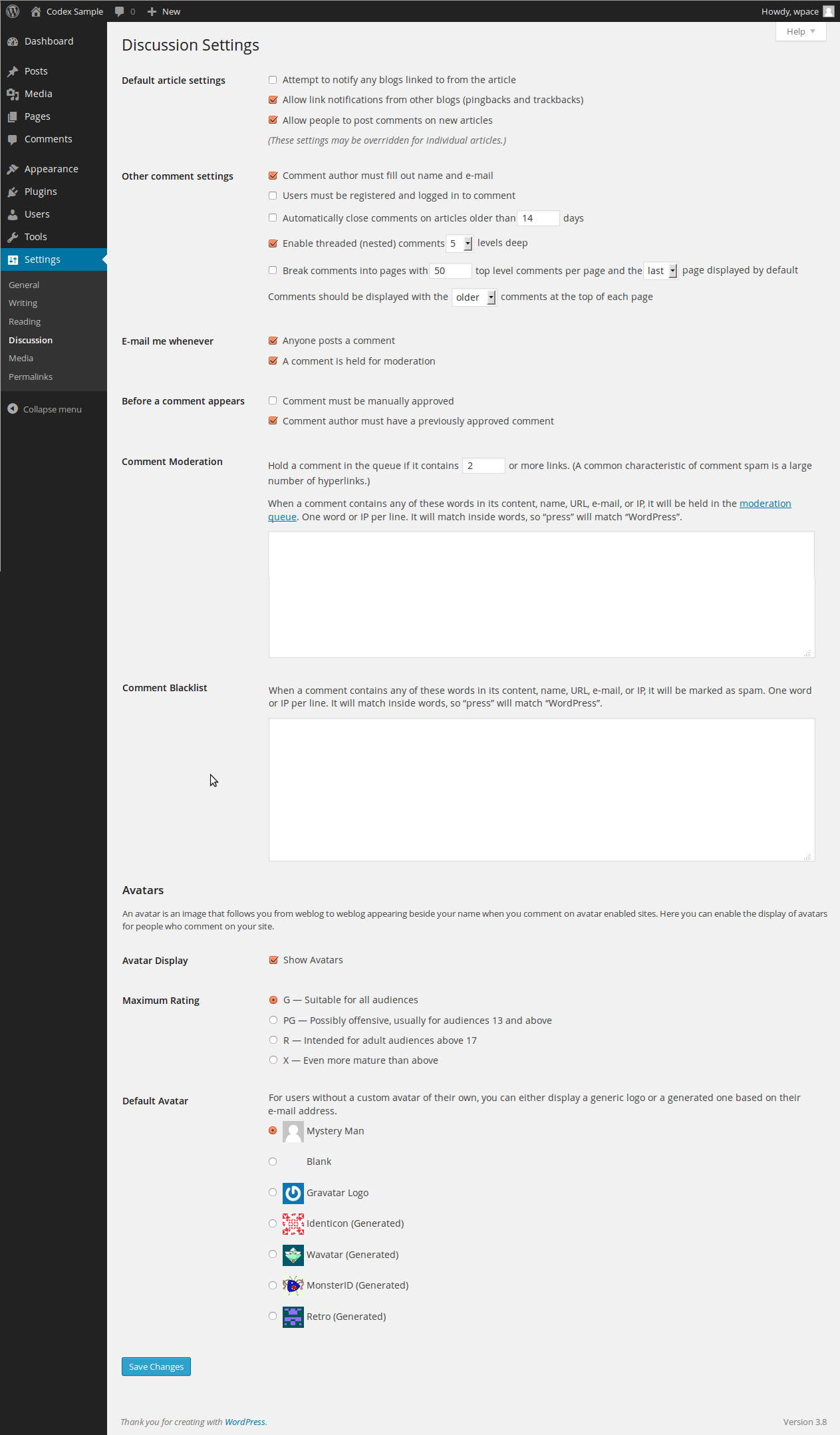
Probably comment-template.php should set the “number” to whatever you have set in your admin under “Discussion” for comments per page, even if your theme has no idea what pagination is.
I won’t check “resolved” because I think the “number” LIMIT should be set from the admin panel somewhere, with some reasonable default like LIMIT 100.
If I have time, I will report back here tomorrow if this reduced stress on my server.
Here’s the exact change I made, in comment-template.php, after “else if”. For blogs that don’t require logins, most of your traffic will see what is selected by this “else if” because there is no $comment_author most of the time. I changed to DESC to save my theme from reversing the array, but you may have a different theme. If there’s a better way to do it, let me know.
—
/** @todo Use API instead of SELECTs. */
if ( $user_ID) {
$comments = $wpdb->get_results($wpdb->prepare(“SELECT * FROM $wpdb->comments WHERE comment_post_ID = %d AND (comment_approved = ‘1’ OR ( user_id = %d AND comment_approved = ‘0’ ) ) ORDER BY comment_date_gmt”, $post->ID, $user_ID));
} else if ( empty($comment_author) ) {
$comments = get_comments( array(‘post_id’ => $post->ID, ‘status’ => ‘approve’, ‘order’ => ‘DESC’, ‘number’ => ’50’) );
} else {
$comments = $wpdb->get_results($wpdb->prepare(“SELECT * FROM $wpdb->comments WHERE comment_post_ID = %d AND ( comment_approved = ‘1’ OR ( comment_author = %s AND comment_author_email = %s AND comment_approved = ‘0’ ) ) ORDER BY comment_date_gmt”, $post->ID, wp_specialchars_decode($comment_author,ENT_QUOTES), $comment_author_email));
}Ugh, it’s not working. I’m wondering if that big array is cached now?
if you’re wondering why your blog loads up on a huge 10,000 comment $comments array every time someone visits your most popular page,…
…I won’t check “resolved” because I think the “number” LIMIT should be set from the admin panel somewhere, with some reasonable default like LIMIT 100.
I’m not sure if we’re on the same page (pardon the pun) or not, but is any of this useful in any way?
My attention was drawn to the part about:
“Other comment settings”
The only other thing I wonder is, does a theme need to be coded to take advantage of those features?
Never mind, it works, but not if you’re logged in.
“is any of this useful in any way?”
That option you posted doesn’t affect the memory requirement of $comments, which is my entire reason for starting this thread. The option you’re talking about only affects the pagination of newer themes, but even if you have a more updated theme, $comments still sucks up memory if you have a lot of comments.
Unless you make the change I posted, your blog loads ALL of your comments into the $comments array, which is probably not a big deal for most blogs. But I have one post with 9000+ comments and it’s costing me a lot of cash to host that particular page, so I’m looking for ways to save memory, CPU.
To test if it’s working, add “echo count($comments);” somewhere at the top of your comments.php theme file.
Ahhhh… I see. Thanks for the enlightenment. Got a link to your site? I would be interested to take a look at it.
If you have any questions, let me know pj@pjbrunet.com
Update: I’m wondering if WP developers just assume high-traffic sites use some kind of cache now, allowing them to ignore things like this?
I was watching a video from WordCamp 2007 telling plugin developers to test on large datasets first. So why wasn’t get_comments tested with lots of comments?
Because this code is so bloated now (I would edit wp-includes all day long but then I could never upgrade) I’m trying wp-cache (also recommended in that same video) and the plugin works for a little while and then breaks. Then all pages stop loading until wp-cache is turned off. Submitting comments with wp-cache sometimes gives PHP errors due to missing cache files. Comments do not update until the cache refreshes (what?!)
KnowingArt_com , I have the same problem.
I tried your hack and it didnt work for me. It’s like it doesnt use get_comments at all. I tried adding die(“wtf”); in the very first line of get_comments() and the function works normally. I dont see any “wtf”. It’s not using get_comments.
So I guess it’s not going through the “else if”, but the others, that are using $wpdb->get_results():
/** @todo Use API instead of SELECTs. */
	if ( $user_ID) {
		$comments = $wpdb->get_results($wpdb->prepare("SELECT * FROM $wpdb->comments WHERE comment_post_ID = %d AND (comment_approved = '1' OR ( user_id = %d AND comment_approved = '0' ) )  ORDER BY comment_date_gmt", $post->ID, $user_ID));
	} else if ( empty($comment_author) ) {
		$comments = get_comments( array('post_id' => $post->ID, 'status' => 'approve', 'order' => 'ASC', 'number' => '5') );
	} else {
		$comments = $wpdb->get_results($wpdb->prepare("SELECT * FROM $wpdb->comments WHERE comment_post_ID = %d AND ( comment_approved = '1' OR ( comment_author = %s AND comment_author_email = %s AND comment_approved = '0' ) ) ORDER BY comment_date_gmt", $post->ID, wp_specialchars_decode($comment_author,ENT_QUOTES), $comment_author_email));
	}
Any suggestions?


The topic ‘Where is $comments array created? What file, what function?’ is closed to new replies.
(@knowingart_com)
16 years, 4 months ago
I’m in my comments.php and I see that $comments is a global array that WP creates. Even if your theme uses cool new functions to get comments, $comments is still there whether you like it or not.
I want to know where it is created so I can take a look at the code. What is the problem? Well, $comments is a HUGE array, it loads all of your comments, even if you’re doing pagination or whatever. So if you have 1,000 comments on a post, it doesn’t make sense to have an array that big in memory.
I can fix the MySQL, that’s not my problem. I just can’t figure out where $comments is created. Various searches not helping me, $comments appears around 900 times in WP’s code and Google isn’t helping me either. All I need is a hint. Thanks.